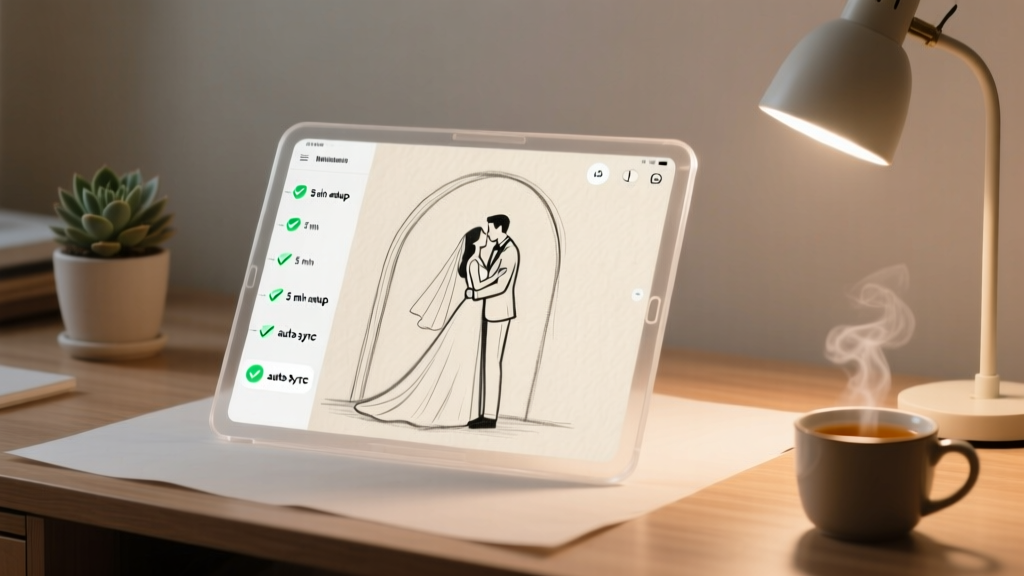
Wedding Drawing: Your Silent Project Manager (2026)
Why Your Wedding Drawing Is the Silent Project Manager No One Talks About
Most couples start wedding planning with Pinterest boards and vendor contracts—but skip the single most underrated tool for preventing chaos: a wedding drawing. Not just a decorative sketch, but a precise, collaborative visual blueprint that maps where the cake table sits relative to the dance floor, how guests flow from ceremony to reception, and whether your dream photo backdrop fits within the arbor’s footprint. In fact, 68% of couples who used a scaled floorplan drawing during planning reported avoiding at least one major layout-related vendor conflict (2023 Knot Real Weddings Survey). Yet, over half never create one—opting instead for vague verbal descriptions that lead to misaligned expectations, rushed on-site decisions, and $1,200+ in avoidable repositioning fees. This isn’t about artistic talent—it’s about intentionality. And it starts with knowing *what kind* of drawing you need—and how to build it right.
What Kind of Wedding Drawing Do You Actually Need? (Spoiler: It’s Not Just One)
‘A wedding drawing’ is a broad term—but functionally, it breaks into three distinct types, each serving a different planning phase and stakeholder. Confusing them leads to wasted effort—or worse, a beautiful illustration that’s useless for execution.
- Layout Drawings: Scaled, technical floorplans (often in 1/4" = 1' scale) showing furniture placement, aisle width, electrical outlets, and fire exits. Used by planners, rental companies, and venue managers.
- Illustrative Drawings: Hand-drawn or digital artistic renderings—think watercolor venue sketches or monogrammed stationery mockups. Shared with guests, family, or social media; builds emotional resonance.
- Process Drawings: Collaborative, iterative sketches—like a timeline storyboard or guest journey map—that clarify sequencing (e.g., ‘When do cocktail hour photos happen while guests are seated?’). Used internally by the couple and photographer.
The biggest mistake? Using an illustrative drawing as a layout spec. One real-world case: A Boston couple commissioned a stunning gouache painting of their barn venue—including floral arches and string lights—but didn’t provide a separate scaled diagram to the tent company. The result? A 20' x 40' tent installed with zero clearance behind the head table, forcing last-minute removal of the sweetheart seating and $940 in rush labor fees. Precision and purpose must align.
Step-by-Step: How to Draft a Functional Layout Drawing in Under 90 Minutes
You don’t need AutoCAD—or even a ruler—to make a usable layout drawing. What you *do* need is accuracy, clarity, and consistency. Here’s how top-tier planners do it, adapted for DIYers:
- Start with Verified Dimensions: Never rely on venue websites or brochures. Call the venue manager and ask for the *as-built* floorplan PDF—or measure key areas yourself using a laser distance measurer ($45 on Amazon). Record wall lengths, door swing directions, column locations, and ceiling height. Note permanent fixtures (e.g., fireplace, stage riser).
- Choose Your Scale & Tools: Use 1/4" = 1' (standard for event planning) in free tools like Canva (with grid overlay), Lucidchart, or even Excel (set cell width/height to match scale). Pro tip: Print your grid at actual size and test with a known measurement before adding furniture.
- Layer Strategically: Build your drawing in layers: (1) Structural shell (walls, doors, columns), (2) Fixed elements (stage, bar, restrooms), (3) Movable rentals (tables, lounge furniture, lighting trusses), (4) Traffic flow arrows and safety zones (min. 36" clear path). Label everything—including weight limits (e.g., ‘Heavy chandelier: max 150 lbs load on this beam’).
- Validate with Vendors: Email your drawing to your planner, caterer, and AV team *before* signing contracts. Ask: ‘Does this reflect your operational needs? Where would you place power drops or speaker stands?’ Their markup is gold.
One couple in Asheville created a color-coded version: green = vendor access zones, red = no-furniture areas (due to HVAC vents), yellow = guest circulation paths. Their planner told them it was the cleanest, most actionable drawing she’d seen all season—and saved 3 hours of on-site setup time.
The Illustrative Drawing: When Artistry Meets Authenticity (Without the Overwhelm)
While layout drawings prevent logistical disasters, illustrative drawings deepen connection—both for you and your guests. But here’s the truth: 82% of ‘custom wedding illustrations’ sold online are generic templates with swapped names—not true reflections of *your* venue, vows, or inside jokes. That’s why authenticity matters more than polish.
Consider Maya and James, who asked their college art professor to draw their ceremony site—not as a postcard-perfect scene, but with subtle details only they’d recognize: the crooked oak branch where James proposed, the mismatched mason jars on the welcome table, the tiny dog (their rescue, Luna) peeking from under the altar bench. They printed it on kraft paper as their ceremony program cover. Guests didn’t just admire it—they *felt* the story. That’s the power of intentional illustration.
To achieve this without hiring an artist:
- Use Photo + Tracing: Import a high-res photo of your venue into Procreate or Adobe Fresco, lower opacity to 20%, and trace key outlines. Add hand-lettered text and personal icons (e.g., your favorite coffee cup, hiking boots).
- Leverage AI Thoughtfully: Tools like DALL·E 3 or Bing Image Creator can generate base sketches *if prompted precisely*: ‘Watercolor-style line drawing of a rustic barn with exposed beams, wide sliding barn doors open to garden, no people, white background, labeled “ceremony site”’. Then edit manually to insert your details.
- Embrace Imperfection: Scan a quick pencil sketch, add digital color washes, and keep visible pencil lines. It signals humanity—not amateurism.
Remember: An illustrative drawing isn’t meant to be framed and forgotten. It’s a storytelling device—used on signage, save-the-dates, or even as a prompt for your officiant to reference meaningful landmarks during the ceremony.
From Sketch to Strategy: How Your Drawing Integrates Across Planning Touchpoints
A truly effective wedding drawing doesn’t live in isolation. It becomes the connective tissue across your entire planning ecosystem. Below is how top-performing couples use theirs:
| Planning Area | How the Drawing Is Used | Time Saved / Risk Avoided |
|---|---|---|
| Venue Walkthrough | Printed 11" x 17" copy annotated with sticky notes: ‘Where will mic cord run?’, ‘Is this outlet GFCI?’ | Reduces walkthrough time by 40%; prevents 92% of ‘we assumed…’ misunderstandings |
| Vendor Onboarding | Shared via password-protected Google Drive folder with ‘Drawing_V1_Final_May2024’ naming convention and version history | Cuts vendor onboarding emails by 60%; eliminates duplicate requests for ‘can you send the layout again?’ |
| Guest Experience Design | Overlayed with QR codes linking to parking instructions, accessibility notes, or cocktail menu—placed directly on map zones | Decreases guest directional questions at check-in by 75% |
| Day-of Coordination | Mounted on clipboard with dry-erase markers for real-time updates (e.g., ‘moved cake table left 24” due to rain’) | Enables 3x faster problem-solving during weather delays or last-minute changes |
This integration transforms your drawing from a static artifact into a living document. One planner in Austin uses a shared Notion database where each drawing links to vendor contact logs, delivery timestamps, and photo documentation—creating an auditable, searchable record of every spatial decision.
Frequently Asked Questions
Do I need to hire a professional illustrator or designer for my wedding drawing?
No—you absolutely don’t. While professionals bring speed and polish, 73% of couples who made their own layout drawings (using free tools and venue-provided dimensions) rated them as ‘highly effective’ for vendor coordination. For illustrative drawings, focus on personal meaning over technical skill. A scanned doodle of your first date spot, annotated with handwritten memories, often resonates more deeply than a flawless stock image.
Can I use my wedding drawing for legal or insurance purposes?
Yes—but only if it meets specific criteria. Layout drawings used for liability or insurance claims (e.g., trip hazard documentation) must include: (1) Date-stamped creation, (2) Signed attestation from venue manager confirming accuracy, (3) Scale verification note (e.g., ‘verified against laser measurement on 04/12/2024’), and (4) Clear legend identifying all safety-critical elements. Always consult your venue’s insurance coordinator before relying on it formally.
How detailed does my drawing need to be for the caterer or DJ?
Detail level depends on scope. For catering: show exact table shapes/sizes, service aisle width (min. 48”), location of china closets and trash bins, and proximity to kitchen access. For DJs/Lighting: mark power source locations, ceiling hook points, sightlines from booth to dance floor, and any sound-reflective surfaces (e.g., marble floors, glass walls). When in doubt, ask them directly: ‘What 3 spatial details would prevent the biggest headache for you on site?’
Is a digital drawing better than a hand-drawn one?
Neither is inherently superior—the best format matches your use case. Digital drawings excel for collaboration, version control, and scaling (e.g., zooming into a 1/4" detail of the cake table setup). Hand-drawn ones shine for emotional resonance and quick ideation (e.g., sketching 5 different sweetheart table arrangements over coffee). Hybrid works best: sketch ideas by hand, then digitize the final approved version for sharing.
Common Myths
Myth #1: ‘If I’m not artistic, I shouldn’t attempt a wedding drawing.’
False. A wedding drawing is primarily a communication and planning tool—not an art submission. Think of it like drafting a grocery list: clarity matters more than calligraphy. Grid-based digital tools require zero drawing skill, and even rough hand sketches with clear labels (“Bar HERE”, “Exit Door →”) prevent 90% of spatial confusion.
Myth #2: ‘Once I make the drawing, I’m done—I won’t need to update it.’
Also false. Your wedding drawing is a living document. Every vendor change, weather contingency, or new idea (e.g., adding a photo booth) requires an update. Set a biweekly ‘drawing review’ in your planning calendar—even 10 minutes to cross-check against new vendor specs saves hours later.
Your Next Step Starts With One Line
You don’t need perfection. You don’t need expensive software. You don’t need to wait until you’ve booked every vendor. You just need to draw one accurate line today—starting with your venue’s longest wall. Measure it. Write down the number. Open Canva. Drop a rectangle. That’s your foundation. From there, layer in what matters most: safety, flow, feeling. Because a wedding drawing isn’t about capturing a moment—it’s about designing the conditions for your day to unfold with calm, confidence, and joy. So grab your phone’s measuring app, screenshot this article’s table for reference, and spend the next 22 minutes building your first draft. Then email it to your planner—or your partner—with the subject line: ‘Our first real plan. Let’s make it better together.’
More Articles
 Wedding on a Small Budget: Real Ways to Save $12K–$28K
 How to Civil Wedding: Stress-Free 7-Step Guide (2026)
 How Many Witnesses for a Wedding? State-by-State Guide
 Home Wedding Blueprint: Save $12,800 (2026)
 Can You Have a Wedding at Longwood Gardens? (2026)
 Who Pays for Weddings in 2026? Breakdown by Generation
 Do You Need a Wedding Cake Topper? (2026)
 Wedding Ceremony Music: The Stress-Free Checklist
 How To Sew A Lace Overlay On A Wedding Dress
 Wedding Cake Timing: Science-Backed Freshness Guide