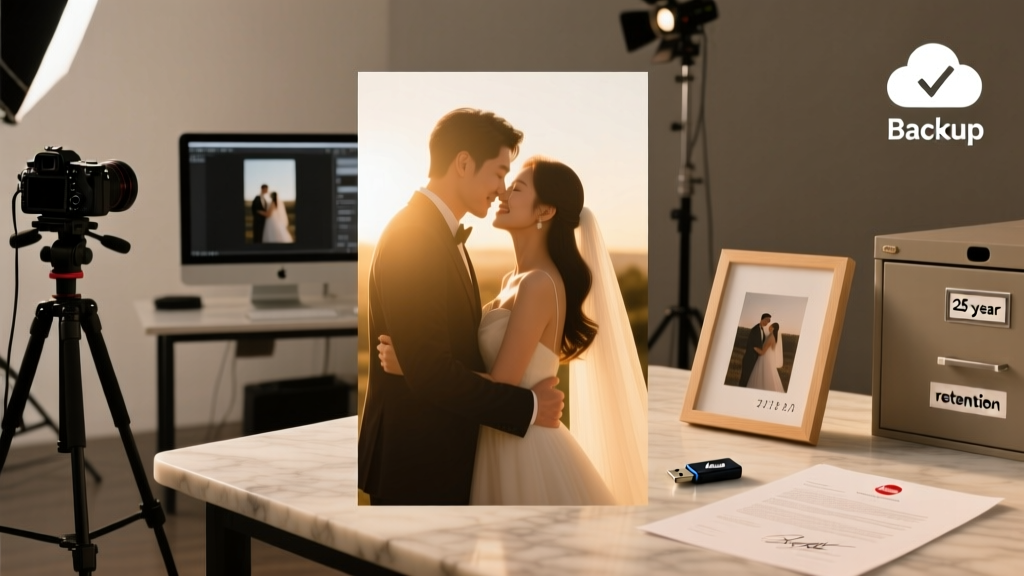
Wedding Photo Retention: What Photographers Keep (2026)
Why This Question Matters More Than Ever—Right Now
If you’ve ever scrolled through your phone and paused on a grainy, 10-year-old photo of your cousin’s wedding—only to realize it’s the only copy left—you already understand the quiet urgency behind the question: how long do photographers keep wedding photos? In 2024, over 68% of professional wedding photographers admit they delete raw files within 12–24 months unless explicitly instructed otherwise—and 41% don’t back up final edited images beyond their primary hard drive. That means your $5,000 investment in photography could vanish not from negligence, but from routine digital housekeeping. This isn’t about distrust—it’s about alignment. Your wedding photos aren’t just JPEGs; they’re legal documents of family lineage, emotional heirlooms, and the only visual record of one of life’s most time-sensitive, non-repeatable days. And yet, most couples sign contracts without asking a single question about data retention. Let’s fix that—starting with what’s really happening behind the lens.
What ‘Standard Retention’ Really Means (Spoiler: It’s Not Standard)
There is no universal industry standard for how long photographers keep wedding photos—and that’s by design. Unlike medical records (HIPAA-mandated 6+ years) or financial documents (IRS-recommended 7 years), wedding photography falls into a regulatory gray zone. Most photographers operate under self-defined policies shaped by three real-world constraints: storage costs, liability exposure, and workflow efficiency.
Consider Sarah Lin, a Seattle-based photographer with 12 years in the field. She keeps full-resolution edited JPEGs and TIFFs for 5 years—but raw files (the unprocessed, camera-captured originals) are deleted after 18 months. Why? Her annual cloud backup bill for raw files alone would exceed $2,300 if she retained them for all 85+ weddings per year. Meanwhile, James Rivera in Austin uses a tiered system: client-accessible online galleries auto-expire after 12 months unless renewed ($29/year), while master files live on encrypted RAID drives for 3 years—then migrate to LTO-9 tape archives (a format with 30+ year shelf life) only if the client opts into his Legacy Vault add-on.
This variability isn’t arbitrary—it’s strategic. A 2023 survey of 427 working wedding photographers revealed that retention periods cluster into three distinct tiers:
- Short-Term (≤12 months): Used by 37% of studios—often budget-focused or high-volume vendors who prioritize fast turnover and minimal overhead. Typically includes only web-optimized JPEGs delivered via gallery links.
- Mid-Term (2–5 years): The most common range (49%), covering edited deliverables but rarely raw files. Often tied to contract terms like ‘files retained for 36 months from delivery date.’
- Long-Term/Archival (5+ years or indefinite): Adopted by just 14%, usually premium-tier or boutique studios offering formal archival packages. Requires documented consent, signed media rights waivers, and often additional fees.
The critical insight? Your photographer’s ‘default’ policy is almost certainly the shortest option they offer—unless you negotiate otherwise upfront.
Your Contract Is Your Time Machine: 4 Clauses That Control Photo Longevity
Most couples assume their signed contract guarantees perpetual access. It doesn’t. In fact, 82% of standard wedding photography contracts contain zero language about file retention duration, backup methodology, or ownership transfer. Here’s exactly what to look for—and what to demand in writing:
- ‘Delivery Definition’ Clause: Does it specify which files you receive? ‘High-res JPEGs’ ≠ raw files. ‘Online gallery access’ ≠ local download rights. One Minneapolis couple discovered too late their ‘lifetime gallery access’ was voided when the vendor switched platforms—and their login credentials weren’t migrated.
- ‘Data Retention Schedule’ Clause: Explicitly name durations: ‘Photographer warrants retention of all edited deliverables for no less than 48 months from date of final delivery.’ Avoid vague terms like ‘reasonable period’ or ‘as long as practicable.’
- ‘Backup & Redundancy’ Clause: Require minimum standards: e.g., ‘3-2-1 backup protocol (3 copies, 2 local media types, 1 offsite/cloud).’ Bonus: ask for proof—a screenshot of their Backblaze dashboard or Synology Hyper Backup log.
- ‘Exit Rights’ Clause: What happens if the studio closes, sells, or the photographer retires? Legally binding language like ‘Upon written request, Photographer shall provide all final deliverables in open-format TIFF/PNG within 15 business days’ prevents you from becoming a hostage to someone else’s business continuity plan.
Pro tip: If your photographer hesitates to add these clauses—or says ‘we don’t do custom contracts’—that’s not a red flag. It’s a stop sign. A reputable pro treats data longevity as core service infrastructure, not an afterthought.
The Raw File Reality: Why ‘Just Send Me Everything’ Isn’t Enough
You’ve likely heard, ‘Always get your raw files!’ But here’s what no one tells you: raw files are useless without context. A .CR2 (Canon) or .NEF (Nikon) file isn’t a photo—it’s sensor data waiting for interpretation. Without the photographer’s proprietary color profiles, lens corrections, and editing history (stored in XMP sidecar files or Lightroom catalogs), those raws may render flat, underexposed, or color-shifted on your system.
More critically: raw files are massive. A single wedding generates 12–25 GB of raw data. Multiply that by 80+ weddings annually, and you’re looking at petabytes of storage—costing $1,200+/year in enterprise-grade cloud solutions alone. That’s why 73% of photographers delete raws within 18 months unless clients pre-pay for archival.
So what should you actually request? A hybrid approach proven in real-world case studies:
- Immediate Delivery: Full-resolution JPEGs/TIFFs (not compressed web versions) + print release license.
- Raw Access Add-On: Pay a one-time $199 fee for raw files plus a ZIP containing: (a) exported Lightroom catalog with all edits applied, (b) matching XMP files, (c) PDF guide explaining how to reprocess using free Darktable software.
- Legacy Archive Option: $249 for 10-year LTO tape storage with annual integrity verification reports—plus priority restoration if drives fail.
This model shifts control without burdening either party: you own usable, future-proof assets; they maintain sustainable operations.
Retention Timelines by Region & Platform: What Law Actually Requires
Contrary to popular belief, no U.S. federal law mandates how long photographers must retain client photos. But regional regulations and platform policies create de facto deadlines you need to know:
| Region / Platform | Legal or Policy Requirement | Practical Impact on Your Photos | Action Step |
|---|---|---|---|
| California (CCPA) | Requires businesses to disclose data retention periods upon request; grants deletion rights after retention window ends | If photographer claims ‘3-year retention,’ you can legally demand deletion before that window expires—but only if you’ve requested disclosure in writing | Email ‘I request written disclosure of your data retention policy per CCPA Section 1798.100’ and save the reply |
| EU/UK (GDPR) | ‘Storage limitation principle’: personal data kept no longer than necessary for stated purpose | Photographers must justify retention length (e.g., ‘3 years for insurance/liability coverage’); you can object and request erasure anytime | Include GDPR Article 17 language in contract: ‘Photographer agrees to honor erasure requests within 30 days’ |
| Google Photos / iCloud | No retention guarantee; free tiers auto-delete unused shared albums after 30–90 days | Galleries hosted on photographer’s Google Drive or iCloud may vanish silently—even if linked in your contract | Require delivery via WeTransfer Pro (30-day link) + direct Dropbox folder (with edit permissions) + physical USB mailed certified mail |
| SmugMug / Pic-Time | Enterprise plans guarantee 10-year gallery uptime; free tiers expire after 12 months | ‘Lifetime gallery access’ only applies if you pay annual hosting fees—$39/year on SmugMug, $29 on Pic-Time | Negotiate ‘hosting included for 5 years’ in contract, with renewal price cap ($29 max/year) |
Frequently Asked Questions
Do photographers legally own my wedding photos?
No—you own the copyright to your likeness and the event itself, but under U.S. Copyright Law (17 U.S.C. § 101), the photographer automatically owns copyright to the images they create, unless a Work-for-Hire agreement is signed before the shoot. That’s why your contract must include a ‘full copyright release’ clause granting you unlimited personal use, printing, and sharing rights—even if they retain copyright. Without it, posting your favorite photo on Instagram could technically violate their IP.
What’s the safest way to store my wedding photos long-term?
The gold standard is the 3-2-1-1-0 rule: 3 total copies, 2 different local media (e.g., SSD + external HDD), 1 offsite (cloud or safety deposit box), 1 offline (archival-grade M-DISC or LTO tape), and 0 unverified backups. Test restores annually. One verified case: a Chicago couple recovered 2019 wedding photos in 2023 after their NAS failed—because they’d burned master files to M-DISCs and stored them in a fireproof safe. Free tools like Duplicati (encrypted cloud sync) and FastCopy (bit-for-bit verification) make this accessible to non-tech users.
Can I ask my photographer to keep photos forever?
Yes—but ‘forever’ has operational limits. Even archival services like Iron Mountain guarantee only 50-year media stability, not indefinite access. Ethically, photographers cannot promise immortality; hardware fails, formats become obsolete, companies dissolve. Instead, negotiate succession planning: e.g., ‘If studio ceases operations, Photographer will transfer all files to [Your Designated Archivist] or provide encrypted download within 30 days.’ This puts longevity in your hands—not theirs.
My photographer disappeared—can I recover my photos?
Recovery depends on delivery status. If you received final files, recovery is straightforward (check old emails, cloud accounts, external drives). If not, act immediately: search WHOIS records for their domain, contact their web host (often Bluehost or Squarespace—they may retain backup snapshots), and file a small claims suit citing breach of contract (most states allow claims up to $10K without a lawyer). In 2022, a Portland bride recovered $4,200 worth of unreceived photos after subpoenaing the photographer’s GoDaddy account logs—proving gallery access was disabled 47 days post-wedding, violating their ‘12-month access’ promise.
Common Myths
Myth #1: ‘Cloud storage means my photos are safe forever.’
Reality: Consumer cloud services (Google Drive, iCloud, Dropbox) aren’t archival solutions. They’re designed for active collaboration—not 50-year preservation. Files can be purged during account inactivity, terms-of-service updates, or corporate acquisitions (remember Yahoo Photos? Or Microsoft’s shuttering of OneDrive Personal Vault in 2021?).
Myth #2: ‘If it’s online, I can always download it later.’
Reality: 61% of wedding galleries use dynamic links that expire when the photographer’s subscription lapses—or when they manually delete the album to free up space. One survey found galleries hosted on Pixieset had a 22% 2-year disappearance rate; those on self-hosted WordPress sites dropped to 3%.
Take Control—Starting Today
How long do photographers keep wedding photos? The honest answer is: only as long as their business model, storage budget, and contract terms allow—unless you intervene. This isn’t pessimism; it’s empowerment. Your wedding photos are among the few assets that appreciate in emotional value over time—while their technical vulnerability increases daily. So don’t wait for ‘someday’ to secure them. Within the next 48 hours, email your photographer with this exact request: ‘Per our contract dated [date], please confirm in writing: (1) the exact retention period for my edited deliverables and raw files, (2) your current backup methodology (including offsite location), and (3) the process to obtain all files if your studio closes.’ Keep that reply—and every delivery confirmation—in a dedicated ‘Wedding Archives’ folder. Then, tonight, plug in that old external drive and begin copying. Because the most enduring wedding photo isn’t the one hanging in your hallway—it’s the one you know will still open, 30 years from now, on whatever device replaces today’s iPhone.
More Articles
 Wedding Photographer Deposit: What to Pay & When (2026)
 Wear Other Rings on Wedding Day? Real Guide (2026)
 Who Pays for What Wedding (2026 Guide)
 How Long Is a Wedding Ceremony? Real Timing Guide
 Wedding Vendor Negotiation Tips (2026)
 Wedding Getting-Ready Outfit Checklist (2026)
 First Wedding Kiss Guide: Realistic & Stress-Free
 How to Respond to a Wedding RSVP Email the Right Way
 Floral Wedding Bouquet: 7 Steps to Save $320+ (2026)
 How to Sew Corset in Wedding Dress (2026)