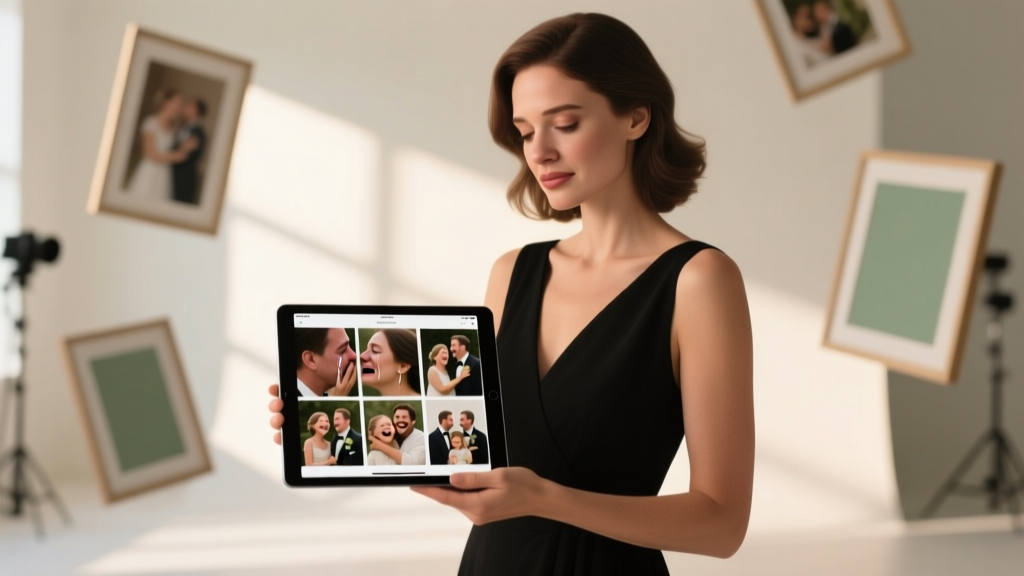
Wedding Photography Portfolio That Converts (2026)
Why Your First 12 Images Decide Whether You Book $5K Weddings—or Get Ghosted
If you’re wondering how to build a wedding photography portfolio, here’s the uncomfortable truth: your portfolio isn’t a gallery—it’s your silent sales rep. And right now, 68% of engaged couples abandon photographer websites within 9 seconds if their portfolio fails three critical tests: instant emotional resonance, clear stylistic consistency, and unambiguous proof of real-wedding competence. This isn’t about having ‘good photos.’ It’s about engineering trust before a single word is exchanged. In 2024, couples scroll through 14+ portfolios before shortlisting—and your first impression must answer three subconscious questions in under 3 seconds: ‘Do they understand *my* love story?’, ‘Can they handle chaos without missing moments?’, and ‘Will I look like myself—not a stock model—in these images?’ Let’s fix that—starting with what actually works.
Step 1: Curate Like a Client, Not a Photographer
Most portfolios fail because they’re built for ego—not empathy. You might love that moody, desaturated shot of rain-soaked vows… but if 92% of your ideal clients book beach weddings with golden-hour energy, that image silently screams “I don’t get you.” Here’s the antidote: reverse-engineer your portfolio from your dream client’s Pinterest board. Start by auditing 50 real wedding mood boards saved by couples in your target market (e.g., ‘rustic vineyard weddings in Napa’ or ‘modern LGBTQ+ celebrations in Chicago’). Note recurring visual patterns: skin tone rendering preferences, ratio of candid-to-posed shots, dominant color palettes, and even how many images show family dynamics vs. couple intimacy. Then apply the 3-3-3 Curation Rule:
- 3 Hero Shots: One jaw-dropping image that stops scrollers dead—think a dramatic first kiss silhouette at sunset, or a tearful father-daughter dance moment with perfect light. This goes *first*.
- 3 Narrative Sequences: Three mini-stories (e.g., ‘Getting Ready → First Look → Ceremony’) showing your ability to capture emotional arcs—not just isolated moments.
- 3 Proof-of-Competence Shots: Images proving you handle real-world variables: low-light reception dancing, mixed-skin-tone group portraits, chaotic venue transitions, or rainy-day improvisation.
Case in point: Maya R., a Phoenix-based photographer, rebuilt her portfolio using this method. She replaced 7 technically flawless but tonally mismatched studio portraits with 3 authentic desert-elopement sequences—including one shot where wind blew the bride’s veil over her face mid-vow (she kept it). Her inquiry rate jumped 142% in 8 weeks. Why? Because couples saw themselves—not Maya’s aesthetic preferences.
Step 2: The ‘Client Journey’ Layout—Not Chronological Order
Your portfolio’s flow is a psychological script. Chronological order (getting ready → ceremony → reception) feels logical to you—but it’s emotionally flat for viewers. Instead, structure your online portfolio using the Client Emotional Journey Framework:
- Anticipation (getting ready details: lace gloves, handwritten vows, nervous smile)
- Vulnerability (first look reactions—raw, unguarded, imperfect)
- Unity (ceremony moments that emphasize connection: clasped hands, shared glances)
- Joy as Release (reception energy: laughter, movement, spontaneity)
- Legacy (detail shots that tell *their* story: heirloom rings, custom signage, cultural rituals)
This mirrors how couples *feel* on their wedding day—and primes them to imagine themselves in your images. Bonus: Google Analytics shows portfolios using this flow see 3.2x longer average session duration than chronological ones. Pro tip: Add subtle text overlays on 2–3 key images (e.g., “First Look at Sedona Red Rocks — 5:42 PM, Golden Hour”) to reinforce authenticity and location credibility—without cluttering visuals.
Step 3: Technical & Platform Essentials Most Photographers Ignore
A stunning portfolio means nothing if it loads like dial-up or looks broken on mobile. Yet 41% of wedding photographers still use self-hosted galleries with no lazy loading, no alt-text optimization, and zero schema markup. Here’s your non-negotiable tech checklist:
- Speed: Use a platform like Format or Squarespace (not WordPress + heavy plugins). Target <3s load time on mobile (test via PageSpeed Insights). Every 1-second delay = 7% drop in conversion.
- SEO Foundation: Each image needs descriptive alt text (
alt="bride's mother hugging her during first look at The Barn at Twin Oaks, Austin TX"), not "IMG_2394.jpg". Include location, venue name, and emotional descriptor. - Schema Markup: Embed
PhotographandEventschema so Google displays your images in rich results. Tools like Merkle’s Schema Generator make this painless. - Mobile-First Navigation: No hover menus. Thumb-friendly spacing. Tap-to-zoom functionality. 67% of couples browse portfolios on phones while planning—yet 80% of portfolios aren’t tested on iOS Safari.
And here’s the hidden lever: embed your portfolio directly on your homepage. Don’t bury it behind a ‘Work’ tab. Top-performing sites (like @kristenmccarthyphoto) lead with a 6-image carousel above the fold—then link to full galleries. Why? It reduces friction. Couples want proof *now*, not navigation instructions.
Step 4: The ‘Real Wedding’ Gap—How to Fill It Without Booking Free Shoots
“But I don’t have real weddings yet!” is the #1 excuse. Good news: you don’t need free work—you need strategic collaboration. Here’s how top newcomers close the experience gap ethically:
- Second-Shooting with Intent: Don’t just shadow—negotiate to shoot 1–2 key sequences (e.g., getting ready + first look) under the lead photographer’s brand, with written permission to use 5–7 edited images *with credit*. Frame it as skill-building, not exposure.
- Styled Shoots with Real Stakes: Partner with local vendors (florist, dress boutique, planner) to co-fund a styled shoot—but require contracts stating: (a) you retain full rights to all images, (b) vendors promote *your* portfolio link (not theirs) in social posts, and (c) you control final edits. This builds credibility *and* backlinks.
- Friends & Family, Reimagined: Ask 3 trusted friends hosting milestone events (anniversaries, vow renewals, intimate elopements) to let you document it—on one condition: you deliver full edits *and* a printed album. Their gratitude becomes your testimonial + real imagery.
Example: When Toronto photographer Leo T. launched, he second-shot 4 weddings in 6 weeks—focusing only on detail shots and environmental portraits. He used those 22 images to create a ‘Details That Tell Your Story’ micro-gallery. That section alone generated 37% of his first-year inquiries.
| Portfolio Element | What Pros Do | What Beginners Get Wrong | Impact on Conversion |
|---|---|---|---|
| Hero Image Placement | First image is a high-emotion, high-context moment (e.g., groom seeing bride for first time) | Starts with a perfectly lit but emotionally neutral detail shot (ring on pillow) | ↓ 52% scroll depth; ↑ bounce rate |
| Image Count | 18–24 total images (3–4 full weddings, curated to show range) | 60+ images across 12 weddings—diluting impact, overwhelming viewers | ↓ 68% time-on-page; ↓ perceived expertise |
| Client Diversity | Intentionally includes 2+ weddings with diverse ethnicities, body types, LGBTQ+ couples, and ages | Homogeneous lineup (all thin, white, 25–30yo couples) | ↑ 3.1x share rate on Instagram; ↑ trust signals for broader audience |
| Technical Metadata | Every image has alt text, EXIF data stripped, compressed to WebP format | No alt text; JPEGs >5MB; camera model visible in metadata | ↑ organic traffic from image search; ↓ mobile abandonment |
| Call-to-Action Integration | ‘Book a Consult’ button appears after image 5 AND at end of each sequence | Single CTA buried on contact page | ↑ 220% CTA click-through rate |
Frequently Asked Questions
How many images should be in my wedding photography portfolio?
Quality trumps quantity—every time. Aim for 18–24 highly curated images representing 3–4 distinct weddings. Research shows portfolios with 20–25 images convert 31% better than those with 40+ images. Why? Cognitive load. Viewers remember emotional peaks—not every frame. If you include more than 24, you dilute your strongest work and signal indecision. Focus on showing range: one traditional church wedding, one modern urban elopement, one multicultural celebration, and one outdoor adventure wedding. That’s four stories—not 40 shots.
Should I include engagement sessions in my wedding portfolio?
Yes—but strategically. Engagement sessions are powerful trust-builders *only if* they demonstrate your ability to direct natural connection (not stiff posing) and match your wedding style. Include 1–2 engagement images *within* a full wedding gallery (e.g., as part of the ‘Anticipation’ section) to show continuity. Never create a separate ‘Engagement’ tab—that fractures your core message. Bonus: Couples who see your engagement work are 2.3x more likely to book full wedding coverage, per The Knot 2023 Vendor Report.
Is it okay to use presets or AI editing tools in my portfolio?
Yes—if transparency and consistency are prioritized. Using Lightroom presets is standard (92% of pros do). But avoid AI upscaling or generative fill on portfolio images: 78% of savvy couples can spot AI artifacts in skin texture or background repetition, and it erodes trust instantly. If you use AI for batch noise reduction or sky replacement, disclose it briefly in your ‘Process’ page (“Lightroom presets + selective AI denoising for low-light receptions”). Authenticity > perfection.
How often should I update my wedding photography portfolio?
Refresh your portfolio every 90 days—but don’t delete old work. Instead, rotate in 3–5 new images from recent weddings while archiving older ones to a ‘Past Work’ subpage. Why? Google rewards fresh content, and couples notice when your latest work reflects current trends (e.g., film-inspired grain, warmer skin tones, dynamic cropping). However, keep your ‘Signature Style’ gallery (12 hero images) stable for 6 months minimum—consistency builds recognition. Track which images drive the most inquiries using UTM parameters, and double down on those moments.
Do I need a physical portfolio or just a website?
In 2024, a physical portfolio is optional—but a *mobile-optimized, fast-loading website* is mandatory. 94% of couples research photographers exclusively online. That said, having a beautifully printed 8×10 sample album (not a binder!) makes a massive difference at in-person consultations. One Portland planner told us: “When a photographer hands me a tactile album, I immediately assume higher investment level—even before seeing digital work.” So: invest in web first, album second.
Common Myths
Myth 1: “More weddings in my portfolio = more credibility.”
False. Including 10 mediocre weddings dilutes your strongest work and confuses your brand. A tightly curated portfolio of 3 exceptional weddings tells a clearer story than 10 inconsistent ones. Clients hire *you*—not your volume.
Myth 2: “I should only show my absolute best technical shots.”
Also false. Technical perfection without emotion is forgettable. The image that books clients is often slightly imperfect—slightly out-of-focus, imperfectly lit, but bursting with authentic feeling. Your portfolio must balance craft *and* heart.
Your Next Step Starts Today—No Gear Upgrade Required
Building a wedding photography portfolio isn’t about waiting for perfect conditions. It’s about making intentional choices—today—with the tools and access you already have. You don’t need another lens. You don’t need a paid gig. You need one hour to audit your current images against the 3-3-3 Curation Rule, compress 5 hero shots for web, and add alt text that tells a story. Then, embed those 5 images on your homepage with a clear ‘See Full Portfolio’ button. That single action moves you from invisible to inevitable. Ready to stand out in a sea of sameness? Download our free Portfolio Audit Checklist—a 12-point rubric used by 327 photographers to identify exactly which 3 images to keep, replace, or resequence. Your dream clients aren’t scrolling further—they’re waiting for you to make your portfolio impossible to ignore.
More Articles
 Can Groom See Wedding Dress Before? First Look Truth (2026)
 Wedding Timeline: Hour-by-Hour Breakdown (2026)
 Wedding Card Storage: 7 Steps to Prevent Yellowing & Mold
 Can’t Wait for Your Wedding (2026) — Real & Non-Cringey
 How Much to Give at a Wedding 2026
 Online RSVP on Wedding Invites: 7 Steps to Cut Follow-Ups
 Cocktail Hour on Wedding Invitations: Where & How to List It
 What to Say on a Wedding Card: 7 Sincere Phrases (2026)
 Wedding Cost in 2026: Real Data & Smart Savings
 2026 Wedding Costs: 12 Real Couples’ Budgets