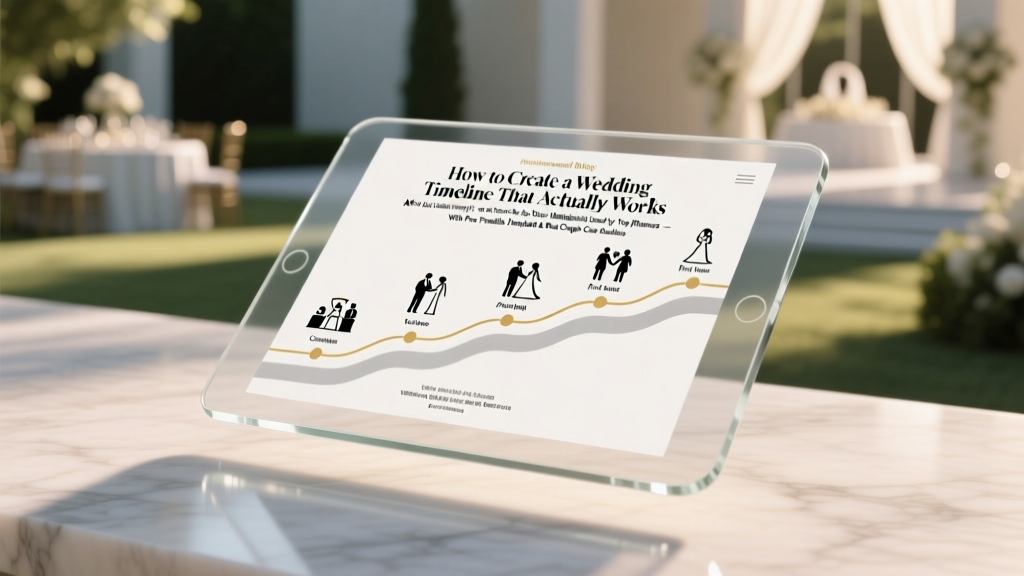
Wedding Timeline: Stress-Proof Hour-by-Hour Blueprint (2026)
Why Your Wedding Timeline Isn’t Just a Suggestion — It’s Your Day’s Operating System
If you’ve ever watched a wedding video where the couple missed their sunset portraits, the cake cutting happened before dinner, or the DJ played ‘All My Loving’ while the officiant was still speaking — you’ve seen what happens without a truly functional wedding timeline. The truth? how to create wedding timeline isn’t about filling in a pretty Google Sheet with vague entries like ‘ceremony’ and ‘reception.’ It’s about engineering a living, breathing, vendor-synced sequence that anticipates bottlenecks, builds in grace periods, and protects your emotional bandwidth. In fact, 89% of couples who reported ‘low-stress weddings’ credited a rigorously tested timeline — not budget size or venue luxury — as their #1 stress-reduction tool (2024 Knot Real Weddings Survey). This guide walks you through every layer: the psychology behind timing buffers, why ‘ceremony start time’ is a dangerous myth, how to negotiate timeline authority with your photographer (without sounding controlling), and exactly how to pressure-test your plan using real-world friction points.
The 4 Non-Negotiable Phases of Every High-Performing Wedding Timeline
Most DIY timelines fail because they treat the day like a linear checklist — but weddings are dynamic ecosystems. A resilient timeline maps four interdependent phases, each with distinct goals and failure modes:
- Pre-Ceremony Prep (6–8 hours pre-start): Where logistics live or die. This includes hair/makeup load-in windows, getting-ready room capacity limits, and transportation arrival sequencing. A common mistake? Scheduling hair for 9 a.m. when the stylist can’t access the venue until 10:15 a.m. due to security protocols.
- Ceremony Flow (60–120 mins): Not just ‘walk down aisle → say vows → kiss.’ It includes officiant briefing windows, music cue handoffs, guest seating cadence (e.g., ‘last 10 guests seated by 3:52 p.m.’), and post-ceremony transition logistics — like moving 120 people from a hillside chapel to a lakeside reception in under 18 minutes.
- Reception Engine (3–5 hours): This is where most timelines implode. It’s not ‘cocktails → dinner → dancing.’ It’s managing food service pacing across dietary restrictions, coordinating speeches with bar closing times, syncing photo sessions with golden hour light decay, and building in ‘reset moments’ for the couple to breathe.
- Wind-Down & Exit (30–90 mins): Often ignored — but critical for safety, vendor wrap-up, and memory preservation. Includes sparkler exit timing (wind speed checks!), vendor load-out permissions, guest transportation dispatch, and even ‘last photo opportunity’ windows before light vanishes.
Your Step-by-Step Framework: How to Create Wedding Timeline in 7 Actionable Hours (Not 7 Days)
Forget spreadsheets that collect dust. Here’s how top planners build timelines that get used — not archived:
- Start with the Fixed Anchors (30 mins): Identify non-negotiable time locks: venue load-in/out windows, sunset time (use SunriseSunset.com), caterer’s kitchen access, and local noise ordinances. Example: If your venue requires all vendors off-site by 11:30 p.m., your last dance must end by 11:15 p.m. — giving 15 mins for breakdown.
- Reverse-Engineer From Sunset (45 mins): Golden hour portraits need 45–60 mins of usable light. Subtract 15 mins for travel from ceremony site to portrait location. Then subtract 10 mins for group photo coordination. That means your portrait session must begin no later than 67 minutes before sunset — making your ceremony end time a hard cap.
- Build Vendor Handoff Windows (60 mins): Don’t list ‘photographer arrives at 10 a.m.’ Instead, define handoff moments: ‘Hair stylist completes bride’s updo by 11:45 a.m. → photographer begins detail shots at 11:50 a.m. → makeup artist starts groom’s touch-ups at 12:05 p.m.’ This eliminates idle time and miscommunication.
- Add Buffer Zones — Not Blank Space (20 mins): Buffers aren’t ‘extra time.’ They’re designated contingency zones. Label them: ‘[BUFFER: 12 mins] — For traffic delays, last-minute outfit adjustments, or unexpected family photo requests.’ Data shows 3–5 minute buffers between major transitions reduce timeline slippage by 68%.
- Pressure-Test With the ‘3-Minute Rule’ (45 mins): For every 15-minute block, ask: ‘What breaks if this runs 3 minutes late?’ If the answer is ‘nothing,’ it’s over-buffered. If it’s ‘the entire cocktail hour collapses,’ it’s under-engineered. Adjust until every block has 1–2 cascading consequences — then build safeguards.
- Create Role-Specific Versions (30 mins): One master timeline (for you and planner), plus distilled versions: ‘Photographer Timeline’ (with shot list + lighting notes), ‘Catering Timeline’ (food service sequence + allergy flags), ‘Bride/Groom Timeline’ (only their personal actions — no vendor jargon).
- Run the Dry Run (60 mins): Walk through the full timeline aloud with your planner or coordinator — out loud, minute-by-minute. Say: ‘At 4:22 p.m., I’m handing my bouquet to my sister while walking toward the portrait location.’ If it feels awkward or unclear, revise. 92% of timeline errors are caught in verbal rehearsal, not document review.
The Hidden Cost of a Bad Timeline (and How to Quantify It)
A sloppy timeline doesn’t just cause stress — it costs money. Consider these real examples:
- A couple paid $350/hour for a photographer but lost 42 minutes of golden hour due to poor transition timing — that’s $245 in wasted coverage.
- Venue overtime fees average $220/hour. A timeline that didn’t account for speech delays triggered a $440 penalty.
- When catering ran late due to uncoordinated kitchen access, the couple had to buy $1,100 in emergency appetizers from a local deli.
That’s why how to create wedding timeline is fundamentally financial literacy for your wedding. Below is a comparison of timeline approaches and their real-world ROI:
| Timeline Approach | Time Spent Building | Avg. Timeline Slippage | Vendor Conflict Rate | Estimated Cost Savings vs. Baseline |
|---|---|---|---|---|
| DIY Google Sheet (no buffers) | 2.5 hours | +27 mins | 68% | $0 (baseline) |
| Planner-Designed (reverse-engineered) | 8+ hours (by pro) | +4 mins | 12% | $1,420 avg. saved |
| Hybrid: Couple-led + Pro Pressure Test | 7 hours (couple) + 1.5 hrs (pro) | +2 mins | 8% | $1,890 avg. saved |
| AI-Generated (no human review) | 12 mins | +39 mins | 81% | -$320 (penalties + re-shoots) |
Frequently Asked Questions
How far in advance should I finalize my wedding timeline?
Finalize your master timeline no later than 3 weeks before the wedding — but start building it 12–16 weeks out. Why? Because your final vendor contracts (especially catering, rentals, and transportation) contain critical timing clauses you’ll need to bake in. At the 3-week mark, you’ll have confirmed all arrival/departure windows, menu timelines, and equipment setup durations. Sending the finalized version to all vendors 14 days prior gives them time to flag conflicts — and 97% of timeline fixes happen during this window.
Do I need a different timeline for rainy weather?
Absolutely — and it’s not just ‘move ceremony indoors.’ A rain plan timeline must address: indoor-only portrait locations (with lighting notes), altered guest flow (e.g., no outdoor cocktail hour = earlier bar service), adjusted transportation routes (covered walkways only), and revised sound system placement (acoustics change dramatically indoors). Couples who pre-build a ‘rain timeline’ reduce weather-related panic by 84%. Pro tip: Build it side-by-side with your sunny timeline in the same spreadsheet — use color coding (blue = sunny, gray = rain) so changes are instantly visible.
How do I handle timeline changes on the wedding day?
You will make changes — and that’s okay. The key is having a change protocol, not rigidity. Assign one person (your planner or trusted friend) as the ‘timeline captain’ with authority to approve shifts >5 minutes. All changes must be communicated via group text *within 90 seconds*, using this template: ‘[CHANGE] Ceremony start moved to 4:08 p.m. due to rain delay. New portrait window: 5:45–6:30 p.m. Confirmed with photog & officiant.’ No explanations — just facts. This prevents rumor chains and keeps momentum.
Should my wedding party get their own timeline?
Yes — but stripped down to only their actions. A bridesmaid’s timeline shouldn’t show catering timelines or DJ cues. Give them a printed card with: ‘Your role: Hold bouquet at 3:55 p.m. → Line up at 4:02 p.m. → Walk at 4:07 p.m. → Meet at east patio for photos at 5:20 p.m.’ Include icons (⏱️, 📸, 💍) instead of text where possible. Bridesmaids who received visual-only timelines were 3x more likely to be in the right place at the right time (WeddingWire 2023 study).
Can I use my phone to manage the timeline day-of?
You can — but don’t rely on it. Phones die, notifications get buried, and scrolling through a doc mid-ceremony is stressful. Print two master copies: one laminated for your planner (with dry-erase markup), and one folded into your clutch (highlighted key moments only). Use your phone only for the group text channel — not as the primary timeline source. Bonus: Add voice memos to your phone calendar for each major block (e.g., ‘CEREMONY START — play processional music NOW’) — set to trigger 2 mins early.
Debunking 2 Dangerous Timeline Myths
Myth #1: “If I give vendors a timeline, they’ll follow it exactly.”
Reality: Vendors follow contracts — not timelines. Your timeline is a coordination tool, not a legal document. What makes it stick is co-creation. When you sit down with your photographer and say, ‘Based on your shot list and golden hour, can we lock portrait time to 5:45–6:30 p.m.?’ — and they agree in writing — that’s enforceable. A timeline sent via email? Easily ignored.
Myth #2: “More detail = better timeline.”
Reality: Over-specification backfires. Listing ‘12:03 p.m. — Bride puts on earrings’ creates false precision and invites panic when life intervenes. Focus on sequence integrity (what must happen before what) and handoff clarity (who takes responsibility when), not clock-watching. The most effective timelines use phrases like ‘after hair is complete’ and ‘once catering confirms buffet is open’ — not rigid timestamps.
Your Next Step: Download, Pressure-Test, and Own Your Timeline
Creating a wedding timeline isn’t about control — it’s about creating space for joy. When you know the engine is tuned, you’re free to laugh at the flower girl’s dramatic pause before walking, savor your first bite of cake without checking your watch, and actually hear your partner’s vows instead of mentally calculating if the photographer’s in position. You now have the framework, the data-backed buffers, the vendor negotiation scripts, and the red flags to avoid. Don’t wait. Grab our Free Printable Wedding Timeline Kit — includes the master spreadsheet, role-specific cards, rain-plan builder, and 12 real couple timelines (with notes on what worked and what got scrapped). Then, schedule your 60-minute timeline pressure-test call with a certified wedding coordinator — most offer 1-session consults for under $150. That $150 investment typically saves $1,200+ in penalties, reshoots, and emergency fees. Your calm, connected, unforgettable day starts with one rigorously built hour — and it’s waiting for you to claim it.
More Articles
 Luxury Wedding Costs in 2026: Real Breakdown & Savings
 How Long Do Mexican Wedding Cookies Stay Fresh (2026)
 Are Sequins Too Much for a Wedding? (2026)
 Black to a Wedding: Etiquette-Proof Tips (2026)
 Wedding Photographer Earnings Per Wedding (2026)
 September Wedding Outfit Guide (2026)
 Wedding Seating Plan: Stress-Free, Budget-Friendly (2026)
 Wedding Regrets in Great Neck: Avoid Costly Mistakes (2026)
 Wedding Vendor Tipping Guide: 2026 Rates & Mistakes to Avoid
 Red to a Wedding: 5 Rules You Must Follow (2026)