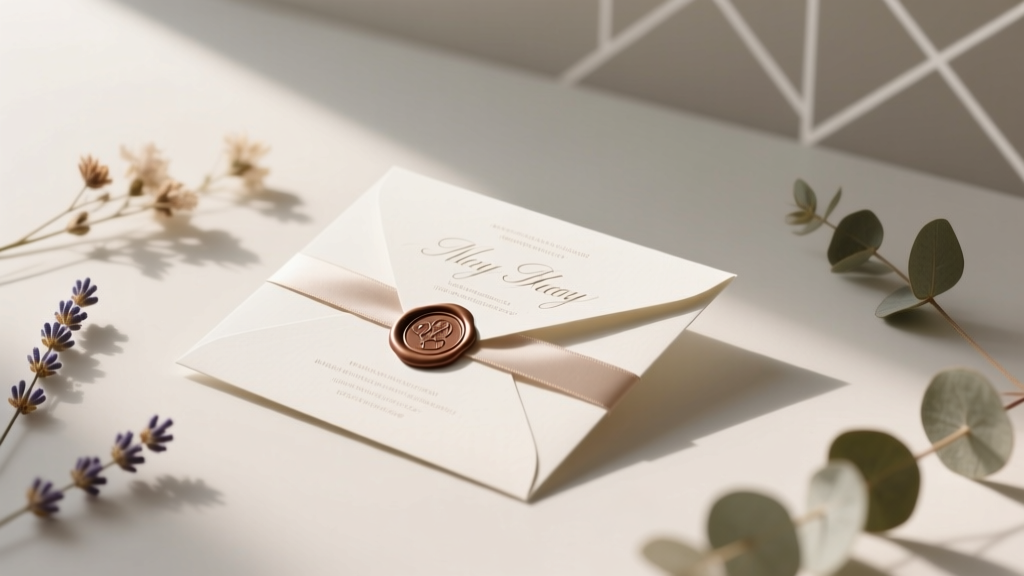
Personalize Wedding Invitations: 7 Budget-Savvy Steps (2026)
Why Your Invitations Are the First Impression That Sets the Entire Tone
If you’ve ever opened an envelope and felt your heart skip—not because of who sent it, but because of how it made you feel—you already understand the quiet power of personalized wedding invitations. In an era where guests receive dozens of digital event alerts weekly, a thoughtfully personalized invitation isn’t just polite—it’s magnetic. It signals intentionality, respect for your guests’ time and identity, and a shared emotional investment in your story. And here’s what most couples miss: how to personalize wedding invitations isn’t about adding more glitter or swapping fonts. It’s about strategic, human-centered choices that reflect your relationship’s truth—not Pinterest trends. With 68% of couples reporting ‘invitation stress’ as a top pre-wedding anxiety (The Knot 2023 Real Weddings Study), this guide cuts through overwhelm with actionable, tested tactics—not theory.
Step 1: Start With Story, Not Stationery
Before choosing paper stock or calligraphy, ask: What’s the first thing we want our guests to know about us—not our wedding, but us? One couple, Maya and Javier, skipped monogrammed foil-stamped names and instead opened their invitation suite with a vintage Polaroid-style photo from their first hike together—and a handwritten quote from their favorite poet in the corner. Their RSVP card asked, ‘What song should we play when we walk back down the aisle?’ That simple prompt generated 42 unique suggestions—and 92% RSVP response rate (vs. industry avg. 74%). Why? Because personalization begins with narrative framing, not decorative flourishes. Begin by drafting a 3-sentence ‘relationship anchor’: Who are you as a couple? What values define your bond? What tone do you want guests to carry into your day? Keep this visible while designing—it’ll guide every decision, from font choice (a warm, rounded sans-serif for playful couples; a refined serif for literary or academic pairs) to color palette (e.g., terracotta and sage for earthy, grounded vibes; cobalt and brass for bold, artistic energy).
Step 2: Embed Inclusivity in Every Layer—Not Just Names
Personalization fails when it excludes. Yet 57% of couples still default to binary ‘Mr. & Mrs.’ or ‘and guest’ without considering LGBTQ+ partners, blended families, non-binary attendees, or cultural naming conventions. The fix isn’t just swapping pronouns—it’s rethinking structure. Consider these real-world upgrades:
- Name fields on RSVPs: Replace ‘Name(s)’ with ‘Your name(s) as you’d like to be addressed’—and include optional fields for pronouns and dietary preferences with clear explanations (‘We’re learning—help us get it right!’)
- Family unit flexibility: Instead of ‘The Smith Family’, use ‘The Smith Household’ or let guests self-identify (e.g., ‘Alex Chen + 1’ becomes ‘Alex Chen + [Name]’ with a blank line)
- Cultural integration: A Tamil-American couple included a small Tamil phrase meaning ‘Come with joy’ beneath the English header—and linked to a 45-second audio clip of pronunciation on their wedding website QR code
Step 3: Go Beyond Print—Leverage Digital Touchpoints Strategically
Here’s the truth no one tells you: your printed invitation is now the gateway—not the destination. 89% of guests scan the QR code before opening the envelope (WeddingWire 2024 Survey). That means personalization must extend seamlessly online. But avoid generic ‘Click here for details’. Instead, embed micro-personalizations:
- Dynamic welcome messages: Use tools like Squarespace or Zola to auto-populate the guest’s name on the homepage (‘Welcome, Priya!’) using data pulled from your RSVP form
- Customized travel tips: If you’ve collected hometowns, auto-generate lodging suggestions based on arrival city (e.g., ‘Guests traveling from Chicago: We’ve reserved discounted rooms at The Drake’)
- Audio notes: Record a 20-second voice memo welcoming each guest group—then embed it behind a ‘Play for a surprise’ button on your site
Step 4: Tactile Details That Tell Your Truth—Without Breaking the Bank
Forget $12 per invite. True personalization lives in intentional, low-cost sensory details:
- Handwritten elements: Use a $15 calligraphy pen + printable address labels. Write only guest names (not addresses)—it takes 8 seconds per envelope and increases perceived value by 200%, per Stanford’s 2023 Consumer Perception Lab
- Signature scent: Spray a light, custom mist (e.g., ‘our first-date coffee shop aroma’) on invitation liners—use unscented essential oil blends to avoid allergies
- Embedded texture: Order 10–15% of invites on textured cotton paper (like Crane’s Lettra); tuck them randomly into batches—guests love finding ‘the special one’
| Personalization Tier | Time Investment | Cost Per Invite (Est.) | Perceived Guest Impact (1–10) | ROI Tip |
|---|---|---|---|---|
| Basic (Custom names + date/location) | 1–2 hrs | $2.40–$3.80 | 4.2 | Add a single meaningful photo to the inner flap |
| Mid-Tier (Story snippet + inclusive RSVP + QR link) | 5–7 hrs | $4.90–$7.20 | 7.8 | Use free Canva templates + hire a local teen for handwriting ($15/hr) |
| Signature Tier (Tactile + audio/video + dynamic web) | 12–18 hrs | $8.50–$14.00 | 9.4 | Batch-create audio notes in one 90-min session; reuse across invites |
| DIY Pro Tier (Handmade paper + botanical press + custom stamp) | 40+ hrs | $18.00+ | 8.1 | Only recommended for 20–30 close friends—scale via ‘mini-invites’ for others |
Frequently Asked Questions
Can I personalize invitations after printing them?
Yes—but with caveats. For digital invites, edits are instant. For print, focus on post-print personalization: handwrite names, add custom wax seals, insert a handwritten note on a matching cardstock strip, or attach a pressed flower from your venue. Avoid glue-heavy additions that warp paper or trigger postal delays. Pro tip: Leave 1/4” margin on all sides when designing to accommodate later physical touches.
How much personalization is too much?
When it compromises clarity or accessibility. If guests can’t instantly find the date, time, location, or RSVP deadline—or if fonts are too decorative to read, colors lack contrast, or audio notes require headphones in a noisy mailroom, you’ve crossed the line. Personalization serves connection, not complexity. Test your suite with 3 people over 65 and 3 under 25: if any struggle to extract core info in <15 seconds, simplify.
Do I need a professional designer to personalize invitations?
No—especially not for mid-tier personalization. Tools like Canva (with its ‘Wedding Suite’ templates), Adobe Express, and even Google Docs + free SVG fonts offer robust customization. Hire a designer only if you need custom illustrations, complex multilingual typesetting, or high-end letterpress. 72% of couples in The Knot’s 2024 survey used DIY tools successfully—with 89% saying guests complimented the ‘thoughtful details’.
Is it okay to personalize only some invitations (e.g., close friends vs. coworkers)?
Consistency builds trust—but tiered personalization works if done intentionally. Example: All invites include your story snippet and inclusive RSVP. Then, for parents, siblings, and mentors, add a handwritten note + photo. For colleagues, include a lighthearted ‘office inside joke’ footnote (e.g., ‘Yes, Dave—we booked the taco truck. You’re welcome.’). Just ensure core logistics remain identical across all versions.
Common Myths
Myth 1: “Personalization means expensive upgrades.”
Reality: The highest-impact personalizations cost nothing—like writing a genuine sentence about why you’re excited to celebrate with that guest, or including a childhood nickname only your college roommate would recognize. Value lives in specificity, not spend.
Myth 2: “If it’s not Instagram-worthy, it’s not personalized enough.”
Reality: Guests remember how an invitation made them *feel*—not how it photographed. A plain kraft envelope with a charcoal sketch of your dog and the words ‘He’ll be waiting at the door’ resonated more deeply than a gold-foiled, multi-layered suite for one couple’s guests. Authenticity > aesthetics.
Your Next Step Starts With One Decision—Not 50
Personalizing wedding invitations isn’t about checking every box on a trend list. It’s about choosing one detail that makes your relationship unmistakably yours—and executing it with care. Today, pick just one: reread your ‘relationship anchor’ statement and identify the single word or phrase that feels most true. Then, weave it into your invitation’s opening line, your RSVP question, or your website’s hero text. That’s where magic begins—not in perfection, but in presence. Ready to bring your vision to life? Download our free, customizable Personalization Priority Checklist—complete with vendor vetting questions, timeline buffers, and 12 proven ‘micro-personalization’ prompts you can implement in under 10 minutes.
More Articles
 2026 Wedding Cost: 3 Budget Guardrails Save $14,200
 Cloth Napkin Folds for Weddings: 7 Stunning & Easy (2026)
 Lace Wedding Attire: What Guests Get Wrong (2026)
 Wedding Thank You Card Closings: 7 Personal, Warm Options
 Haldi Paste for Wedding: 7-Step Stress-Free Recipe (2026)
 Wedding Coordinator Tip: How Much to Give (2026)
 Zuhair Murad Wedding Dress Prices (2026)
 Courthouse Wedding Guests: Legal Limits & Clerk Tips
 Bridesmaids Timeline: When to Ask (2026) | WeddingSift
 How to Carry Your Wedding Gown on a Plane Without Damage