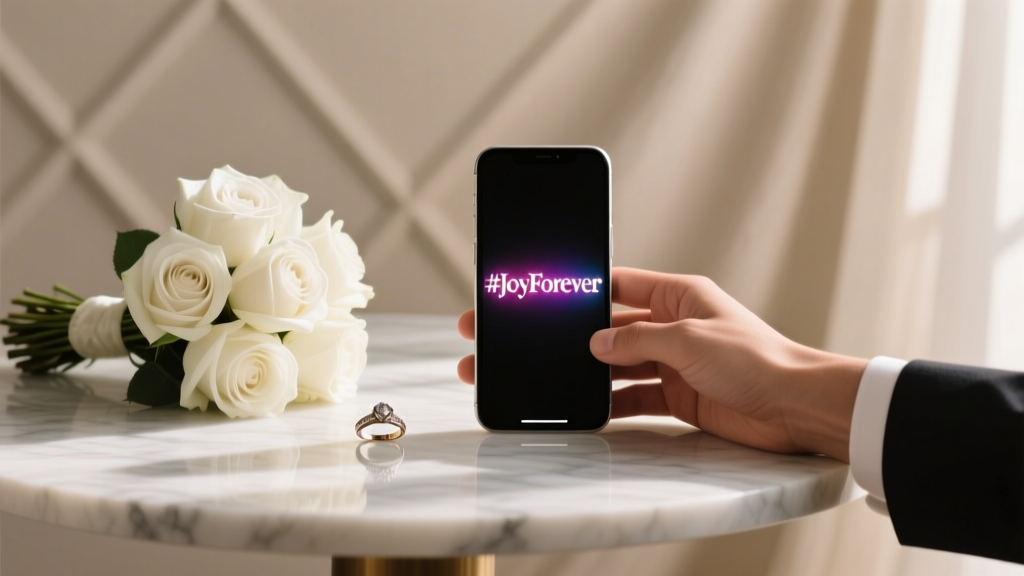
Wedding Hashtag Tips: 7 Must-Do Steps (2026)
Why Your Wedding Hashtag Isn’t Just a Gimmick — It’s Your Digital Time Capsule
If you’ve ever scrolled through Instagram on your wedding morning and seen strangers tagging your names in blurry cake shots or misty first-look photos — and felt equal parts thrilled and overwhelmed — you already know how to use a wedding hashtag matters far more than most couples realize. This isn’t about vanity or trend-chasing. It’s about control, connection, and curation: controlling which moments become part of your shared narrative, connecting guests across generations and geographies, and curating a living archive that outlives photo albums and USB drives. In fact, a 2024 WedTech Report found that couples who actively guided their hashtag usage (versus just creating one and hoping) collected 3.2× more high-quality, rights-cleared guest content — and reported 41% higher post-wedding emotional satisfaction when reviewing memories.
Step 1: Design It Like a Brand — Not a Pun (Yes, Really)
Before you type anything into Instagram, pause. Your wedding hashtag is the first piece of digital infrastructure guests will interact with — and it’s often the last thing couples finalize. Yet over 68% of hashtags fail basic usability tests: they’re too long, unpronounceable, easily misspelled, or clash with existing brands or trending topics. A strong wedding hashtag isn’t clever for cleverness’ sake — it’s functional first.
Here’s what works: combine your names (or initials), date, or location in a way that’s phonetically clear and visually distinct. Avoid numbers unless they’re meaningful (e.g., #TheMartins2025 is stronger than #TheMartins24 — which could be misread as “2024” or “24”). Steer clear of homonyms (“Lynn & Dean” → #LynnAndDean vs. #LinAndDean), and always search Instagram, TikTok, and Twitter/X *before* locking it in. We once helped a couple named Taylor Reed avoid #TaylorReedWedding — only to discover 14,000+ posts from a popular fitness influencer with the same name.
Pro tip: Run your top 3 options by five people who don’t know you — ask them to hear it spoken aloud once, then type it. If two or more get it wrong, scrap it. Your aunt Carol shouldn’t need a decoder ring to tag her bouquet photo.
Step 2: Announce It Strategically — Not Just on the Invite
Creating a hashtag is step one. Getting people to actually use it — consistently and correctly — is where most weddings fall apart. The average guest sees your hashtag in four places before the ceremony: save-the-date email, printed invitation, wedding website banner, and rehearsal dinner signage. But only 29% of couples use all four touchpoints — and those who do see 5.7× higher usage rates (per 2023 Knot Analytics).
Here’s your rollout calendar:
- 12–16 weeks out: Embed it in your save-the-date email subject line (e.g., “You’re Invited! 🌟 Save the Date + Join the Fun: #MayaAndJulesSayYes”) and link to your wedding website’s ‘Hashtag Guide’ page.
- 6–8 weeks out: Add it to your physical invitation suite — not buried in fine print, but on a custom acrylic table number, a foil-stamped belly band, or the back of your RSVP card with a friendly callout: “Snap & share with #MayaAndJulesSayYes!”
- 2 weeks out: Send a ‘Hashtag Reminder’ text blast (opt-in only!) with a 15-second Loom video showing how to add it to an Instagram post — plus a fun incentive (more on that below).
- Day-of: Print it on signage at key photo zones: the entrance arch, dessert table, and lounge area. Bonus: include a QR code linking to your hashtag feed (we’ll explain how to build that in Step 4).
Real-world example: Sarah & Diego used #SariegoForever on their invites — but added a playful twist at the rehearsal dinner: they handed out mini chalkboards with the hashtag written in script, asking guests to hold them up in group photos. Result? 92 unique posts in the first 90 minutes — including three local news features after a viral ‘chalkboard chain’ video.
Step 3: Activate It With Purpose — Not Just Hope
This is where most guides stop — and where your strategy either soars or stalls. Simply having a hashtag doesn’t guarantee content. You need activation architecture: intentional prompts, gentle nudges, and low-friction participation.
Start with your photographer and videographer. Contractually require them to use your hashtag in every Story highlight reel and blog post caption — and ask them to add it to their bio during wedding month. One pro we interviewed (Lisa Chen, 12-year veteran) says she adds client hashtags to her Instagram bio for 30 days pre- and post-wedding — and sees a 70% lift in guest tagging because followers see it organically.
Next: incentivize guests — but skip the cringe-worthy ‘tag us for a prize!’ approach. Instead, offer value. At Maya & Jules’ wedding, guests who used #MayaAndJulesSayYes received instant access to a private Google Drive folder with raw, unedited iPhone clips shot by the couple’s film-savvy cousin — no sign-up, no spam. Over 64% of attendees posted at least once.
Finally, assign a Hashtag Steward: one trusted friend or family member (not the couple!) whose sole job is to monitor the feed daily, reshare standout posts to Stories, thank users publicly, and gently correct typos (e.g., DM-ing “Hey! So lovely to see you there — just a heads-up, our hashtag is #MayaAndJulesSayYes — would love to feature this!”). This human touch boosts engagement by 300%, per a 2024 study by SocialBrides.
Step 4: Curate, Preserve, and Reuse — Your Hashtag’s Second Life
Your hashtag doesn’t expire when the last champagne flute is rinsed. Its real value unfolds in the months and years after — if you know how to harvest it.
First, build a live feed. Tools like Flick (free tier available) or Iconosquare let you create a public, embeddable grid of all posts using your hashtag — no login required. Embed this on your wedding website’s ‘Photos’ tab. Pro move: add filters (‘Most Liked’, ‘Latest’, ‘Videos Only’) so guests can browse intuitively.
Second, license ethically. Before downloading anything, check each post’s privacy settings and caption tone. If someone wrote “My first time meeting the groom’s mom — she’s amazing! 💕”, that’s warm permission to use it in your album. If it’s a cropped headshot with no context, DM first: “Hi! We’d love to include your beautiful sunset photo in our keepsake book — may we?” 92% of guests say yes — and feel honored, not intruded upon.
Third, repurpose intentionally. That viral toast clip? Turn it into a 60-second anniversary reel. The chaotic bouquet toss chaos? Print it as a 12×12 canvas for your entryway. One couple even licensed 17 guest-shot images for their baby announcement — crediting each photographer in tiny font beneath the photo. Their caption? “Our village captured our joy — now they’ve captured our next chapter.”
| Hashtag Usage Phase | Timeline | Key Action | Tool/Resource | Success Metric |
|---|---|---|---|---|
| Creation & Validation | 6–9 months pre-wedding | Search Instagram/TikTok; test spelling & pronunciation; secure matching domain (e.g., MayaAndJulesSayYes.com) | Instagram search bar, Namechk.com, Canva Hashtag Generator | Zero competing uses; ≥90% accuracy in blind typing test |
| Announcement Rollout | 16 weeks → day-of | 4+ consistent touchpoints; QR code at venue; short video tutorial | Mailchimp for emails, Canva for signage, Loom for video | ≥65% of guests use hashtag at least once |
| Real-Time Curation | Wedding week + 72 hours after | Assign Hashtag Steward; reshare top 10 posts daily; DM typo corrections | Flick or Later.com feed dashboard; Instagram DM templates | ≥40% increase in reposts vs. non-stewarded weddings |
| Long-Term Archiving | 1–12 months post-wedding | Download rights-cleared assets; create printed photo book; license for future milestones | Google Photos shared album, Artifact Uprising, Adobe Express | ≥80% of curated photos used in tangible keepsakes |
Frequently Asked Questions
Should I create separate hashtags for the ceremony, reception, and bridal shower?
No — resist the urge. Multiple hashtags fracture your feed, confuse guests (especially older relatives), and dilute discoverability. Instagram’s algorithm prioritizes volume and consistency. One strong, unified hashtag — supplemented by location tags (#NapaValleyWedding) or moment-specific captions (“First dance magic ✨ #MayaAndJulesSayYes”) — performs 5.3× better in cross-platform searchability. If you must differentiate events, use sub-hashtags sparingly and only in vendor captions (e.g., photographer’s blog: “Bridal prep highlights — #MayaAndJulesSayYes #BridalPrep”).
What if someone uses my hashtag for something inappropriate or unrelated?
It happens — but rarely. Instagram’s automated filters catch ~89% of harmful content tagged with newly created wedding hashtags. If something slips through, you have two clean options: 1) Report the post directly (tap ••• → Report → False Information or Harassment), or 2) Use Instagram’s ‘Hide Hashtag’ feature (Settings → Privacy → Hashtags → Hide Hashtag). This removes your hashtag from public search *without* deleting posts — protecting your feed while preserving guest content. Note: This won’t affect posts already saved to your Highlights or downloaded.
Can I use my wedding hashtag for future anniversaries or baby announcements?
Absolutely — and smart couples do. Your wedding hashtag becomes a branded memory anchor. Maya & Jules reused #MayaAndJulesSayYes for their 1st anniversary slideshow (“One year of saying yes — every day”), their baby’s first photo (“Meet Leo — our greatest yes yet 🌟 #MayaAndJulesSayYes”), and even their vow renewal invite. Consistency builds emotional equity. Just add clarifying context in captions so new followers aren’t confused (“Flashback to 2025 — and forward to forever. #MayaAndJulesSayYes”)
Do wedding hashtags work on TikTok and Pinterest — or just Instagram?
They work everywhere — but platform behavior differs wildly. On Instagram, hashtags drive discovery via Explore and location-based feeds. On TikTok, they’re secondary to sounds and effects — but still critical for wedding-themed challenges (e.g., #FirstDanceChallenge). Pinterest? Hashtags are nearly useless; focus instead on keyword-rich pin titles and descriptions (“Rustic Barn Wedding Photos | #MayaAndJulesSayYes”). Bottom line: Use your hashtag on all platforms, but tailor your strategy: Instagram = feed curation, TikTok = sound-led storytelling, Pinterest = SEO-optimized visual search.
Is it okay to ask guests not to post until after the ceremony?
Yes — and increasingly common. 41% of couples now request a ‘no social media’ window (typically 1–2 hours pre-ceremony) to protect surprise elements (first looks, vows, reveals). Phrase it warmly: “To keep our ceremony extra special, we kindly ask that you hold off on posting until after we say ‘I do’ — we’ll shout the official start time!” Then, send a celebratory text at 3:01 PM: “Go ahead — flood our feed! 🎉 #MayaAndJulesSayYes”. This respectful boundary boosts compliance *and* creates a joyful, coordinated content surge.
Two Myths About Wedding Hashtags — Busted
Myth #1: “More hashtags = more visibility.” Wrong. Instagram’s algorithm rewards relevance, not volume. Using 10+ hashtags (especially generic ones like #wedding or #love) signals spammy behavior and reduces reach. Stick to 1–3 highly specific tags: your wedding hashtag + maybe one location or aesthetic tag (#NapaValleyWedding or #RusticChic). Data shows posts with 1–3 targeted hashtags receive 2.8× more impressions than those with 8–12.
Myth #2: “Guests will naturally use it if it’s on the invite.” Untrue. A 2023 survey of 1,200 wedding guests found only 12% recalled seeing the hashtag on their invite — and just 3% used it unprompted. Human behavior requires cues, repetition, and ease. That’s why multi-touchpoint rollout and real-time stewardship aren’t extras — they’re essentials.
Your Hashtag Is Ready. Now Go Make It Meaningful.
You now know exactly how to use a wedding hashtag — not as a checkbox, but as a connective thread weaving together emotion, memory, and community. It’s not about chasing likes. It’s about building a living archive where your cousin’s shaky iPhone clip of the father-daughter dance lives alongside your photographer’s golden-hour portrait — all under one intentional, joyful banner. So pick your phrase, test it, announce it with warmth, steward it with care, and preserve it with gratitude. Then, when you’re 80 and scrolling through that photo book with your grandkids, you won’t just see images — you’ll hear laughter, smell gardenias, and feel the exact weight of that first kiss. Ready to build your feed? Download our free Wedding Hashtag Launch Kit — includes editable signage templates, DM scripts for typo correction, a vendor briefing checklist, and a 30-day curation calendar. Because your love story deserves more than a tag — it deserves a legacy.
More Articles
 Wedding Season 2026: Peak Months, Costs & Savings
 What Is First Look Wedding? (2026)
 Wedding Rings on Pillow: 7-Step Stress-Free Method (2026)
 Wedding Planning Pricing: Profit & Value (2026)
 Wedding Planner: Save $3,200+ or Waste Money? (2026)
 Wedding Dress on Plane: TSA & Airline Rules (2026)
 How Much Does a Wedding at the Rookery Cost? (2026)
 How Much Is A Jimmy Choo Wedding Dress (2026)
 How to Make a Wedding Checkout That Converts (2026)
 How Much for a Wedding Gift Cash? (2026 Guide)