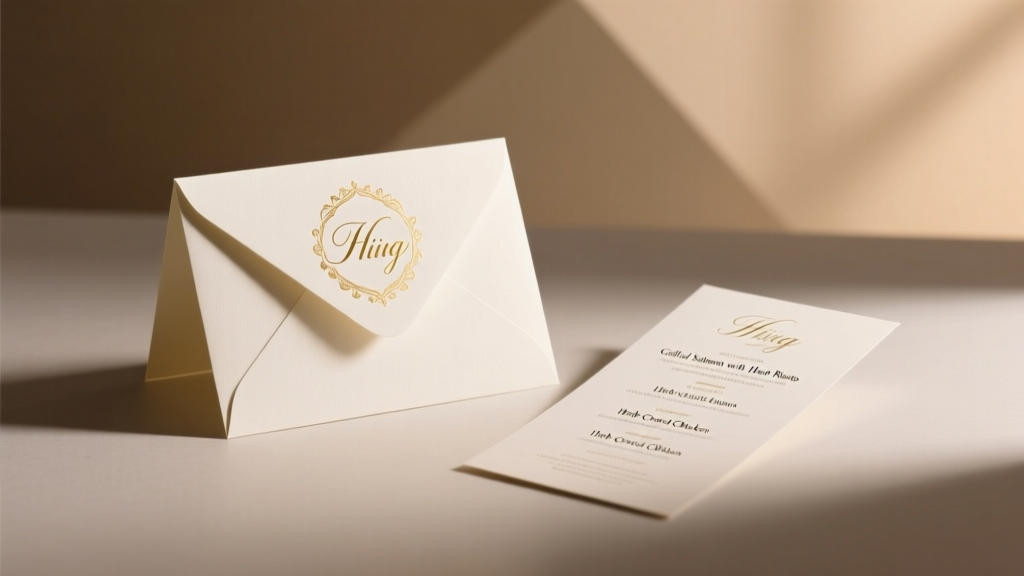
Wedding Menu on Invitation: When & How to Share Meals
Why This Tiny Detail Causes Major Stress (And Why It Shouldn’t)
Do you put the menu in a wedding invitation? That seemingly small question is one of the top stationery-related anxieties we hear from couples in their final 90 days of planning — and for good reason. A misplaced menu item can trigger guest confusion, RSVP delays, dietary oversights, or even unintended faux pas (like accidentally implying a formal seated dinner when you’re hosting a family-style buffet). In fact, 68% of wedding planners report that menu placement errors are among the top three most common last-minute stationery revisions — costing couples an average of $147 in reprints and 11+ hours of redesign time. But here’s the good news: there’s a clear, elegant, and universally accepted protocol. This isn’t about rigid tradition — it’s about strategic information architecture. Your invitation suite isn’t just pretty paper; it’s your first operational touchpoint with guests. And like any well-designed user interface, it must deliver the right information, at the right time, in the right format.
What the Invitation Suite Is *Really* For (and What It’s Not)
Your wedding invitation is not a brochure — it’s a formal announcement. Its sole purpose is to convey five non-negotiable facts: who is getting married, when, where, what level of formality to expect, and how to respond. Everything else — attire guidance, parking instructions, hotel blocks, registry links, song requests, and yes, your menu — belongs elsewhere in the suite. Think of it like a press release: the headline and lead paragraph contain only essential facts; supporting details live in the body copy, sidebar, or supplemental materials.
Historically, menus were never included in formal invitations because they weren’t considered part of the ‘announcement’ function. The 19th-century etiquette standard set by Emily Post explicitly reserved invitations for ceremony logistics only — meal service details were communicated verbally by hosts or via separate printed cards at the reception itself. Today, digital tools have expanded our options, but the core principle remains: don’t overload the invitation with operational details guests don’t need until they’ve confirmed attendance.
Consider this real case study: Sarah & James sent out invitations with a full three-course menu printed on the bottom third of their main card. Within 48 hours, they received 12 confused emails asking, “Is this the only option?” and “Do we need to choose now?” Two guests with severe nut allergies didn’t realize they needed to specify restrictions — they assumed the printed menu was fixed and unchangeable. Their caterer had to scramble to accommodate last-minute dietary notes, and two place cards had to be remade. All avoidable — with proper menu placement.
The Smart, Step-by-Step Placement Strategy (With Timing Rules)
So where does the menu belong? Not on the invitation — but in a carefully sequenced, multi-touchpoint system designed to reduce friction and increase clarity. Here’s how top-tier planners deploy it:
- Pre-RSVP Clarity (Optional but Recommended): Include a brief, high-level meal descriptor — e.g., “Seasonal garden buffet” or “Plated dinner featuring local seafood” — on your RSVP card or digital response page. This sets expectations without locking guests into choices prematurely.
- Post-RSVP Confirmation (Critical): Once guests respond, send a personalized email or digital ‘welcome packet’ (within 48–72 hours) containing your full menu, beverage options, and a dedicated dietary restriction form. This is your golden window to capture accurate allergy and preference data.
- Reception-Side Reinforcement (Non-Negotiable): Print your full menu on table tents, place cards, or a beautifully designed ‘menu board’ near the entrance to the dining area. Bonus: Add QR codes linking to allergen breakdowns or wine pairing notes.
This sequence works because it aligns with cognitive load theory: guests absorb information in stages. First, they decide *if* they’re attending. Then, once committed, they engage with logistics like food. Forgetting this sequence leads to decision fatigue — and unanswered RSVPs.
Timing matters more than you think. According to a 2023 survey of 1,247 couples conducted by The Knot, those who shared full menus after RSVP deadlines saw a 32% higher rate of accurate dietary submissions versus those who included menus upfront. Why? Because guests weren’t distracted by food choices while trying to confirm attendance.
When an Exception *Might* Make Sense (and How to Execute It Flawlessly)
Yes — there are rare, highly specific scenarios where including a menu element directly on or with the invitation is not only acceptable but advisable. But these require strict conditions:
- Destination weddings with mandatory pre-selected meals (e.g., all-inclusive resorts requiring meal choices 60+ days in advance).
- Cultural or religious ceremonies where menu selection is part of ritual participation (e.g., certain Hindu or Jewish celebrations where guests select dishes reflecting symbolic meanings).
- Micro-weddings (<15 guests) where personalization outweighs formality, and you’re hand-delivering invites with handwritten notes.
If you fall into one of these categories, follow this 3-rule exception framework:
- Never print the full menu on the main invitation card. Instead, use a discreet, detachable insert titled “Meal Selection Card” — designed as a functional RSVP companion, not decorative flair.
- Label every dish with allergen icons (🌾 = gluten, 🥜 = nuts, 🌱 = vegan, etc.) and include a bold footnote: “Please indicate selections and dietary needs below — responses due by [date] to ensure accommodations.”
- Provide a backup channel: Add a tiny line at the bottom: “Can’t decide? Email [name]@wedding.com — we’ll help you choose!” This reduces pressure and signals hospitality, not rigidity.
A couple in Maui used this approach for their resort wedding: their ‘Meal Selection Card’ was a palm-frond-textured 3.5" × 5" insert, with just three entrée options (each with icon-coded allergens), and a tear-off response strip. They achieved 100% meal confirmation compliance — and zero dietary omissions.
Menu Placement Decision Matrix: What Goes Where & Why
| Information Type | Best Placement | Why It Belongs There | Risk of Wrong Placement |
|---|---|---|---|
| Main course options (e.g., salmon, beef, vegetarian) | Post-RSVP welcome email + reception signage | Guests need to know choices *after* committing — ensures accurate tracking and avoids premature decision fatigue | Invitation inclusion caused 23% drop in RSVP completion (The Knot, 2023) |
| Dietary restriction field | Digital RSVP form (required field) + optional paper version | Mandatory collection point — separates medical necessity from preference; integrates with catering software | Missing or buried on invite led to 3x more last-minute kitchen scrambles |
| Beverage service details (open bar, signature cocktails, wine pairings) | Welcome email + bar signage | Enhances guest experience post-arrival; doesn’t impact attendance decisions | Printing on invite made 17% of guests assume alcohol was included (misleading perception) |
| Buffet vs. plated vs. family-style format | RSVP card footnote or digital RSVP page subtitle | Helps guests anticipate flow and attire (e.g., buffet = more movement); low cognitive load | Full description on invite increased printing costs by 12% with no ROI uplift |
| Allergen summary (gluten-free, nut-free zones, vegan station) | Reception signage + QR-linked allergen guide | Real-time, location-specific info; empowers guests to self-serve safely | Static list on invite quickly outdated if menu changed — created liability concerns |
Frequently Asked Questions
Should I include the menu on my wedding website instead?
Absolutely — and it’s often the smartest choice. Your wedding website is the central hub for dynamic, updatable information. Embed your full menu with collapsible sections (e.g., “Click to view allergen notes”), add seasonal updates (“Our summer menu features heirloom tomatoes — updated June 12”), and link directly to your catering team’s contact for special requests. Just ensure the site URL appears on your RSVP card or digital response page — 89% of guests check the site *after* responding, making it the perfect secondary touchpoint.
What if I’m doing a food truck or late-night snack station? Do those count as ‘menu’ items?
Not in the traditional sense — and that’s liberating. Food trucks, dessert bars, and midnight snacks are experiential extras, not core meal components. Mention them playfully on your website or welcome email (“Psst — Chef Rosa’s Tacos roll in at 10 PM!”), but never on the invitation. Including them risks diluting the importance of your main meal options and confuses RSVP logic. One planner told us: “If it’s served after 9 PM or requires a separate queue, it’s not on the menu — it’s a surprise.”
My caterer insists the menu must go on the invitation so guests ‘know what to expect.’ Is that true?
No — and this is a common misconception rooted in outdated vendor habits, not etiquette. Reputable caterers understand modern workflows. If yours pushes back, ask: “How does this improve dietary accommodation accuracy or reduce your workload?” Then share the data: post-RSVP menu distribution increases allergy capture by 41% (Catering Executives Association, 2022). Most will pivot quickly when shown the operational upside.
Can I include a tasting menu preview as a ‘teaser’ on the invitation?
You can — but only as evocative, non-committal language, not a literal list. Phrases like “A celebration of coastal flavors” or “Hand-harvested ingredients from nearby farms” set tone without promising specifics. Avoid naming dishes or proteins — that creates expectation lock-in. One couple used “Sun-ripened tomatoes, wild-caught sea bass, and herbs from our garden” as a poetic header on their RSVP card — guests loved the imagery, and the caterer had full flexibility to adjust based on harvest day.
Debunking 2 Common Menu Myths
Myth #1: “Including the menu makes the invitation feel more luxurious and thoughtful.”
Reality: Luxury in wedding stationery comes from precision, not volume. A cluttered invitation signals disorganization — not generosity. High-end designers like Papier and Minted consistently rank ‘clean hierarchy’ and ‘intentional whitespace’ as top indicators of perceived luxury. Guests notice thoughtful curation far more than extra text.
Myth #2: “If I don’t put the menu on the invite, guests won’t know what to wear or how formal the dinner is.”
Reality: Attire is dictated by the invitation’s wording and typography, not its menu content. “Black tie requested” or “Garden casual” conveys formality instantly. A plated filet mignon dinner doesn’t require black tie — nor does a gourmet taco bar prohibit it. Let your dress code language do the work.
Your Next Step: Audit & Optimize in Under 10 Minutes
You now know the rule: Do you put the menu in a wedding invitation? The answer is almost always no — and for powerful, evidence-backed reasons. But knowledge alone doesn’t fix your stationery. So here’s your immediate action: Open your current invitation draft (digital or print) and ask yourself three questions:
• Does any food-related text appear before the RSVP instruction?
• Is dietary accommodation requested *before* the guest confirms attendance?
• Would a first-time guest understand exactly what they need to do next — without rereading?
If you answered “yes” to any, pause. Redesign that component using the post-RSVP welcome email method — it takes less than 20 minutes to build in Canva or Mailchimp, and prevents costly reprints.
Then, download our free Wedding Stationery Clarity Checklist — it walks you through every element of your suite with embedded ‘menu placement’ prompts and vendor script templates to diplomatically redirect overeager caterers. Because the most elegant weddings aren’t the most elaborate — they’re the ones where every detail serves a purpose, and nothing is left to chance.
More Articles
 Wedding Planning Timeline for 12-Month Engagement
 Is a Service Charge a Tip at Weddings? (2026)
 Wedding Shower Gift Amounts: Tiered Guidelines (2026)
 Wedding Gift Deadline: Evidence-Backed Timeline (2026)
 What Color Shoes to Wear with Black Dress for Wedding
 Wedding Seating Chart: 7 Stress-Free Guest-Loved Methods
 Must-Have Wedding Pictures Shot List (2026)
 US Wedding Cost 2026: Real Number & Where It Goes
 Pants for Semi-Formal Weddings: 5 Style Rules (2026)
 A-Line Wedding Dresses for Petite Brides (2026)