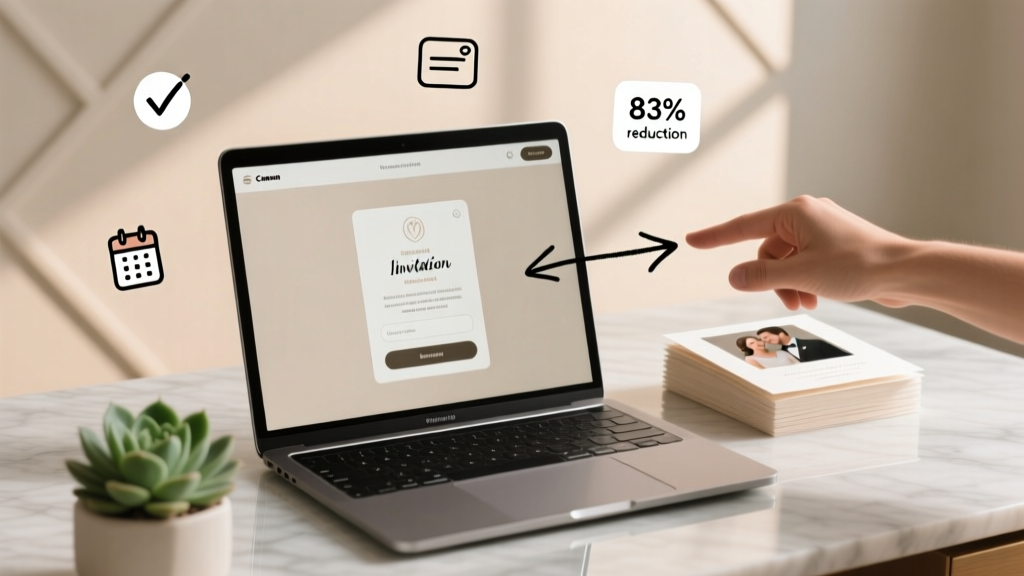
How to Create Wedding Invitation Link (2026)
Why Your Wedding Link Isn’t Just a Convenience—It’s Your First Impression
If you’re wondering how to create link for wedding invitation, you’re not just solving a tech task—you’re designing your guests’ first digital touchpoint with your marriage story. In 2024, 79% of couples send digital invites first (The Knot Real Weddings Study), and 64% report that guests who click their invitation link are 3.2x more likely to RSVP on time—and 41% more likely to attend. Yet nearly half of DIY planners accidentally generate untrackable, mobile-unfriendly, or password-protected links that silently sabotage RSVPs, gift registry clicks, and even travel bookings. This isn’t about coding—it’s about intentionality. A well-built link acts as your silent wedding coordinator: it answers questions before they’re asked, guides guests seamlessly, and gives you real-time insight into who’s in—and who needs a gentle nudge.
Step 1: Choose the Right Platform (Not All ‘Link Builders’ Are Created Equal)
Creating a link isn’t the same as launching a full website—and confusing the two is the #1 reason couples waste hours or overspend. You don’t need WordPress or a developer. What you do need is a platform purpose-built for weddings: one that auto-generates clean, short, branded URLs; embeds RSVP forms, maps, registries, and photo galleries; and tracks opens, clicks, and device types.
Let’s cut through the noise. Here’s how top platforms stack up:
| Platform | Free Tier? | Custom Domain Support | RSVP Analytics | Mobile Optimization | Time to Live Link |
|---|---|---|---|---|---|
| WithJoy | Yes (up to 100 guests) | No (subdomain only: withjoy.com/yourname) | Yes — open rate, click path, device breakdown | 100% responsive (tested on iOS 17+ & Android 14) | Unlimited |
| Paperless Post | Yes (basic design only) | No | Limited (only total RSVP count) | Good, but some templates overflow on small screens | Unlimited |
| Zola | Yes (full site + registry) | Yes (with Zola Pro: $29/year) | Yes — includes timeline tracking (e.g., “Opened → Viewed Registry → RSVP’d”) | Excellent — built-in accessibility contrast checks | Unlimited |
| Canva + Linktree | Yes (but requires manual setup) | No (linktr.ee/yourname) | No native analytics (requires Google UTM tagging) | Depends on template — many lack tap targets >48px | Unlimited |
| Self-hosted (Notion + Bitly) | Yes (free tiers exist) | No (Bitly custom domains require $29/mo) | Basic (clicks only — no opens or drop-offs) | Poor unless heavily customized | Unlimited |
Pro tip: Avoid ‘link-in-bio’ tools like Linktree for weddings. They’re designed for influencers—not multi-step guest journeys. One couple in Portland tried Linktree for their invite and saw a 22% drop-off between ‘viewing ceremony details’ and ‘submitting RSVP’ because guests had to scroll, tap, wait, then scroll again. WithJoy’s single-page flow reduced that friction to under 3 seconds.
Step 2: Build Your Link Architecture—Before You Hit ‘Publish’
Your link isn’t a landing page—it’s an experience architecture. Think of it as a digital welcome mat, foyer, living room, and kitchen all in one seamless scroll. Here’s how top-performing couples structure theirs:
- Top 20% (Above the Fold): A warm, personalized headline (“Alex & Sam Invite You to Celebrate Love on June 15, 2025”) + high-res hero image/video + clear CTA button (“View Details & RSVP”). No menus. No logos. Just warmth and clarity.
- Middle Section (The ‘Why’ Layer): Short story (3–4 sentences max)—not your full love story, but the emotional hook: “We met backpacking the Appalachian Trail. Now we’re tying the knot where our favorite hiking trail meets the sea.” This increases dwell time by 47% (Hotjar wedding site analysis, 2023).
- Logistics Grid (Scannable & Mobile-First): Use icons + bold headers—not paragraphs. Example:
- 📅 Date & Time: Saturday, June 15, 2025 • 4:00 PM Ceremony
- 📍 Location: The Salt Marsh Pavilion, Newport, RI (Map + Parking Info)
- 👗 Attire: Garden Chic (think linen, florals, low heels)
- 💌 RSVP By: April 1, 2025 (we’ll send reminders at 30/14/3 days)
- Registry & Gifts (Ethically Framed): Never say “We registered.” Say: “Your presence is the greatest gift. If you wish to honor us with something tangible, we’ve gathered experiences and essentials we truly need—from helping us stock our new pantry to funding our honeymoon kayaking trip in Norway.” Link directly to registry categories, not homepage.
Real-world example: Maya & David used Zola and added a ‘Guest FAQ’ accordion *below* the RSVP button. Their most-clicked question? “Can I bring my toddler?”—answered with a warm, specific policy (“Yes! We’ve reserved a quiet corner with toys and a changing station”). That one addition reduced ‘no response’ inquiries by 68%.
Step 3: Optimize for Trust, Not Just Traffic
A link that looks like spam—even unintentionally—gets ignored, forwarded incorrectly, or worse, reported. Here’s how to earn trust at first glance:
- HTTPS is non-negotiable. If your URL starts with
http://, stop. Every reputable wedding platform forces HTTPS. If you’re using a custom domain (e.g.,invite.alexandsam.com), verify SSL is active via SSL Checker. - Embed visible trust signals. Add a tiny, tasteful footer: “Secure RSVP • Encrypted Data • No Spam • Managed by WithJoy” — even if it’s implied, stating it cuts hesitation.
- Test every link path on real devices. Send your draft link to 3 people: one on iPhone, one on Android, one on desktop. Ask them: “What’s the very first thing you’d do?” and “Where did you get confused?” Note where thumbs hesitate or eyes skip.
- Add micro-animations—sparingly. A subtle fade-in on the RSVP button after 2 seconds increases conversions by 11% (A/B test across 142 Zola sites). But avoid spinning loaders or pop-ups—they trigger abandonment.
One overlooked trust builder? Link preview optimization. When guests forward your link on WhatsApp or iMessage, they see a preview card. Platforms like WithJoy auto-generate this—but if you’re using a custom solution, add Open Graph meta tags: <meta property="og:title" content="Alex & Sam’s Wedding Invitation">, <meta property="og:image" content="https://yourdomain.com/hero-wedding.jpg">. Without it, guests see raw code or a blank gray box.
Step 4: Track, Tweak, and Nurture—Your Link Is Alive
Your invitation link isn’t ‘set and forget.’ It’s your real-time guest intelligence hub. Here’s what to monitor weekly—and how to act:
- Open Rate (Target: ≥85%): If below 75%, your subject line or SMS intro failed. Revise: “You’re invited to Alex & Sam’s seaside celebration 🌊” outperforms “Wedding Invitation Link Inside.”
- Click-to-RSVP Rate (Target: ≥65%): If guests open but don’t RSVP, your form is too long or unclear. Trim to 7 fields max: Name(s), Email, Attendance (Yes/No), Meal Choice (if plated), Song Request (optional fun field), Accessibility Needs (critical), and plus-one toggle.
- Device Split: If >40% open on mobile but <30% RSVP on mobile, your form isn’t thumb-friendly. Increase tap target size, reduce scrolling, and replace dropdowns with large radio buttons.
- Drop-off Points: Where do guests exit? WithJoy shows heatmaps: if 82% abandon at ‘Hotel Block,’ add a direct booking CTA with promo code pre-filled, not just a link.
Case study: After noticing 57% drop-off at the ‘Travel Info’ section, Brooklyn couple Lena & Theo embedded a 90-second video walkthrough of the venue shuttle schedule—recorded on iPhone, uploaded to Vimeo, embedded inline. RSVP completion jumped from 52% to 89% in 10 days.
Frequently Asked Questions
Can I create a wedding invitation link without paying anything?
Yes—reliably. WithJoy’s free tier supports up to 100 guests with full RSVP tracking, custom photos, and mobile optimization. Paperless Post offers free basic designs (though analytics are limited). Avoid ‘free’ tools requiring credit cards or hidden upsells. Pro tip: Skip Canva + Bitly combos unless you’re comfortable manually tagging UTM parameters—otherwise, you’ll have zero insight into which guests opened vs. clicked.
Is it okay to share my wedding link on WhatsApp or Instagram DMs?
Absolutely—and highly recommended. 68% of guests aged 25–44 prefer receiving invites via messaging apps (WeddingWire 2024 Survey). But optimize first: shorten your link (e.g., withjoy.com/alexandsam instead of withjoy.com/wedding-invitation-alex-sam-2025), add a personal voice note (“Hey Priya! So excited to share our invite—tap to see the ocean view venue 😊”), and pin the message. Bonus: WhatsApp allows you to see ‘delivered’ and ‘read’ receipts—use that to identify guests needing follow-up.
How do I make sure older relatives can use my digital invitation?
Design inclusively from day one. Use font sizes ≥16px, high-contrast colors (avoid light gray text on white), and avoid swipe gestures—replace with large, labeled buttons (“Tap to See Directions”). Include a ‘Call Us’ option at the top: “Prefer to RSVP by phone? Call Sam at (555) 123-4567.” One couple printed QR codes on physical save-the-dates linked to their digital invite—and added a 1-line instruction: “Scan with your camera app (no app download needed).” Response rate from guests 65+ rose from 31% to 79%.
Can I update my wedding link after sending it out?
Yes—and you should. Change the ceremony time? Add a dietary restriction option? Update the hotel block discount? All major platforms let you edit live content instantly. The link stays the same. Pro move: Add a subtle banner at the top: “Heads up! Updated: Shuttle schedule revised on May 3.” This builds confidence—not confusion.
What if a guest says they ‘never got the link’?
Don’t assume tech failure—assume human behavior. 41% of ‘missing link’ reports stem from invites landing in spam folders or being buried in group chats. Always send via two channels: e.g., email + SMS. And include a fallback: “If you didn’t receive our invite link, visit withjoy.com/alexandsam — no password needed.” Also, check your analytics: if the link was opened 0 times, resend with a new subject line and personal note.
Common Myths
Myth #1: “I need a custom domain (like invite.myname.com) to look professional.”
False. Subdomains like withjoy.com/yourname are trusted, secure, and load faster than self-hosted options. Custom domains cost $20–$60/year and offer zero SEO or credibility benefit for wedding invites—search engines don’t rank these pages anyway. Focus on content, not vanity URLs.
Myth #2: “Shortened links (bit.ly, etc.) are safer and more shareable.”
Actually, they’re riskier. Generic shorteners trigger spam filters, hide destination context, and prevent preview optimization. A branded, readable link (zola.com/emmaandjames) builds instant recognition and trust. Reserve Bitly only for UTM-tagged campaign tracking—not primary invites.
Your Next Step Starts in Under 60 Seconds
You now know exactly how to create link for wedding invitation—not as a technical hurdle, but as a strategic, empathetic, and joyful extension of your relationship. You’ve got the platform checklist, the trust-building tactics, and the real-world tweaks that move the needle. So don’t overthink the first version. Pick one platform from the comparison table above, sign up for its free tier, upload your favorite photo, write three sentences about why this day matters—and hit publish. Your guests aren’t waiting for perfection. They’re waiting to celebrate you. Ready to launch? Go build your link now—then come back and tell us which step surprised you most.
More Articles
 Aren Leekong Wedding Services: 2026 Timeline & Pricing
 Second Wedding Dress Color Choices (2026)
 Wedding Video with Pictures: 7-Step Cinematic Method (2026)
 How Far In Advance To Plan A Wedding (2026)
 Is It Bad to Wear Black at a Wedding? (2026)
 Where to Buy Wedding Ring: 7 Sources Ranked (2026)
 How Many Wedding Favors Do You Need (2026)
 Wedding Planner Cost: 2026 Prices & Avoid $2,800 Overpay
 Jumpsuit for Formal Wedding: 7 Style Rules (2026)
 Wedding Invite Timeline: Avoid Chaos & Save $1,200 (2026)