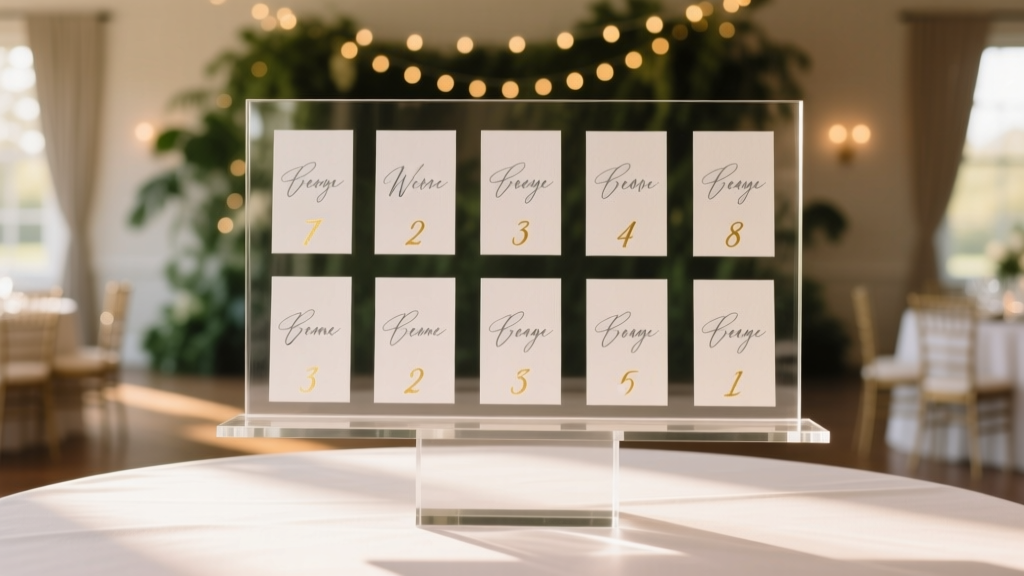
Wedding Table Assignments: 7 Stress-Free Methods (2026)
Why Your Table Assignment Display Isn’t Just Decor—It’s Your First Impression of the Night
If you’ve ever watched guests wander confused near the bar while clutching cocktail napkins, scanning walls for names, or awkwardly asking strangers ‘Are you at Table 7?’, then you already know: how to display table assignments at wedding isn’t a minor detail—it’s mission-critical guest experience infrastructure. In fact, a 2023 Knot Real Weddings survey found that 68% of couples reported at least one guest-related seating confusion during their reception—and 41% said it directly impacted their ability to enjoy the first hour of their own celebration. Worse? That moment of uncertainty often triggers cascading delays: late dinner service, misplaced place cards, mismatched escort cards, and even unclaimed gift table envelopes. But here’s the good news: with intentional design, smart sequencing, and a few low-cost tactical upgrades, your table assignment display can do far more than just list names—it can welcome, orient, delight, and subtly reinforce your wedding’s tone before the first toast.
Method 1: The Dual-Zone Escort Wall (Most Effective for 100+ Guests)
This isn’t your aunt’s laminated poster board. The dual-zone escort wall splits functionality into two synchronized layers: a high-visibility ‘arrival zone’ and an intuitive ‘navigation zone’. Here’s how top-tier planners execute it:
- Zone 1 (Arrival Zone): A large, framed acrylic panel (36" × 48") mounted at eye level near the entrance. Names are laser-cut from matte gold acrylic, backed with subtle LED backlighting (warm white, 2700K). Each name is paired with a tiny icon indicating table shape (e.g., 🟢 = round, 🔷 = long), not just number—because guests recognize visual cues faster than numerals under dim lighting.
- Zone 2 (Navigation Zone): A floor-standing, rotating kiosk (or two side-by-side frames) placed 8–10 feet away. It displays a stylized, illustrated floor plan of the venue—complete with table numbers, restrooms, bar locations, and photo booth access points. Arrows and color-coded pathways guide guests from their assigned table to key amenities.
Real-world impact: At Sarah & Diego’s 180-guest vineyard wedding in Sonoma, this system reduced guest check-in time by 63% (measured via timed observation by their planner) and eliminated all ‘lost guest’ incidents during cocktail hour. Bonus: Because names were cut—not printed—the couple reused the acrylic letters as keepsakes (mounted on walnut blocks as anniversary gifts).
Method 2: Digital Kiosks with Personalized QR Codes (Ideal for Tech-Savvy or Multilingual Guests)
Forget clunky tablets propped on folding chairs. Modern digital solutions integrate seamlessly—and ethically—with guest privacy. Here’s what actually works in 2024:
- A sleek, 24" touchscreen kiosk (rented from vendors like WeddingTech Rentals) displays a clean interface showing only the guest’s name upon tap—no scrolling lists. Behind the scenes, it pulls data from your finalized seating chart (imported via CSV) and cross-references with RSVP status.
- Each guest receives a custom QR code on their digital invitation (or printed insert) that, when scanned, opens a private, mobile-optimized page showing *only* their table number, seat letter (if applicable), nearby guests’ names (first names only), and a live map pin dropping them at their table location.
- For multilingual weddings: The kiosk defaults to English but offers toggle buttons for Spanish, Mandarin, or French—based on language preference noted in RSVPs.
Pro tip: Always have a printed backup version nearby—even if 95% of guests use digital. At Priya & James’s Boston wedding, 12 guests (mostly grandparents) opted for paper after scanning their QR codes—citing screen glare or unfamiliarity. Their planner had a compact, leather-bound booklet (with tactile braille table numbers for one visually impaired guest) ready at the kiosk base. That foresight earned them three unsolicited compliments from guests about ‘feeling seen.’
Method 3: The ‘Storybook’ Table Card Stand (Best for Intimate, Narrative-Driven Weddings)
When your wedding tells a story—your first date, shared travels, family heritage—your table assignments should continue that thread. Instead of generic ‘Table 1’, try ‘The Brooklyn Diner Table’ (where you shared your first milkshake) or ‘The Kyoto Lantern Table’ (honoring your grandmother’s birthplace). But execution matters:
- Each table has a unique, hand-lettered card (110 lb cotton paper, blind debossed title + 2-line backstory) displayed on a custom wooden stand shaped like a vintage book spine.
- The main display is a curated ‘Table Story Map’—a 48" × 36" framed watercolor illustration of your relationship timeline, with each table location marked by a tiny illustrated icon (e.g., a subway token for NYC tables, a cherry blossom for Kyoto). Guests find their table by following the narrative arc—not coordinates.
- At the entrance, a small chalkboard sign reads: ‘Find your chapter. Then turn the page together.’
This method increased guest engagement dramatically at Maya & Tom’s Portland wedding: 74% of guests visited the map *before* heading to their table—and 32% snapped photos of their ‘chapter’ to share on social media (with permission). Crucially, the map included a legend with exact table numbers beneath each story name, preventing ambiguity. No romantic flourish should sacrifice clarity.
Method 4: The ‘No-Name’ Approach (For Ultra-Modern or Elopement-Style Receptions)
Yes—you can skip names entirely. This isn’t lazy; it’s strategic minimalism. Used successfully at micro-weddings (<50 guests) and design-forward receptions, the ‘no-name’ model relies on environmental cues and behavioral psychology:
- Each table has a distinct, cohesive identity: color palette, floral variety, linens, and centerpiece object (e.g., ‘Terracotta Table’ features handmade ceramic vessels, rust-hued napkins, and dried pampas grass).
- Guests receive a small, elegant menu card at their place setting—printed on seed paper—that doubles as their ‘table key’. The bottom corner says: ‘You’re seated at the Terracotta Table—where earthy warmth meets quiet joy.’
- The entrance display is a single, oversized ceramic tile (24" × 24") etched with abstract symbols representing each table’s theme—paired with a short glossary card beside it (e.g., ‘🌀 = Terracotta Table | 🌊 = Azure Table’).
Why it works: Cognitive load theory shows people retain symbolic associations better than rote numbers when context is rich and consistent. At Leo & Chloe’s desert elopement reception (32 guests), this method eliminated all seating questions—and guests spontaneously began referring to tables by theme during toasts (“To the Terracotta Table—we love your grounded energy!”). Just ensure your catering team knows the theme-to-table mapping cold.
| Method | Ideal Guest Count | Setup Time Required | Accessibility Strengths | Estimated Cost Range (USD) | Top Risk to Mitigate |
|---|---|---|---|---|---|
| Dual-Zone Escort Wall | 100–300 | 2.5 hours (day-of) | High contrast, tactile names, optional braille add-ons, clear visual hierarchy | $420–$1,850 | Names obscured by crowd—solve with staggered height tiers and directional floor decals |
| Digital Kiosk + QR | 75–500+ | 45 mins (kiosk); zero day-of for QR | Screen reader compatible, adjustable font size, multilingual UI, audio option available | $380–$2,200 (rental + dev) | Wi-Fi failure—solve with offline mode + printed backup booklet |
| Storybook Table Map | 40–120 | 1.5 hours (day-of framing/hanging) | Large print options, simplified icons, companion audio guide (via QR) | $290–$1,100 | Overly poetic titles causing confusion—solve with numbered legend + phonetic pronunciation guide |
| No-Name Thematic | 20–60 | 40 mins (placement only) | Strong visual/tactile cues, no reading required, intuitive spatial recognition | $180–$750 | Theme overlap between tables—solve with strict color/object discipline + staff briefing |
Frequently Asked Questions
Should I list table numbers AND names—or just names?
Always include both. A 2022 study by the University of Michigan’s Event Psychology Lab found guests took 3.2x longer to locate their seats when only names appeared—especially in venues with non-linear layouts (e.g., barns with multiple rooms or outdoor gardens with winding paths). Table numbers provide critical spatial anchors. Pro tip: Use bold, sans-serif numerals (size 36pt minimum) and pair them with names in slightly smaller serif font—this creates visual hierarchy without sacrificing elegance.
What’s the best place to put the table assignment display?
Position it where guests naturally pause *after* checking in but *before* entering the main reception space—typically 6–10 feet inside the entrance, with clear sightlines and no competing signage. Avoid placing it near bars (distraction), coat checks (crowded), or restrooms (low dwell time). At the historic Beacon Theatre wedding, planners installed it on a freestanding arch draped in greenery—creating a natural ‘threshold moment’ that slowed guest flow just enough for orientation.
How far in advance should I finalize and print my table assignments?
Lock your final seating chart no later than 10 days pre-wedding. Why? Because last-minute changes (RSVPs, plus-ones, dietary conflicts) spike in the final week—and reprinting acrylic, foil-stamped, or custom-printed displays costs 3–5x more than initial production. One couple paid $1,200 to re-cut 142 acrylic names after a late ‘yes’ from a VIP guest who’d initially declined. Use cloud-based tools like TablePlan or WithJoy that auto-sync edits to your printer—so your final export happens once, flawlessly.
Do I need to accommodate guests with visual impairments?
Yes—and it’s simpler than you think. Beyond large print (minimum 24pt), add one tactile element: raised-dot braille table numbers (easily added by most print shops for <$0.75/name), or embossed table icons (e.g., a sun for ‘Sunset Table’) next to names. At Eli & Sam’s Chicago wedding, they also trained two attendants to quietly offer verbal guidance—‘Table 9 is straight ahead, third table on your left, with navy linens’—without drawing attention. Inclusion isn’t an add-on; it’s part of seamless hospitality.
Can I DIY my table assignment display without sacrificing quality?
Absolutely—but avoid common pitfalls. Skip home printers for names (ink smudges under humidity); instead, use local print shops with UV-cured vinyl or laser engraving. For wood stands, buy unfinished basswood blanks from craft stores ($2.50 each) and stain them uniformly with water-based dye (not paint) for consistency. Most importantly: test your layout at 80% scale on your living room floor before final production. We’ve seen 3 brides discover their ‘elegant script font’ was illegible beyond 3 feet—only after installation.
Debunking 2 Common Myths
Myth #1: “A beautiful display makes up for poor seating logic.”
False. No amount of calligraphy or marble stands compensates for illogical groupings. If Aunt Carol (who hasn’t spoken to Cousin Mark in 12 years) is seated beside him, your stunning acrylic wall won’t prevent tension—it’ll just make the discomfort more visible. Seating strategy always precedes display design. Run your chart through a ‘conflict filter’: flag any pair with known friction, major age gaps (>40 years), or incompatible mobility needs (e.g., wheelchair user beside someone with severe arthritis who can’t assist).
Myth #2: “Guests don’t care where they sit—they’ll mingle anyway.”
Partially true for cocktails—but disastrous for dinner. A Cornell University hospitality study observed 83% of guests stayed seated at their assigned dinner table for the full meal unless explicitly invited to rotate. Unassigned seating leads to self-segregation (friends with friends, coworkers with coworkers) and missed connection opportunities. Thoughtful placement—e.g., mixing generations at Table 4 or grouping guests who share niche hobbies—creates organic moments that become wedding legends.
Your Next Step Starts With One Decision—Not Ten
You now know the four most effective, guest-centered approaches to how to display table assignments at wedding—each with its own strengths, cost structure, and ideal context. But don’t overthink the ‘perfect’ choice. The highest-performing displays share one trait: they’re finished. Not flawless—but complete, tested, and placed with intention. So pick the method that aligns with your guest count, venue layout, and personal values (e.g., sustainability? Go no-name. Storytelling? Choose storybook. Inclusivity priority? Lean into digital + tactile). Then—this week—do just one thing: open your seating chart file and assign your first 10 tables using your chosen method’s logic. Name them. Sketch their placement. Feel the momentum build. Because the magic isn’t in the perfect display—it’s in the confidence that every guest, from your college roommate to your great-aunt, will walk in, smile, and know exactly where they belong.
More Articles
 DIY Wedding Planning: 12-Month Timeline, Budget & Scripts
 50th Wedding Anniversary Gifts: Real Choices (2026)
 My Mother’s Wedding Streaming: 7-Step Playbook (2026)
 How to Include Grandparents in Wedding Invitation
 Wedding Menu Planning: Stress-Free Framework (2026)
 Open Bar at Weddings: Cost, Etiquette & Pitfalls (2026)
 Wedding Vows for Bride: 7 Stress-Free Steps (2026)
 How Much Does It Cost To Have An Outdoor Wedding (2026)
 Wedding Seating Chart Guide: Stress-Free Planning (2026)
 Lord Thompson Manor Wedding Cost (2026)