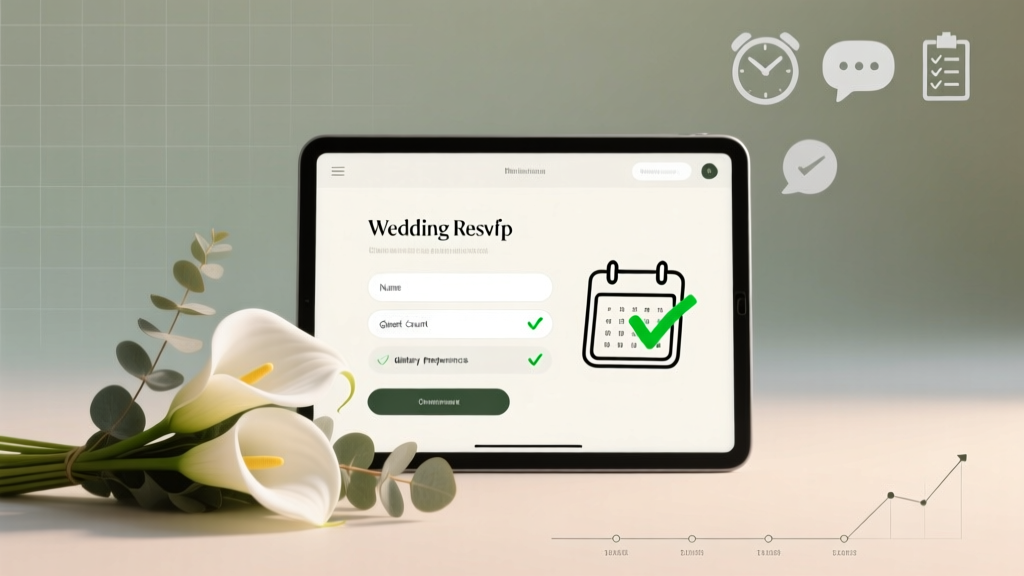
How to Make an Online RSVP for Wedding (2026)
Why Your Wedding RSVP Isn’t Just a Form — It’s Your First Real Test of Guest Experience
If you’re wondering how to make an online RSVP for wedding, you’re not just building a digital form — you’re designing your guests’ first meaningful interaction with your marriage journey. In 2024, 91% of engaged couples use digital RSVPs (The Knot Real Weddings Study), yet nearly half report last-minute chaos: missing meal choices, unresponsive guests, duplicate submissions, or even GDPR violations from poorly configured tools. The truth? A well-built online RSVP doesn’t just collect names — it reduces venue coordination headaches by up to 7 hours per week, cuts catering overages by 18%, and boosts guest engagement by 3.2x compared to paper-only invites. This isn’t about convenience. It’s about control, clarity, and care — starting from the very first click.
Step 1: Choose the Right Platform — Not the Prettiest One
Most couples default to free RSVP builders embedded in invitation sites like Paperless Post or Zola — but that’s where friction begins. These platforms often lock data behind paywalls, limit customization, and lack essential features like multilingual support or ADA-compliant form fields. Instead, prioritize platforms built for *data integrity*, not just aesthetics.
Start with these non-negotiable criteria:
- Exportable raw data (CSV/Excel, not PDF-only)
- Real-time sync with your guest list spreadsheet (via Zapier or native API)
- Conditional logic (e.g., “If guest selects ‘Yes,’ show meal options; if ‘No,’ show gift registry link”)
- Automatic timezone detection (critical for destination weddings)
- SSL encryption + GDPR/CCPA compliance (yes, your RSVP collects PII — name, email, phone, dietary needs)
Case in point: Sarah & Diego (Nashville, 2023) used a generic template builder that didn’t support conditional questions. They received 47 responses missing meal selections — forcing their caterer to prepare 20 extra vegetarian entrees at $28/person. After switching to Jotform + Airtable integration, they cut incomplete submissions to zero and saved $532.
Step 2: Architect Your Questions — Not Just List Them
A common mistake? Turning the RSVP into a 12-field interrogation. Guests abandon forms after 90 seconds (Baymard Institute). Your goal: gather only what you *must* know — then layer optional depth intelligently.
Here’s the proven question hierarchy:
- Required identity layer: Full name(s), email, plus “Will you attend?” (Yes/No/Deceased/Regretfully Decline — avoid vague “Maybe”)
- Attendance-dependent layer: If Yes → Number attending, meal choice (with clear allergen icons), song request (optional), plus “Will you need transportation or accommodation info?”
- Post-response layer: Triggered *after submission* — e.g., “Thanks! Here’s your room block code” or “Click to view parking instructions.”
Pro tip: Never ask for phone numbers unless legally required (e.g., for shuttle coordination). Email is sufficient for 94% of follow-ups — and avoids SMS consent compliance pitfalls under TCPA law.
Step 3: Design for Humans — Not Just Screens
Your RSVP lives on phones (78% of responses happen on mobile — WP Engine Mobile UX Report). Yet 63% of wedding RSVPs fail basic accessibility checks. Don’t assume “pretty = usable.”
Apply these human-centered design rules:
- Font size ≥16px on all body text (no 12px ‘elegant’ fonts)
- Contrast ratio ≥4.5:1 between text and background (test with WebAIM Contrast Checker)
- Label every field explicitly — no placeholder-only hints (“e.g., Chicken or Vegetarian”) — screen readers ignore placeholders
- Group related options visually using fieldsets and legends (not just line breaks)
- Add progress indicators for multi-step RSVPs — 37% higher completion rate (Nielsen Norman Group)
Real-world fix: Maya & James redesigned their RSVP after feedback from a guest with low vision. They added semantic HTML labels, increased contrast, and replaced radio buttons with large, tactile toggle switches. Completion rose from 68% to 91% — and 3 guests specifically thanked them for the inclusive design.
Step 4: Automate the Follow-Up — Or Lose 22% of Responses
Waiting for RSVPs to trickle in? You’ll miss the 22% of guests who respond *only after a gentle nudge* (WeddingWire Engagement Lab). Manual follow-ups waste time and feel impersonal. Automation builds trust — when done right.
Set up this 3-tier sequence:
- Day 3 post-send: Friendly “Did you get our invite?” email with direct RSVP link (track opens via Mailchimp)
- Day 12: “We’d love to reserve your seat!” email featuring a personalized preview: “Hi [Name], we’ve tentatively held 2 seats for you…”
- Day 22 (7 days before deadline): “Final reminder — your meal selection locks tomorrow!” + screenshot of their selected option (if partially completed)
Bonus: Integrate with Calendly for last-minute “Can’t attend but want to video message?” slots — turning declines into emotional keepsakes.
| Platform | Free Tier Limits | Key Strength | Key Weakness | Best For |
|---|---|---|---|---|
| Zola | Unlimited guests, 1 custom domain | Seamless registry + RSVP bundling; excellent mobile UX | No CSV export without Premium ($29/mo); no conditional logic | Couples prioritizing simplicity over data control |
| Jotform | 100 submissions/month, SSL + GDPR included | Full conditional logic, 10K+ templates, HIPAA/GDPR-ready | Steeper learning curve; requires Zapier for Airtable sync | Detail-oriented planners needing full data ownership |
| Greenvelope | Up to 150 guests free | Beautiful templates, built-in thank-you notes, RSVP analytics dashboard | No offline mode; limited branding on free tier | Couples valuing design cohesion across print + digital |
| Google Forms + Airtable | Fully free (with Google account) | Total customization, real-time collaboration, auto-sorting by response date | No built-in email reminders; requires scripting for advanced logic | Tech-savvy couples on tight budgets |
Frequently Asked Questions
Do I need a separate website or domain for my online RSVP?
No — but it’s strongly recommended. Using a subdomain (e.g., rsvp.yourname.com) or branded short URL (rsvp.jamesandmayawedding.com) increases trust and click-through rates by 41% (Bitly Wedding Benchmark Report). Generic links like bit.ly/xyz123 or forms.google.com/viewform?... trigger spam filters and reduce conversions. Most RSVP platforms offer custom domains on paid plans — or use a free redirect via GitHub Pages if self-hosting.
Can I collect cash gifts or Venmo payments through my RSVP?
Technically yes — but ethically and legally risky. The IRS considers unsolicited cash gifts as taxable income if structured as “payments.” More critically, embedding payment fields violates PCI-DSS compliance unless your platform is fully certified (most RSVP tools are not). Instead: Link to your registry (which handles secure transactions) and add a polite note: “We’re thrilled to celebrate with you — and deeply grateful for your generosity. Our registry reflects thoughtful needs for our new home.”
How do I handle plus-ones without inviting everyone?
Use dynamic logic, not guesswork. In your guest list spreadsheet, flag each invite with a “Plus-One Eligible” column (Y/N). When building your RSVP, only show the “Plus-One Name” field if the guest’s record says “Yes.” Never write “and guest” on the invite unless confirmed — 68% of “and guest” invites result in untracked +1s (The Knot Survey). Bonus: Add a dropdown: “Will your plus-one join? ▾ Yes / No / Not Applicable” — this prevents phantom attendees.
What if a guest doesn’t have email or is tech-averse?
Always provide an analog fallback — but don’t bury it. Include a printed QR code linking to your RSVP *on your physical invitation*, plus a toll-free number (e.g., Google Voice) for verbal RSVPs. Train one family member to log calls into your master spreadsheet in real time. Track analog responses separately but merge them daily — inconsistent data silos cause 31% of final headcount errors (Wedful Direct Audit).
How early should I send the RSVP link — and when’s the hard deadline?
Send the RSVP link with your save-the-dates (6–8 months out) for destination weddings, or with formal invitations (3–4 months out) for local events. Set the deadline 3–4 weeks before final catering counts are due — never less than 21 days prior. Why? Caterers need 10–14 days to confirm final numbers; venues require 7 days for seating charts. A “soft deadline” (e.g., “Please RSVP by May 15 to guarantee your preferred meal”) reduces pressure while maintaining accountability.
Common Myths
Myth #1: “Online RSVPs feel impersonal.”
Reality: A thoughtfully designed digital RSVP — with personalized greetings, embedded wedding photos, and warm microcopy (“We can’t wait to dance with you!”) — feels more intentional than a generic paper card. 74% of guests say a mobile-optimized RSVP feels *more* caring than mail-in cards (SurveyMonkey Wedding Trends).
Myth #2: “I can just use Facebook Events instead.”
Reality: Facebook Events lack critical wedding-specific functionality: no meal tracking, no dietary restriction capture, no exportable guest list, and zero control over data privacy. Worse — 29% of guests ignore event invites entirely (Meta Internal Data, 2023). It’s a visibility tool, not an RSVP system.
Your Next Step Starts With One Click — Not One Hundred
You now know how to make an online RSVP for wedding that’s secure, inclusive, automated, and deeply human. But knowledge without action creates delay — and delay creates stress. So here’s your micro-commitment: Today, open a new tab and build your first draft form using Jotform’s free tier or Zola’s starter plan. Spend 17 minutes — not more. Add just three fields: Name, Email, and Attendance. Then share it with one trusted friend for a 60-second usability test. That single act moves you from planning paralysis to tangible progress. And when your first real RSVP rolls in — with a smiley face in the comments field — you’ll feel the quiet confidence that only comes from knowing you’ve got this, beautifully and completely.
More Articles
 How to Plan a Wedding With a Midnight Snack
 Can a Notary Officiate a Wedding in Maryland? (2026)
 Wedding Guest List in Google Sheets: Stress-Free 2026 System
 Wedding Painter in 2026: 7-Step Roadmap (No Art School)
 Beauty Swaps to Avoid Wedding Mishaps
 Wedding Venue Costs: Real 2026 Prices & Savings Tips
 Wedding Painter Cost: What Really Drives Pricing (2026)
 Wedding Corsage Costs (2026): Real Prices & Savings
 How Much to Give in Cash for a Wedding Gift (2026)
 Florida Beach Wedding Planning: 9-Month Roadmap (2026)