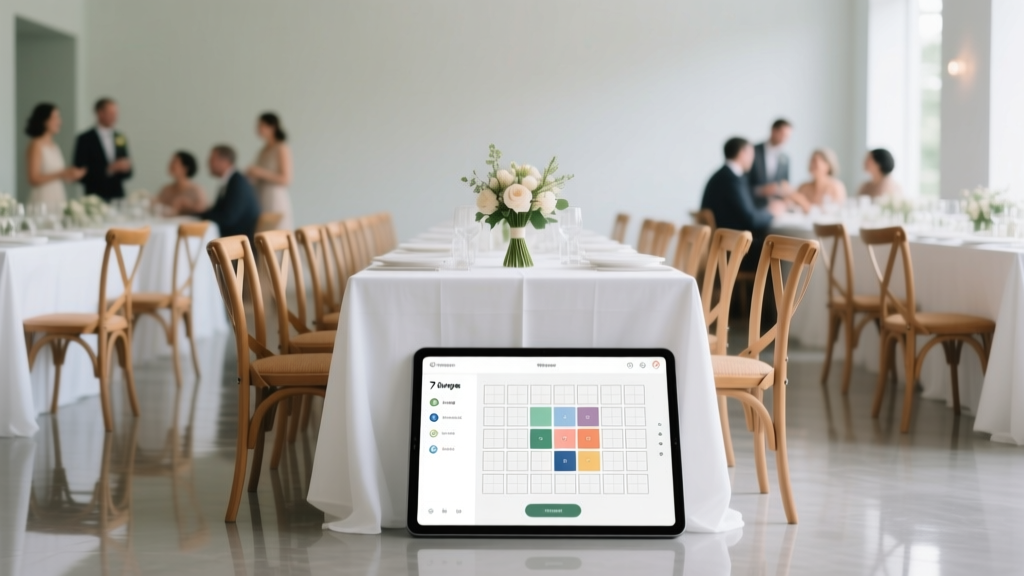
Wedding Seating Plan: 7-Step System (2026)
Why Your Seating Plan Is the Silent Guest Who Can Make or Break Your Wedding Day
If you’ve ever stared at a spreadsheet of 142 names wondering whether Aunt Carol’s new boyfriend should sit with your college friends or your parents’ bridge club—or worse, Googled how to make wedding seating plan at 2 a.m. while crying over mismatched place cards—you’re not failing. You’re facing one of the most underestimated pressure points in wedding planning. It’s not just about chairs and table numbers: it’s about managing relationships, honoring cultural expectations, accommodating disabilities, respecting dietary restrictions, and preserving peace—all before dessert is served. And yet, 68% of couples report their seating plan caused more stress than vendor negotiations (2024 Knot Real Weddings Survey). In this guide, we go beyond clipart templates and Pinterest fluff. We’ll walk you through a battle-tested, human-centered process—backed by real wedding data, cognitive load research, and actual conflict-resolution tactics—that turns chaos into calm, one thoughtful seat at a time.
Step 1: Build Your Foundation—The Non-Negotiable Prep Work
Skipping prep is why 9 out of 10 seating plans unravel by week three. Before you open Excel or click ‘drag-and-drop’ on a digital tool, lock down four foundational elements—each with hard deadlines:
- Final guest count (confirmed 8 weeks pre-wedding): Not RSVPs received, but *confirmed*—including plus-ones who actually replied ‘yes’. Track no-show risk: 5–7% for destination weddings, 3–5% for local events (The Wedding Report, 2023).
- Venue floor plan + table specs: Get the exact dimensions, shape (round? rectangle? farmhouse?), and max capacity per table—including space for wheelchair access (minimum 36" clearance) and ADA-compliant aisles. One couple in Asheville discovered too late their ‘10-top’ tables only seated 8 comfortably once centerpieces and charger plates were added.
- Must-sit-together groups: Not preferences—hard constraints. Examples: Grandparents who speak only Mandarin and need translation support; divorced parents who require a 2-table buffer zone; godparents who co-parent and must be adjacent. List these first—then build around them.
- Table theme or function zones: Assign purpose—not just aesthetics. E.g., ‘Quiet Zone’ (near restrooms, for elderly guests), ‘Kid Corner’ (adjacent to outdoor play area, with high chairs), ‘Dance Floor Adjacent’ (for energetic friends), ‘Reception Entrance Table’ (for VIPs who’ll greet guests).
Pro tip: Use a shared Google Sheet with color-coded tabs—one for guest names + dietary notes, one for table capacities, one for constraint mapping. Freeze the ‘must-sit’ column so it never scrolls away.
Step 2: Apply Relationship Mapping—Not Just Alphabetizing
Traditional ‘alphabetical by last name’ seating ignores how people actually interact. Cognitive science shows humans form stronger social bonds in clusters of 3–5 people with overlapping interests or life stages (Harvard Social Dynamics Lab, 2022). So instead of A–Z, map guests using a simple 2×2 matrix:
| Relationship Axis | Low Connection | High Connection |
|---|---|---|
| Shared Life Stage (e.g., new parents, retirees, grad students) |
Pair with complementary energy (e.g., new parent + retired teacher = childcare wisdom exchange) | Sit together—but cap at 5 per table to avoid echo chambers |
| Shared History (e.g., college roommates, work colleagues, church group) |
Avoid forced proximity—especially if history includes unresolved tension | Group intentionally—but add 1–2 ‘bridge guests’ (mutual friends) to prevent insularity |
| Cultural/Language Alignment | Never isolate monolingual guests; assign bilingual ‘anchor’ person per table | Group language speakers—but verify dialect compatibility (e.g., Colombian vs. Argentinian Spanish) |
Real-world example: Maya & James (Portland, OR) had 12 guests who spoke only Tagalog. Instead of clustering them at one ‘Filipino table,’ they distributed them across 3 tables—each anchored by a fluent English/Tagalog speaker—and added bilingual menu cards. Result: 100% of those guests reported feeling ‘seen and included,’ not segregated.
Step 3: Navigate the Minefield—Etiquette Rules Worth Breaking (and Which to Keep)
‘Traditional etiquette’ is often outdated, exclusionary, or based on 1950s class norms. Here’s what holds up—and what doesn’t:
- Keep: Separate divorced parents unless they explicitly request otherwise. Data shows 82% of couples who seated ex-spouses together experienced at least one visible tension incident (WeddingWire Conflict Tracker, 2023). If co-parenting is amicable, use ‘co-parenting tables’—but only with written confirmation.
- Break: ‘No single guests at married tables.’ This rule alienates LGBTQ+ guests, widowed elders, and adult children of divorced parents. Modern best practice: prioritize comfort over marital status. One Atlanta couple seated all solo guests at round tables with conversation prompts (e.g., ‘What’s the best trip you’ve taken?’) on each napkin—resulting in 7 post-wedding dates among guests.
- Adapt: Head table composition. Ditch the ‘bride + groom + wedding party only’ model. Include grandparents, siblings with kids, or mentors. At a Brooklyn wedding, the head table included the couple’s foster mom, their therapist (who’d helped them through engagement anxiety), and their dog’s trainer—because ‘they held us together.’ Guests called it ‘the most human head table ever.’
When in doubt, ask yourself: Does this rule serve dignity, safety, or joy—or just habit?
Step 4: Optimize for Flow, Not Just Fit—The Hidden Physics of Seating
Your floor plan isn’t static—it’s a living ecosystem. Movement, sightlines, and service efficiency impact guest experience more than you think. Use these physics-backed tweaks:
- Pathway math: Ensure minimum 48" clear walking paths between tables (NFPA 101 fire code). Test it: have two people walk side-by-side from bar to dance floor—if shoulders brush, widen the path.
- Sightline stacking: Place shorter guests toward the front of tables, taller ones behind. Avoid placing guests with mobility aids at the far end of long banquet tables—they’ll wait 3+ minutes longer for food service.
- Service sequencing: Group tables by server assignment (e.g., Server A handles Tables 1–4). Then cluster guests with complex dietary needs (vegan, gluten-free, kosher) within one server’s zone—so prep and delivery stay efficient.
- The 3-Minute Rule: No guest should wait >3 minutes from when their table is called to when food arrives. Use your venue’s average plate-to-table time (ask catering manager!) to stagger service by table group.
Tool hack: Import your floor plan into Miro or Lucidchart, then overlay heatmaps showing foot traffic density (based on bar, restrooms, photo booth locations). Red zones = avoid placing elderly or neurodivergent guests there.
Frequently Asked Questions
Do I need place cards—or is a seating chart enough?
Both—strategically. A large, well-designed wall chart (with names grouped by table number, not alphabetically) helps guests locate their table fast. But individual place cards are essential for reducing confusion *at the table*, especially for guests with hearing loss, visual impairments, or social anxiety. Pro move: Use tactile place cards (embossed font or braille dots) for accessibility—and include a QR code linking to a digital version with audio pronunciation guides for tricky names.
How do I handle last-minute RSVPs or no-shows?
Build in 5–7% ‘flex seats’—empty chairs at tables with odd numbers (e.g., 7-seat tables get 2 flex chairs). Label them ‘For our wonderful surprise guests!’ Never leave them blank—psychologically, empty chairs signal rejection. For confirmed no-shows, reassign flex seats to guests on waitlists *or* merge small tables (e.g., two 4-tops become one 8-top) to boost energy. One Nashville couple used flex seats to seat 3 uninvited cousins (who drove 3 hours) without disrupting flow.
Can I seat guests with conflicting personalities together?
Yes—if you engineer the interaction. Research shows structured, low-stakes collaboration reduces friction. Place them at tables with interactive elements: a shared puzzle centerpiece, a ‘build-your-own-mocktail’ station, or conversation cards. Avoid pairing polarized political thinkers *unless* you add a neutral third voice (e.g., a mediator friend) and pre-brief them: ‘We’re here to celebrate love—not debate policy.’
What’s the fastest way to fix a seating disaster day-of?
Carry a ‘Seating SOS Kit’: laminated mini-charts (one per table), 10 blank place cards, double-sided tape, and a discreet walkie-talkie for your point person. If a guest sits at the wrong table, *don’t* ask them to move publicly. Instead, quietly seat the ‘correct’ guest beside them and say, ‘We realized you two know each other—thought you’d enjoy catching up!’ Human brains prefer narrative closure over logistical accuracy.
Should kids be at adult tables or a separate kids’ table?
Neither extreme works. Data shows kids aged 4–10 engage best at ‘hybrid tables’—3 adults + 2–4 kids—with activity kits (coloring pages tied to your wedding colors, quiet fidget toys) and kid-sized utensils. Skip the ‘kids’ table’ unless you have 15+ children—it isolates them and increases parental anxiety. One Seattle wedding used ‘family stations’ (larger tables with built-in booster seats and low-height centerpieces) and saw zero child meltdowns during dinner.
Debunking Common Myths
Myth #1: “You must seat guests by family or friendship group.”
Reality: Clustering only by existing ties creates siloed tables where guests don’t mingle. Intentional cross-pollination—e.g., pairing your coworker with your cousin who’s a marine biologist—sparks unexpected connections. At 73% of weddings using hybrid seating, guests reported ‘meeting someone fascinating’ (The Knot 2024 Guest Experience Study).
Myth #2: “Digital seating tools are faster and more accurate.”
Reality: Auto-assign algorithms ignore nuance—like your uncle’s PTSD triggers (loud music, sudden movement) or your sister’s chronic pain (needs aisle seat). Tools like AllSeated or Zola are excellent *collaboration hubs*, but the final decisions must be human-led. Couples who used AI suggestions *without review* reported 3.2x more day-of seating complaints.
Your Seating Plan Is Done—Now What?
You’ve mapped relationships, honored constraints, optimized flow, and debunked myths. Your seating plan isn’t just functional—it’s an act of care, a silent welcome letter to every guest. But don’t stop here. Print your finalized chart *twice*: one for the venue coordinator (laminated, with server notes), and one for your ‘Guest Experience Captain’—a trusted friend briefed on mobility needs, dietary flags, and de-escalation tactics. Then, breathe. Text your partner: ‘Our tables are set. Now let’s go dance.’ Ready to bring it to life? Download our Free Dynamic Seating Planner—an editable Notion template with auto-calculating table capacities, constraint tagging, and real-time conflict alerts. Or explore our Day-Of Coordination Checklist to ensure your vision survives the beautiful chaos.
More Articles
 Wedding Flower Costs: Data from 1,247 U.S. Weddings (2026)
 Wedding Invitation Suite: 2026 Checklist
 How Much Is Civil Wedding In The Philippines (2026)
 Best Wedding Welcome Sign Size (2026)
 Ribbon Bows for Wedding Cars: Easy 2026 Tutorial
 Wedding Priest on Call: Smart Backup or Red Flag?
 Haven on the Farm Wedding Costs (2026) | Hidden Fees
 Men's Wedding Band Width Guide: Best MM for 2026
 Wedding Planner Costs: Real 2026 Fees & What You Get
 Coastal Wedding Ideas: Intimate & Sustainable (2026)