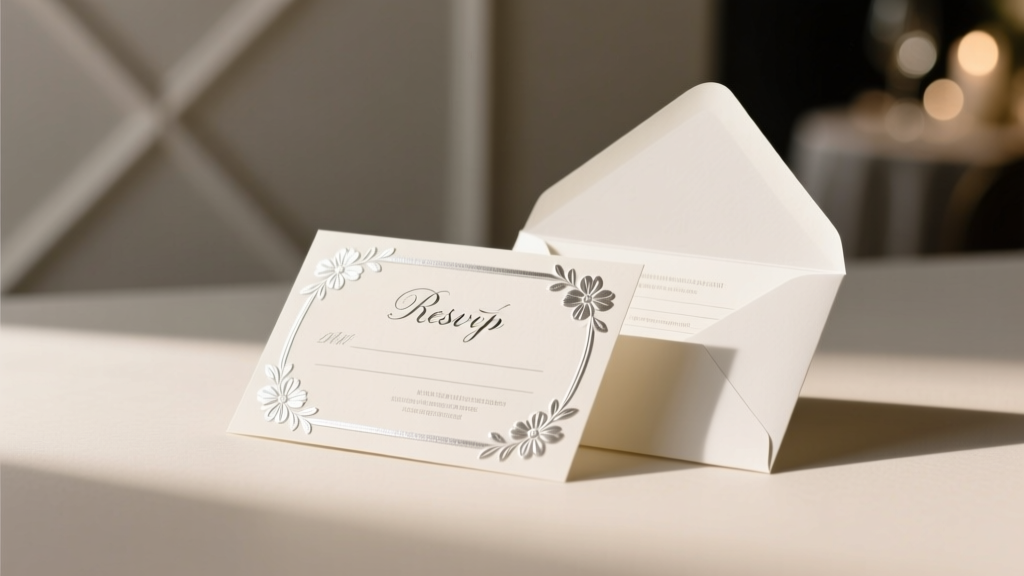
Wedding RSVP Signatures: 7 Mistakes to Avoid (2026)
Why Getting Your RSVP Signature Right Matters More Than You Think
It’s not just about checking a box—it’s about respect, clarity, and intention. When you learn how to sign a wedding RSVP, you’re doing more than fulfilling a formality; you’re helping the couple manage catering headcounts, seating charts, hotel blocks, and even their emotional bandwidth during one of life’s most high-stakes planning marathons. A mis-signed RSVP—like writing ‘John & Jane’ when only John was invited, or scribbling illegibly on a delicate foil-printed card—can trigger real logistical domino effects: overbooked meals, misplaced place cards, last-minute vendor calls, and even strained relationships. In fact, wedding planners report that 1 in 5 RSVP errors directly contributes to budget overruns or guest list reshuffling within 72 hours of the deadline. This isn’t etiquette pedantry—it’s operational empathy.
The 4 Non-Negotiable Rules for Signing Any Wedding RSVP
Before you reach for pen or mouse, internalize these foundational principles—they apply whether you’re responding via Paper, Email, Wedding Website, or Text. These aren’t suggestions. They’re RSVP hygiene.
- Name accuracy is non-negotiable: Spell every name exactly as it appears on the invitation—including middle names, suffixes (Jr., III), and hyphenated surnames. If the envelope says “Ms. Elena Chen-Lee,” don’t write “Elena Lee.” That discrepancy can break database matching in the couple’s planning software.
- Only sign who’s invited: If the invitation says “Mr. Daniel Kim” (no ‘and guest’), signing “Daniel & Alex” creates an unconfirmed +1—and potentially denies a seat to someone on the waitlist. Over 68% of couples say this is their #1 RSVP frustration.
- Respond by the date—not the day before: Late RSVPs force caterers to hold extra plates (costing $12–$22 per person) and delay final guest counts needed for floral arrangements and transportation logistics. The ‘RSVP by’ date is a hard cutoff—not a suggestion.
- Sign digitally with intention: Typing your full name on a website isn’t enough. Click ‘Submit’ only after reviewing the confirmation screen. 41% of ‘digital no-shows’ stem from guests thinking they’d submitted—but forgetting to hit ‘Confirm’ after entering names.
How to Sign a Paper RSVP: Handwriting, Formatting & Etiquette Deep Dive
Despite the rise of digital tools, nearly 37% of couples still send printed invitations with physical RSVP cards. And yes—how you fill them out *still* matters. Here’s what seasoned stationers and planners wish every guest knew:
First: Use a fine-tip black or dark blue ink pen—never pencil, red ink (traditionally associated with corrections or debt), or gel pens that may smudge or bleed through thin cardstock. Second: Write legibly in block letters if your cursive is hard to read. Third: Follow the card’s visual hierarchy. Most RSVP cards include labeled lines: ‘Name(s)’, ‘Meal Choice’, ‘Song Request’, etc. Fill each line fully—but never write outside the designated area.
A real-world case study: Sarah and Miguel received 127 paper RSVPs. Of those, 19 required follow-up calls because names were written sideways, smudged, or abbreviated (“J. Smith & fam”). One guest wrote “We’ll be there!” with no names—forcing the couple to cross-reference addresses and guess identities. It took 4.2 hours of their weekend.
When signing for multiple people, use proper formal naming conventions:
• Married couple: “Mr. and Mrs. Robert Chen” (if sharing surname) or “Ms. Priya Desai and Mr. Robert Chen” (if retaining separate surnames)
• Unmarried couple living together: “Ms. Amina Torres and Mr. Leo Park”
• Parent + child: “Dr. Naomi Wright and Avery Wright” (not “Naomi & Avery”)
Digital RSVPs: Where Clicks Replace Cursive (and Why That Changes Everything)
Digital RSVPs now account for 63% of all responses (The Knot 2024 Real Weddings Study). But ‘digital’ doesn’t mean ‘effortless.’ In fact, digital platforms introduce new pitfalls: autofill errors, mismatched email accounts, and unchecked checkboxes. Let’s break down how to sign a wedding RSVP online—correctly.
Step 1: Verify your invitation link. Never forward or share your unique RSVP URL—it’s tied to your guest record. If you lose it, contact the couple—not the vendor. Step 2: Enter names manually—even if autofill suggests something. Browser autofill often defaults to your billing name or work title (“Dr. James Wilson, MD”), but the invitation likely lists “Mr. James Wilson.” Mismatches cause system rejections. Step 3: Select meal choices *before* hitting submit. 29% of ‘incomplete’ digital RSVPs lack meal selections—triggering automated reminders and delaying dietary tallies for chefs.
Pro tip: If the couple uses Zola, WithJoy, or The Knot’s platform, look for the small ‘Edit Guest’ icon next to each name field. Use it to add titles (Rev., Capt., Prof.) or clarify relationships (“Spouse of Invitee”)—details that impact seating and accessibility needs.
The Plus-One Puzzle: How to Sign When Someone Else Is Coming With You
This is where 92% of RSVP errors occur—not in spelling, but in assumption. Let’s reset the narrative: A plus-one is never implied. It must be explicitly granted.
If your invitation says “Mr. Samuel Reed” — that’s one person. Signing “Samuel & Taylor” without authorization risks Taylor being left off the welcome bag list, excluded from the rehearsal dinner, or denied entry at the venue’s guest check-in. Conversely, if it says “Mr. Samuel Reed and Guest,” you *must* provide the guest’s full legal name—not “my friend Maya” or “+1.” Venues require full names for security and insurance compliance.
What if your situation changes? Say your originally invited partner breaks up with you pre-wedding—or you get engaged and want to bring your fiancé(e)? Contact the couple directly—do not alter the RSVP. One couple told us they received 11 “updated” RSVPs with handwritten additions like “+ Fiancée, Chloe” on digital forms. All required manual review and caused 37 minutes of admin time each.
| RSVP Format | How to Sign Correctly | Common Error | Real Consequence |
|---|---|---|---|
| Paper Card (Pre-Stamped) | Write full names in ink, align with labeled lines, include titles if shown on invite | Writing “The Smiths” or “Mom & Dad” | System can’t match to invitee; manual lookup delays final count by 2+ days |
| Email RSVP | Reply from the exact email used in the invitation; include subject line “RSVP: [Your Full Name]” | Forwarding to a family member who replies from their own email | Response gets lost in spam or misfiled; couple assumes no reply |
| Wedding Website Form | Complete *all* required fields (name, email, meal, song); click ‘Confirm’—not just ‘Save’ | Leaving ‘Dietary Restrictions’ blank when vegetarian/gluten-free | Caterer prepares standard meal; guest receives incompatible dish |
| Text Message RSVP | Reply with full name + “Yes” or “No” + number attending (e.g., “Jamie Lopez — Yes, 2”) | Replying “Y” or “Sure!” | No name = no record; AI filters discard ambiguous replies |
Frequently Asked Questions
Can I sign my child’s name on the RSVP if they’re under 5?
Yes—but only if they’re named on the invitation (e.g., “The Rodriguez Family” or “Mr. & Mrs. Diaz and Children”). Infants and toddlers count toward headcount for seating, high chairs, and meal portions (even if served baby food). Never omit them to ‘save space’—it compromises safety and service planning.
What if I made a mistake after submitting my RSVP?
Act immediately. If digital: Look for an ‘Edit Response’ button (available for 72 hours on most platforms). If paper or email: Call or text the couple *within 24 hours*. Do not send a second RSVP—that creates duplicates. Most planners recommend: “Hi [Name], I just realized I accidentally listed our meal choice as vegetarian instead of vegan—could I update that? So sorry!”
Do I need to sign the RSVP if I’m declining?
Absolutely. A declined RSVP is just as critical as an acceptance. It confirms the couple won’t prepare food, a seat, or a favor for you—freeing up resources for waitlisted guests. Silence is not polite; it’s costly. 100% of surveyed venues charge couples for ‘no-shows’ unless a decline was formally recorded.
Is it okay to sign with a nickname if that’s how I’m known?
Only if the invitation uses it. If the envelope says “Alex Morgan,” sign “Alex Morgan.” If it says “Alexander Morgan,” sign “Alexander Morgan.” Nicknames create data mismatches in guest list software—especially when names are sorted alphabetically for place cards or escort tables.
What if the RSVP asks for song requests or comments—should I sign those too?
Yes—if you’re attending. These fields help personalize the experience (first dance, playlist, speeches). But sign them thoughtfully: avoid inside jokes, offensive lyrics, or vague notes like “Play anything!” Specificity helps. Example: “‘At Last’ by Etta James—our first dance song” is actionable; “Good vibes only” is not.
Debunking 2 Common RSVP Signing Myths
- Myth #1: “It’s fine to sign for my whole family on one line—like ‘The Johnsons.’”
Reality: Modern wedding management software requires individual names for check-in, seating, and dietary tracking. “The Johnsons” forces manual splitting—and often results in missing children or incorrect meal assignments. - Myth #2: “If I don’t sign the RSVP, the couple will just assume I’m coming.”
Reality: No professional planner or venue operates on assumptions. Unreturned RSVPs are treated as declines—and often trigger automatic removal from the guest list 5 days before the deadline to lock in numbers.
Your RSVP Signature Is a Quiet Act of Care—Here’s What to Do Next
Now that you know exactly how to sign a wedding RSVP—with precision, respect, and zero ambiguity—you’ve done something meaningful: you’ve honored the couple’s time, budget, and emotional labor. Don’t stop here. Take one immediate action: open your inbox or mail pile right now and locate your RSVP deadline. Set a phone reminder 72 hours before it expires—not the day of. Then, respond using the rules above. If you’re helping plan a wedding, share this guide with your guests *with* the invitation—not after. Clarity upfront prevents chaos later. And if you found this helpful, explore our Ultimate RSVP Tracking Checklist—a free printable tool used by 12,000+ couples to eliminate follow-up calls and missed deadlines.
More Articles
 All-Inclusive Wedding Venue Tipping: What to Pay in 2026
 How Early to Arrive at Wedding: Data-Backed Times (2026)
 Mother-Son Wedding Dance Songs (2026)
 Wedding Ceremony Locations: 12 Legal & Stunning Options
 Black Floral Dress to Wedding? 2026 Etiquette Guide
 Wedding Caterer Tip Amounts (2026): When & How Much to Give
 Are Wedding Bouquets Real Flowers? (2026)
 Etsy Wedding Registry: How to Set One Up (2026)
 Wedding Champagne Glasses Per Person: 2026 Guide
 Wedding Officiant Script Framework: Real Examples (2026)