## Stop Scrolling, Start Planning: Pinterest for Your Wedding
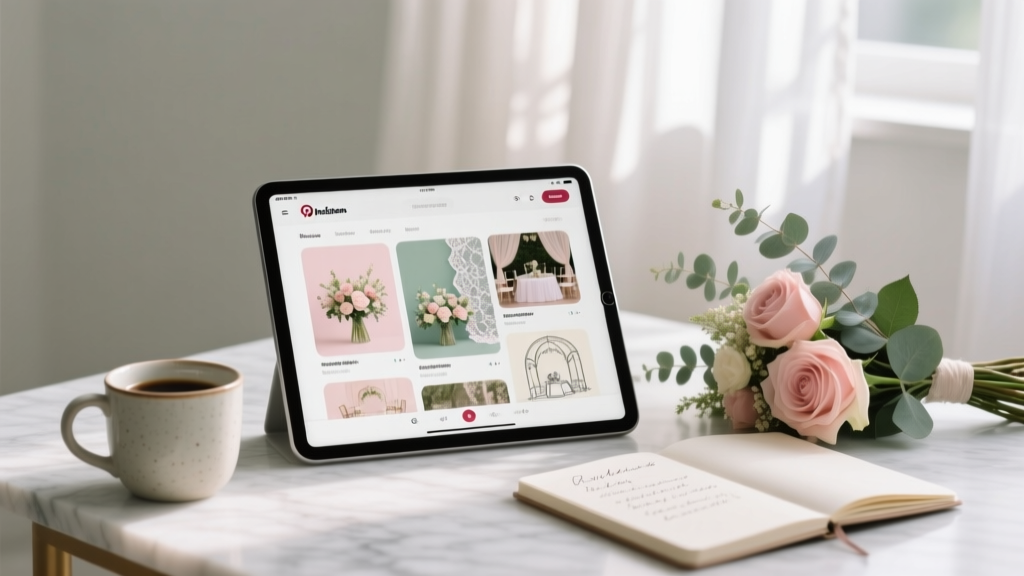
Pinterest has over 500 million monthly users, and weddings are consistently one of its top search categories. But most couples open Pinterest, save 400 pins in a week, and end up more confused than inspired. Used strategically, Pinterest is the most powerful free wedding planning tool available—it clarifies your vision, communicates it to vendors, and keeps your entire planning process organized in one place.
---
## 1. Set Up Your Boards Before You Save a Single Pin
The biggest mistake couples make is creating one giant "Wedding" board and dumping everything into it. Instead, build a structured board system from day one.
**Recommended board structure:**
- Ceremony Decor
- Reception Decor
- Bridal Style (dress, hair, makeup)
- Partner Style
- Florals
- Wedding Cake & Desserts
- Photography Style
- Honeymoon Inspiration
- Budget & Planning Tips
Keep boards **secret** until you're ready to share. This prevents family input before you've formed your own vision. Once your aesthetic is clear, make relevant boards public so vendors can reference them directly.
**Pro tip:** Use Pinterest's "Board Sections" feature to subdivide. Your Florals board can have sections for ceremony, reception, and bouquet—so your florist gets exactly what they need without digging.
---
## 2. Use Pinterest Search Like a Pro to Find Your Style
Generic searches like "wedding decor" return millions of results. Narrow your searches with specific long-tail terms to find exactly what fits your vision and budget.
**High-value search phrases for wedding planning on Pinterest:**
- "outdoor garden wedding under $15,000"
- "minimalist wedding florals neutral tones"
- "non-traditional wedding ceremony ideas"
- "small intimate wedding reception 50 guests"
- "DIY wedding centerpieces budget-friendly"
Pay attention to the **visual search tool** (the camera icon). Tap any element within a pin—a specific flower, a table linen color, a lighting style—and Pinterest will surface similar images. This is how you identify the exact aesthetic language to use with your vendors.
After two to three weeks of active pinning, review your boards and look for patterns. If 80% of your saved ceremony images are outdoors with greenery and candlelight, that's your style—and that clarity is worth more than any mood board a planner charges for.
---
## 3. Turn Pinterest Inspiration Into a Vendor Communication Tool
Vendors—especially photographers, florists, and decorators—rely heavily on visual references. A well-curated Pinterest board cuts consultation time in half and dramatically reduces the chance of misaligned expectations.
**How to use Pinterest boards with vendors:**
1. **Before booking:** Share your style board so vendors can assess fit before the first call. A photographer whose work doesn't match your pinned aesthetic isn't the right photographer, regardless of price.
2. **During consultations:** Walk through your boards together. Ask vendors to flag what's achievable within your budget and what isn't.
3. **For florals specifically:** Create a board with 10–15 images and ask your florist to identify the 3 that best represent what you want. Their answer tells you whether they understand your vision.
4. **For DIY elements:** Pinterest is full of tutorials. Pin the specific tutorials you plan to follow and share them with anyone helping you execute.
---
## 4. Use Pinterest to Build a Realistic Wedding Budget
Pinterest isn't just for aesthetics—it's a research tool for pricing. Many pins link back to vendor websites, Etsy shops, and blog posts with real cost breakdowns.
**Budget research tactics:**
- Search "[your city] wedding photographer pricing" and follow links from pins to vendor sites
- Look for "real wedding" posts from local venues—these often include guest counts and budget ranges
- Search "wedding budget breakdown" to find percentage-based guides (photography typically runs 10–12% of total budget; florals 8–10%)
- Pin items from Etsy and Amazon to a "Budget Finds" board to track affordable alternatives to high-end inspiration
Create a simple system: when you save a pin for something you'll actually purchase, add the estimated cost to the pin's note field. Over time, your boards become a rough budget tracker alongside your inspiration.
---
## Common Myths About Using Pinterest for Wedding Planning
**Myth 1: "Pinterest gives you unrealistic expectations."**
Pinterest shows you what's possible, not what's required. The problem isn't the platform—it's using it without a budget filter. When you search with cost constraints built into your queries and follow links to actual vendor pricing, Pinterest becomes a grounding tool, not a fantasy generator. The couples who feel let down by Pinterest are the ones who pinned without ever asking "how much does this actually cost?"
**Myth 2: "You need a unique, Pinterest-worthy wedding."**
Pinterest is a planning tool, not a performance. You don't need to create content for it—you need to consume it strategically. Your wedding doesn't need to be pinnable. It needs to be meaningful to you. Use Pinterest to clarify what you want, communicate it to vendors, and stay organized. What you do with that information on your actual wedding day is entirely your own.
---
## Start Here: Your One Next Action
Pinterest for wedding planning works when it's structured, not when it's a passive scroll habit. The couples who use it most effectively treat it like a visual brief—something they actively curate and regularly edit, not a collection of everything they've ever liked.
Create your board structure today—before you save another pin. Set up six to eight specific boards, make them secret, and spend 20 minutes searching with specific long-tail terms rather than broad ones. In two weeks, you'll have a visual brief that communicates your wedding vision more clearly than any written description could.
That clarity is what turns Pinterest from an overwhelm machine into your most useful planning tool.
 Wedding Cost for 100 Guests in 2026
 Wedding Announcement Wording Guide (2026)
 Wedding Invitation Essentials: 12 Must-Have Elements (2026)
 Wedding Photographer Outfit Guide (2026)
 How to Celebrate First Wedding Anniversary (2026)
 How to Block Rooms for Wedding (2026)
 Silk Wedding Flowers: Step-by-Step (2026)
 Wedding Planning: 7-Step Launch Sequence (2026)
 Wedding Gift Cash Amounts in 2026 (By Relationship)
 Wedding Guest Dresses: 7 Rules to Avoid Awkward Moments