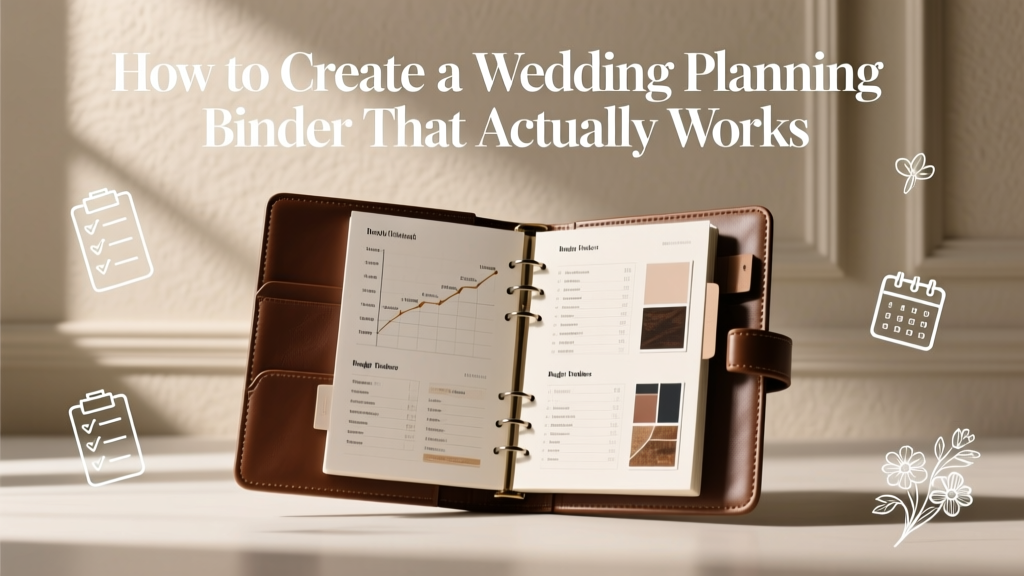
How to Create a Wedding Planning Binder That Actually Works
If you’ve ever had 17 browser tabs open, two Pinterest boards, three group chats, and a sticky note that says “CALL FLORIST!!!” (with three exclamation points for emotional support), you’re not alone. Wedding planning is exciting—but it’s also a lot of moving pieces. A wedding planning binder gives all those pieces one home, so you’re not hunting for a contract while your caterer is waiting on an answer.
The best part? A binder isn’t just “extra organization.” It’s peace of mind. It’s the confidence of knowing your budget, timeline, guest list, vendor details, and inspiration are all in one place—ready when you need them. Done right, it becomes your planning command center and your day-of lifesaver.
This guide will help you build a wedding planning binder that’s practical, simple to keep updated, and genuinely useful from engagement to honeymoon—whether you’re planning a backyard celebration, a destination wedding, or a classic ballroom affair.
What Makes a Wedding Planning Binder Actually Work?
A functional wedding binder is:
- Easy to update (so you actually use it)
- Built around decisions (not just pretty printables)
- Aligned with your timeline (so the right info shows up at the right time)
- Useful on wedding week (not just during the early planning stage)
Think of it less like a scrapbook and more like a “wedding operations manual”—with a little room for inspiration, because you deserve that too.
Choose Your Format: Binder, Hybrid, or Digital?
Before you buy anything, decide how you naturally organize information. There’s no prize for using a binder if you’re a digital person.
Option 1: Classic Physical Binder
Best for couples who like writing things down, bringing papers to meetings, or seeing everything at a glance.
Option 2: Hybrid (Most Couples’ Sweet Spot)
Keep the binder for printouts and day-of essentials, and use a shared digital folder for contracts, spreadsheets, and inspiration links.
Option 3: Fully Digital
Best for destination weddings, long-distance planning, and couples who want everything searchable. Even then, consider printing a “wedding week packet” for your coordinator or point person.
Real-world example: If you’re touring venues on weekends, a physical binder is great for bringing floor plans, question lists, and note pages. If you’re planning while traveling for work, a digital system may save you.
What You’ll Need (Simple Supplies That Make a Big Difference)
- Binder: 2” or 3” D-ring binder (D-rings turn pages more easily)
- Dividers: 10–12 tab dividers (plastic tabs last longer)
- Sheet protectors: Great for contracts and inspiration pages
- Pocket folders: For loose receipts, brochures, business cards
- Hole punch: Saves you from the “I’ll do it later” paper pile
- Pen + highlighter: One of each is enough—keep it simple
- Optional: Small zip pouch (for stamps, hair pins, stain remover wipe samples)
Budget tip: You can build a great binder for under $25 if you shop sales or dollar stores. Spend where it matters (vendors and guest experience), not on fancy tabs you’ll replace anyway.
The Binder Sections You’ll Actually Use (With a Suggested Layout)
Here’s a proven structure that works for most engaged couples. Adjust based on your wedding style and complexity.
1) Wedding Vision & Priorities
- Your “top 3 priorities” (examples: great food, live band, photos)
- Overall vibe words (classic, garden, modern, moody, etc.)
- Inspiration pages (color palette, attire, florals, tablescapes)
- Guest experience goals (comfort, flow, meaningful moments)
Pro tip: Include a one-page “decision filter.” If a detail doesn’t support your top 3 priorities, it’s easier to say no.
2) Master Timeline (Planning + Wedding Week)
Create two timelines:
- Planning timeline: month-by-month tasks
- Wedding week timeline: day-by-day tasks and deadlines
Scenario: Your bakery needs final guest count 10 days before. Your caterer needs it 14 days before. If those deadlines are in your timeline section, you won’t accidentally miss them when life gets busy.
3) Budget & Payments
This section prevents the most common wedding stressor: “Where did the money go?” Include:
- Total budget and who’s contributing (you, family, etc.)
- Budget breakdown by category (venue, catering, photography, attire, florals, music)
- Payment schedule and due dates for each vendor
- Deposit confirmations and balance reminders
- Gratuity plan (who gets tipped, how much, and when)
Pro tip from planners: Add a “miscellaneous buffer” line item of 5–10% for last-minute purchases (extra place cards, rain plan umbrellas, shipping fees, marriage license costs).
4) Guest List & Communication
- Master guest list printout (with addresses, RSVP status, meal choice)
- Plus-one rules (yes, it matters to write this down)
- Invitation suite notes and deadlines
- Seating plan drafts
- Communication log (who asked what, and what you answered)
Scenario: Your aunt texts, “Is the ceremony indoors or outdoors?” for the third time. Your binder has a printed details card and your plan, so you can answer quickly—and consistently.
5) Vendors & Contracts
Use one divider per vendor type, or one big vendor section with subpages. Include:
- Signed contracts (printed or a one-page summary if digital)
- Contact info (email + phone + assistant if applicable)
- What’s included (hours, deliverables, overtime rate)
- Payment schedule and cancellation terms
- Notes from calls and meetings
Planner pro tip: Create a one-page “Vendor Contact Sheet” at the front of this section. On wedding day, no one should be scrolling through your email to find the DJ’s phone number.
6) Design Details (Décor, Rentals, Flowers, Stationery)
- Rental lists (chairs, linens, chargers, glassware)
- Floral proposal and inspiration references
- Table design notes (what goes where)
- Signage list (welcome sign, seating chart, bar menu, unplugged ceremony sign)
- Lighting plan notes (candles, uplighting, string lights)
Scenario: Your venue includes 120 chairs. You invited 135 guests. If your rental list is in one place, you won’t realize the mismatch the week before—when chair delivery fees are highest.
7) Attire, Beauty & Rings
- Attire receipts, alteration appointments, bustle instructions
- Shoe and accessory list (including backups)
- Hair and makeup inspiration + trial notes
- Ring insurance info and cleaning schedule
Pro tip: Print your bustle photos and pin them in this section. Then hand that page to a trusted friend on the wedding day. You’ll thank yourself later.
8) Ceremony & Reception Plan
- Ceremony outline (processional order, readings, vows)
- Reception flow (grand entrance, first dance, toasts, cake cutting)
- Song lists (must-play, do-not-play)
- Special moments (memorial table, cultural traditions)
Scenario: You want to do a private last dance. If it’s written into your reception plan, your DJ and coordinator can make it happen smoothly without you having to explain it mid-reception.
9) Food, Beverage & Cake
- Menu selections and tastings notes
- Dietary restrictions list (gluten-free, allergies, vegetarian)
- Bar package details and signature cocktails
- Cake design sketch and delivery time
Budget tip: If you’re trying to keep costs down, note your “impact upgrades” (late-night snack, espresso bar) and your “easy trims” (extra passed apps, premium liquor tier). Having this written helps when you need to adjust.
10) Wedding Day Logistics (The Section You’ll Use the Most)
This is your MVP tab. Include:
- Final wedding day timeline (with buffer time)
- Getting-ready address and arrival times
- Vendor arrival times + load-in instructions
- Transportation details (pickup times, driver numbers)
- Photo shot list and family grouping list
- Rain plan (who decides, when, and what changes)
- Tip envelopes plan and who hands them out
Planner pro tip: Add a “Who Has What?” page. Example: Who has the rings? Who has the marriage license? Who has the vow books? When nerves hit, this page is gold.
Step-by-Step: Build Your Wedding Planning Binder in One Afternoon
- Set up dividers first. Use the sections above as your base.
- Create a “Front Pocket” emergency stash. Keep a pen, mini notepad, and a short checklist of current priorities.
- Print only what you’ll reference. Contracts, key quotes, proposals, timelines, floor plans, and checklists.
- Add a one-page “Snapshot” at the front. Include wedding date, venue address, guest count goal, budget target, and top 3 priorities.
- Schedule a weekly binder check-in. 15 minutes each week to file papers, update timelines, and write down decisions.
- Make it partner-friendly. Put shared decisions (budget, vendor contacts, timeline) in clear sections so both of you can use it.
Timeline Advice: When to Use Each Section
- 12–9 months out: Vision, budget, venue comparisons, guest list draft
- 9–6 months out: Vendor contracts, design notes, save-the-dates, attire planning
- 6–3 months out: Rentals, florals proposal, invitations, ceremony outline
- 3–1 months out: Seating plan, final timelines, shot list, vendor confirmations
- Wedding week: Logistics tab daily, final payments, tips, emergency contacts
Common Mistakes Couples Make (And How to Avoid Them)
- Making it too complicated. If it takes 30 minutes to file a paper, it won’t happen. Keep sections simple.
- Saving everything. A binder isn’t storage for every inspirational image. Save a curated few that reflect your final direction.
- No payment tracking. Missing a due date can cause stress or even vendor cancellation. Put payment schedules front and center.
- Not writing down decisions. Verbal agreements disappear. If you decide “no kids” or “cocktail attire,” document it.
- Forgetting the wedding-week plan. The binder should peak in usefulness during the final month—not get abandoned.
Wedding Planner Pro Tips for a Binder You’ll Love Using
- Use a “Waiting On” list. One page where you track pending items: “Photographer contract,” “Mom’s guest list additions,” “Rental quote revision.”
- Color-code by category. Example: green for budget pages, blue for vendor pages, pink for design pages.
- Keep a running Q&A page for vendors. When you think of a question at midnight, write it down and bring it to your next call.
- Build buffer time into your wedding day timeline. Hair and makeup runs long more often than it runs short.
- Print one “Day-Of Packet” extra copy. Give it to your coordinator or your most organized friend.
FAQ: Wedding Planning Binder Questions Couples Ask All the Time
Do I still need a binder if I’m using a wedding planning app?
An app is great for checklists and on-the-go updates, but a binder (or hybrid system) is helpful for contracts, timelines, floor plans, and wedding-week details. Many couples use both: app for tracking, binder for execution.
When should I start my wedding planning binder?
Start as soon as you begin venue tours or vendor outreach—usually right after you set a date range and budget target. The earlier you capture quotes and notes, the less guesswork later.
How big should my binder be?
A 2” binder works for smaller weddings or hybrid planners. A 3” binder is better if you’ll print contracts, proposals, and multiple drafts. If it starts to bulge, it’s time to move older drafts to a “Reference” folder at home.
What should go in the binder vs. what should stay digital?
Put anything you’ll reference in meetings or during wedding week in the binder (timelines, vendor contacts, final proposals, seating plan drafts). Keep large files digital (full galleries, massive inspiration folders, scanned receipts backups).
How do we share the binder planning with both partners?
Use a hybrid approach: keep a shared digital budget spreadsheet and vendor folder, and store printed summaries in the binder. Also, add a “Decisions Made” page so both of you can quickly see what’s already settled.
What do I hand to someone helping on the wedding day?
Give them a simplified packet: vendor contact sheet, wedding day timeline, “who has what” list, and any setup instructions. If you have a coordinator, they’ll love having your clean, final version.
Your Next Steps (So This Gets Done)
If your planning feels scattered, your binder will bring it back to center. Start small: choose your format, set up your dividers, and build the “Snapshot” page and “Wedding Day Logistics” section first. Those two pieces alone can reduce a ton of mental load.
Then schedule a weekly 15-minute binder date—coffee, music, quick updates. Consistency is what turns a binder from a cute idea into the tool that carries you calmly to your wedding day.
Want more checklists, timelines, and wedding planning tips? Explore more planning guides on weddingsift.com and keep building a celebration that feels like you.
More Articles
 Frame Wedding Arch DIY: Sturdy, Cheap & Tool-Free (2026)
 Wedding Ring Before Wedding: When It Works (2026)
 Wedding Meal Choice Phrases: 7 Polite, Inclusive Options
 Wedding Table Numbers: Stress-Free 7-Step System (2026)
 Online Wedding Invitations: 7 Steps to 40% More RSVPs
 Wedding Planning Under $10K: Realistic 2026 Roadmap
 Wedding Dress Straps Slipping? 7 Non-Damaging Fixes
 Wedding Catering for 200 Guests: 2026 Cost Breakdown
 Wedding Caterer Tipping: Fair, Stress-Free Guide (2026)
 Hotel Wedding Cost: Real 2026 Breakdown & Savings