
Wedding Planning Budget Spreadsheet Template
If you’ve started planning your wedding and felt a little dizzy after the first few vendor quotes, you’re in very good company. Between big dreams, family opinions, and real-life numbers, it can feel like you’re trying to solve a puzzle with pieces from three different boxes.
A wedding planning budget spreadsheet template is the calm in the chaos. It gives you a place to put every estimate, every deposit, every “Oh yes, we forgot about tips,” and it helps you make decisions with confidence—without draining the joy out of planning. Think of it as your financial game plan and your stress-reducer, all in one.
This guide will walk you through exactly how to set up (and actually use) a budget spreadsheet, what categories to include, where couples typically overspend, and how to keep your budget aligned with your priorities from engagement to the final vendor payment.
What a Wedding Budget Spreadsheet Template Should Include
A good wedding budget spreadsheet isn’t just a list of numbers. It’s a living document that tracks estimates, quotes, deposits, due dates, and what you’ve paid so far. Whether you use Google Sheets, Excel, or a printable version, the structure matters.
Core columns to include
- Category (Venue, Catering, Photography, etc.)
- Line item (e.g., “Ceremony arch rental” or “DJ travel fee”)
- Estimated cost (your starting budget number)
- Quoted cost (the actual vendor quote)
- Final cost (what you end up paying)
- Deposit paid (amount + date)
- Balance due (and due date)
- Payment method (card, check, bank transfer)
- Notes (gratuity included? overtime rate? cancellation policy?)
- Status (Researching, Booked, Paid, Cancelled)
Bonus tabs that make planning easier
- Guest list tab with RSVP status and meal selections
- Vendor contacts tab with emails, phone numbers, and contract links
- Payment timeline tab showing monthly cash flow needs
- Wishlist vs. must-have tab to keep priorities clear
Step-by-Step: How to Use a Wedding Budget Spreadsheet (Without Getting Overwhelmed)
Here’s a planner-approved approach that keeps your spreadsheet helpful, not stressful.
Step 1: Set your overall budget and who’s contributing
Before you price a single centerpiece, get clarity on the total amount available and where it’s coming from.
- Write down your total comfortable spend (not your “maybe if we stretch” number).
- List contributions (your savings, family contributions, any planned monthly saving).
- Decide what is flexible and what is not (e.g., “No debt” or “Max $X on credit cards”).
Real-world scenario: Alex and Priya have $18,000 saved. Priya’s parents offer $7,000, but only if it goes toward catering and venue. Their spreadsheet includes a “Restricted funds” note so they don’t accidentally allocate that money to photography.
Step 2: Confirm your guest count range early
Your guest count is the biggest budget lever because it affects catering, rentals, stationery, favors, bar costs, and sometimes the venue package.
- Start with a range: minimum, target, and absolute max.
- Add a “Cost per guest” estimate line (even a rough one helps).
Pro tip: If your venue and catering are quote-based per person, track your budget using your maximum guest count until RSVPs are in. Couples often overspend by budgeting for 120 guests and inviting 140.
Step 3: Choose your top 3 priorities
Most budget stress comes from trying to have the “best” of everything. A spreadsheet works best when it reflects your values.
- Pick three: food, photography, live music, guest experience, fashion, florals, weekend events, etc.
- Assign more budget to those priorities and less elsewhere.
Example: If incredible photos matter most, you might allocate extra to photography and reduce floral spend by using seasonal blooms and repurposing ceremony arrangements at the reception.
Step 4: Use a percentage-based starting budget (then customize)
If you need a starting point, these ranges are commonly used for a mid-range wedding budget. Your local market may be higher or lower, so treat this as a framework.
- Venue + Catering + Bar: 40–55%
- Photography + Videography: 10–15%
- Planner/Coordinator: 5–12%
- Attire + Beauty: 5–10%
- Flowers + Décor: 8–15%
- Music/Entertainment: 5–10%
- Stationery: 2–4%
- Rentals (if not included): 5–10%
- Misc + Buffer: 5–10%
Planner pro tip: Add a dedicated buffer line right away (even $1,000–$2,500). It will get used—vendor meals, last-minute signage, alterations, a weather backup plan, shipping fees. The buffer keeps surprises from turning into panic.
Step 5: Enter estimates first, then replace with quotes
Start your spreadsheet with best-guess estimates so you can see whether your vision fits your budget before you book anything.
- Add each category and line item you expect to need.
- Enter a realistic estimate based on your region and wedding style.
- As you receive quotes, replace “Estimated cost” with “Quoted cost.”
- Once booked, record the deposit, balance due, and due date.
Specific scenario: You budgeted $3,000 for a photographer, but the top choices in your area are closer to $4,500. Your spreadsheet makes the decision clear: either raise the overall budget, adjust another category (like florals), or change the photography scope (shorter coverage, no second shooter, off-season date).
Step 6: Track payment dates like a timeline (not just totals)
Many couples can afford a wedding total, but cash flow becomes the problem when several big payments hit in the same month.
- Add a “Due date” column for every vendor.
- Sort by due date monthly.
- Create a separate tab (or section) showing required payments by month.
Timeline guidance: Expect large payments at these stages:
- 12–9 months out: venue deposit, planner deposit, photographer deposit
- 8–6 months out: catering deposit, band/DJ deposit, florist deposit
- 3–1 months out: final venue/catering payments, rentals, beauty, attire balances
- Wedding week: tips, remaining balances, rehearsal dinner payments
Wedding Budget Categories You’ll Be Glad You Included
These are the line items couples most often forget—until the last minute. Add them now so your wedding planning budget spreadsheet template feels complete.
Often-missed expenses
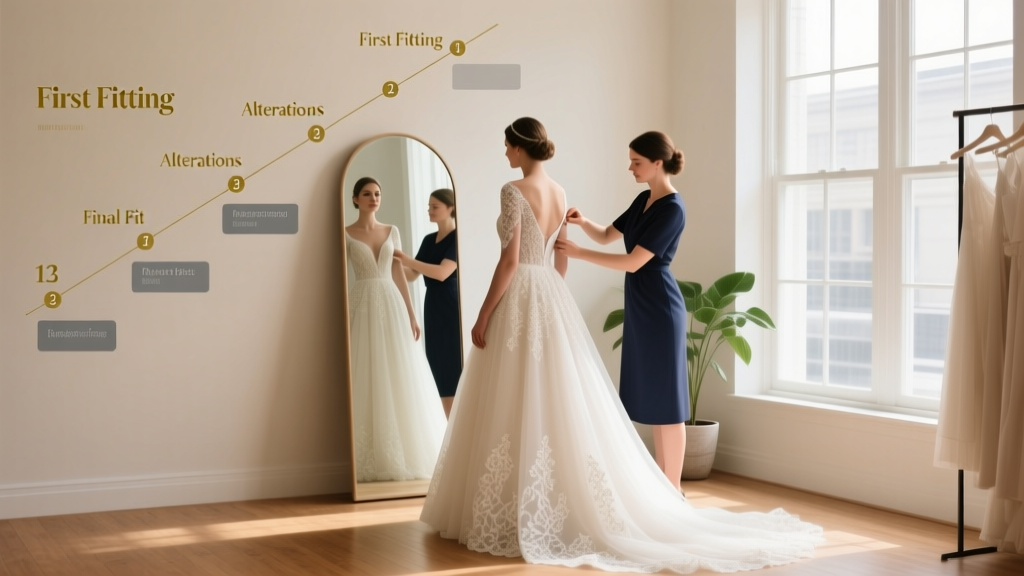
- Alterations (can be hundreds to over a thousand depending on the dress/suit)
- Marriage license and any officiant paperwork fees
- Vendor meals (especially for photographer/videographer/band)
- Gratuities and tips (hair/makeup, delivery teams, bar staff, coordinator, etc.)
- Overtime (venue, photographer, band/DJ—one extra hour adds up)
- Delivery and setup fees (florals, rentals, cake)
- Postage for save-the-dates and invitations
- Décor “extras” (card box, guest book, signage stands, candles)
- Rain plan costs (tent, heaters, umbrellas, indoor flip fees)
- Day-after brunch or welcome party spending if you’re hosting events
If you’re doing a destination wedding or traveling
- Flights and baggage fees (especially for attire)
- Hotel blocks and comped room requirements
- Shipping décor or favors (and return shipping)
- Local transportation (shuttles, rideshare credits)
How to Make Smart Trade-Offs (So You Don’t Feel Like You’re “Cutting” Everything)
Budget decisions feel emotional because weddings are emotional. A spreadsheet helps you make trade-offs with intention.
Try this “swap list” method
- Create a list of items you’d happily upgrade if money allowed.
- Create a list of items you could scale back without regret.
- If a quote comes in high, choose a swap from the scale-back list rather than panic-cutting something you love.
Example swaps couples actually use:
- Swap fresh floral centerpieces for candles + greenery.
- Swap custom invitations for a beautiful template + upgraded paper.
- Swap full open bar for beer/wine + two signature cocktails.
- Swap Saturday peak pricing for Friday/Sunday or an off-season date.
- Swap extra rentals by choosing a venue that includes chairs, linens, and basic décor.
Common Budget Spreadsheet Mistakes (and How to Avoid Them)
Mistake 1: Tracking only totals, not due dates
Fix: Add due dates and a monthly payment plan tab. Your future self will thank you when three balances are due the same week.
Mistake 2: Forgetting tax, service charges, and gratuity
Fix: Add columns for “Tax/Service” or include a line item under each vendor. Catering and venues often add service charges that significantly change the total.
Mistake 3: Using the “low estimate” to make the budget work
Fix: Be honest with your estimates. If your area’s average catering is $150/person, budgeting $75/person will only create stress later.
Mistake 4: Not updating the spreadsheet weekly
Fix: Choose a recurring time (Sunday night, first of the month) to update payments, quotes, and any new ideas. Consistency prevents last-minute surprises.
Mistake 5: Making changes without recording why
Fix: Use the notes column. Example: “Added $300 because we extended photo coverage to include exit.” When you look back, your numbers will make sense.
Wedding Planner Pro Tips for Staying on Budget
- Hold a 20-minute budget meeting every two weeks. One person updates the spreadsheet, the other reviews decisions and upcoming payments.
- Keep a “parking lot” tab for ideas. When you see something on Pinterest, add it there instead of immediately adding it to the budget.
- Ask vendors what’s included. A quote that looks higher may include setup, teardown, travel, or extra hours that another vendor charges separately.
- Use your spreadsheet during calls. When a vendor says “Most couples spend…,” write it down in your quoted cost column right away.
- Set spending rules for décor. Décor is where small purchases sneak in. Consider a monthly cap (e.g., $150) until the final 8 weeks.
- Plan for the final month. The last 30 days often include unexpected expenses: seating chart display, extra table numbers, steaming, tips, emergencies.
A Simple Checklist to Set Up Your Wedding Budget Spreadsheet Today
- Create your spreadsheet in Google Sheets or Excel (or download a template you like).
- Add the core columns: estimate, quoted, deposit, due date, final, notes, status.
- List your categories and common missed expenses.
- Add your guest count range and cost-per-guest estimate.
- Allocate a starting percentage to each category.
- Create a buffer line item (5–10% if possible).
- Enter estimates and begin collecting quotes.
- Add due dates as soon as you receive contracts.
- Schedule a recurring budget check-in on your calendar.
FAQ: Wedding Planning Budget Spreadsheet Template
Do we really need a wedding budget spreadsheet if we have a planner?
Yes—your planner will guide you, but you still want one place where you can clearly see totals, deposits, and due dates. Many couples share the spreadsheet with their planner so everyone stays aligned.
How much should we budget for a wedding buffer?
Aim for 5–10% of your total wedding budget if you can. If that feels too high, start with a flat number you can manage (even $500–$1,000) and build it up when possible.
What’s the best way to budget if our guest count isn’t finalized?
Budget using your maximum realistic guest count until RSVPs come in. If fewer guests attend, you’ll have room to upgrade something meaningful or simply save the difference.
Should we track gifts or honeymoon funds in the same spreadsheet?
You can, but many couples prefer a separate tab so wedding expenses stay crystal clear. If you do track gifts, record them after the wedding to avoid counting on money you haven’t received yet.
How often should we update the spreadsheet?
Weekly during active booking periods, and at least bi-weekly otherwise. The key is updating it immediately after you pay a deposit, receive a new quote, or change your plans.
What if we’re already over budget?
First, don’t panic. Use the spreadsheet to identify where you’re over (usually catering/bar, rentals, or décor), then make one intentional trade-off at a time—guest count, bar structure, date/day of week, or simplifying design are the most effective levers.
Your Next Steps
Pick your spreadsheet tool, plug in your categories, and add your first round of estimates—today. Once your budget spreadsheet is set up, planning decisions get lighter because you’ll know exactly what you can say yes to (and what needs a rethink) without second-guessing every choice.
If you want more support with timelines, vendor questions, and planning checklists, explore more wedding planning guides on weddingsift.com—we’re here for you every step of the way.
More Articles
 Light Pink to a Wedding? 2026 Etiquette & Color Tips
 Strapless Bra for Wedding Dress Shopping? (2026)
 Renewing Wedding Vows: A Stress-Free Planning Guide
 What Is Something Borrowed? Tradition, Tips & Fixes
 Wedding Without a Reception: 7 Joyful Alternatives (2026)
 QR Code Wedding RSVP: Setup in 7 Minutes (2026)
 Chick-fil-A Wedding Catering: 2026 Pricing & Hidden Fees
 Can You Wear Black to a Christian Wedding? (2026)
 Evening Wedding Attire: 5-Minute Checklist (2026)
 Wedding Dress Fittings: Real Timeline & Cost Risks