# How to Plan a Perfect Wedding in Sims 3: 7 Steps That Actually Work
Planning a wedding in Sims 3 sounds simple until your guests stand around doing nothing, the cake goes uneaten, and your Sims never actually get married. Sound familiar? With the right setup, you can pull off a flawless Sims 3 wedding that feels as special as the real thing.
## Setting Up the Perfect Wedding Venue
Before you send a single invitation, your venue needs to be ready. Whether you're using a home lot or a community lot, layout matters enormously.
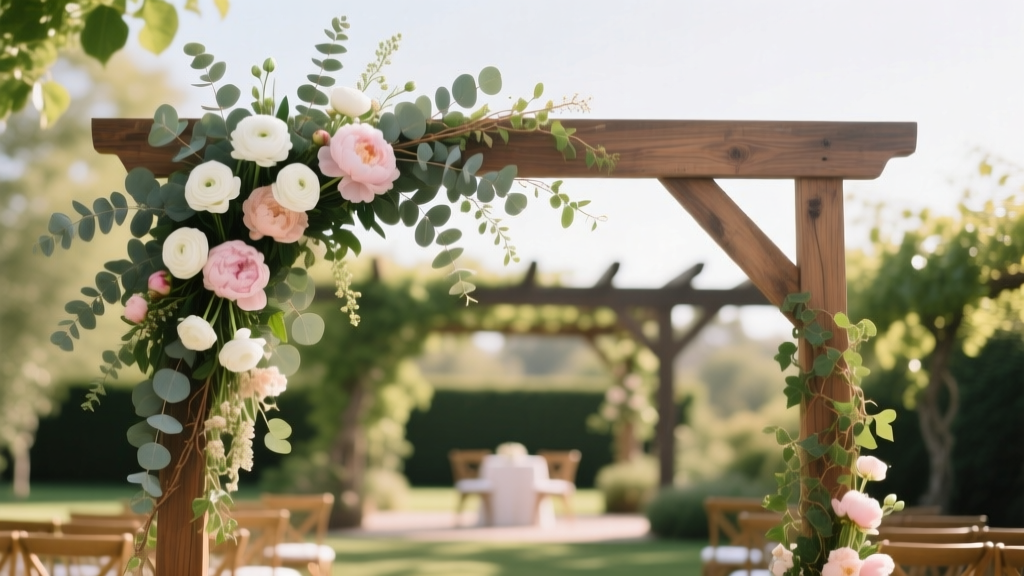
- **Clear a dedicated ceremony space** with an arch. The Wedding Arch is essential — without it, your Sims can't trigger the official marriage interaction.
- **Place seating in rows** facing the arch. Guests will actually sit if chairs are positioned correctly, creating that cinematic ceremony feel.
- **Add a wedding cake** nearby. This is required to trigger the cake-cutting interaction after the ceremony.
- If using a community lot, make sure it has a **kitchen or food station** so guests don't leave from hunger before the vows.
Home lots give you more control. Community lots look more impressive but introduce more variables that can break the event.
## Getting Your Sims Engaged and Ready
The wedding can't happen without a proper engagement first.
1. Build your Sims' relationship to **high romantic standing** — aim for a full romance bar.
2. Use the **"Propose Marriage"** interaction, which only appears when the relationship is strong enough.
3. Once engaged, use **"Plan Wedding"** from the phone or computer. This sets the event in motion.
4. Dress your Sims beforehand using Create-a-Sim (accessible via dresser). Wedding attire doesn't auto-apply — you have to set it manually.
Timing matters too. Schedule the wedding during daytime hours so guests aren't fighting their sleep schedules. A 10 AM or noon start gives you the most active window.
## Managing Guests and the Ceremony
This is where most Sims 3 weddings fall apart. Guest AI is notoriously unpredictable.
**Invite the right number of people.** More than 8–10 guests on a home lot creates chaos. Sims cluster, block pathways, and the ceremony interactions can fail entirely.
**Direct your Sims manually.** Don't rely on autonomy. Click the arch and select **"Get Married"** yourself. Then immediately queue up the cake-cutting and first dance interactions before guests wander off.
**Use the "Throw a Party"** option when planning the wedding. This keeps guests on the lot longer and gives you a party score to aim for, which adds structure to the event.
If guests are blocking the arch, use **moveobjects on** (testingcheatsenabled true, then moveobjects on) to reposition furniture and clear the path.
## Reception Essentials: Cake, Dancing, and Photos
The ceremony is just the beginning. A memorable Sims 3 wedding reception needs three things:
**Wedding Cake:** Place it on a table with clear access on all sides. Have your Sim cut the cake immediately after the ceremony — this triggers a shared eating interaction that counts as a reception milestone.
**Dance Floor:** Add a stereo and a few tiles of open floor. Use **"Slow Dance"** for the first dance interaction. This is one of the most visually rewarding moments in the game.
**Memories and Screenshots:** Sims 3 automatically logs major life events, but take manual screenshots at the arch moment and cake cutting. These become your in-game wedding album.
## Common Mistakes That Ruin Sims 3 Weddings
**Mistake 1: Assuming the wedding happens automatically.**
Many players plan the wedding event and then wait for Sims to self-direct through it. They won't. The game gives you the framework, but you must manually trigger every key interaction — the vows, the kiss, the cake, the dance. Treat it like directing a film, not watching one.
**Mistake 2: Skipping the engagement step.**
Some players try to jump straight to marriage without proposing first. The "Get Married" interaction at the arch won't appear unless your Sims are officially engaged. No engagement, no wedding — the game is strict about this sequence.
## Make Your Sims 3 Wedding Unforgettable
A great Sims 3 wedding comes down to preparation and active management. Set up your venue carefully, engage your Sims properly, keep the guest list manageable, and manually direct the key moments. When everything clicks, it's one of the most satisfying events the game offers.
Ready to go further? Try adding Sims 3 expansion content like Generations or Seasons for additional wedding decorations, weather effects, and party interactions that make the celebration even richer. Your Sims deserve the best day of their virtual lives.
 Spaghetti Strap Wedding Attire: 5 Unspoken Rules (2026)
 Dermaplane Before Wedding: 7–10 Day Sweet Spot (2026)
 Wedding Bands: Buy 7 Months Before (2026)
 Courthouse Wedding Guest Limits: What Couples Must Know
 Wedding Colors: Why 3 Is Ideal (2026)
 Elegant Wedding on a Budget: 7 Realistic Strategies (2026)
 How to Steam a Crepe Wedding Dress Safely
 Wedding Registry on Invitations? Etiquette Guide (2026)
 Flower Swag for Wedding Arch: 7-Step DIY (2026)
 DIY Wedding Hairstyles for Medium Hair (2026)