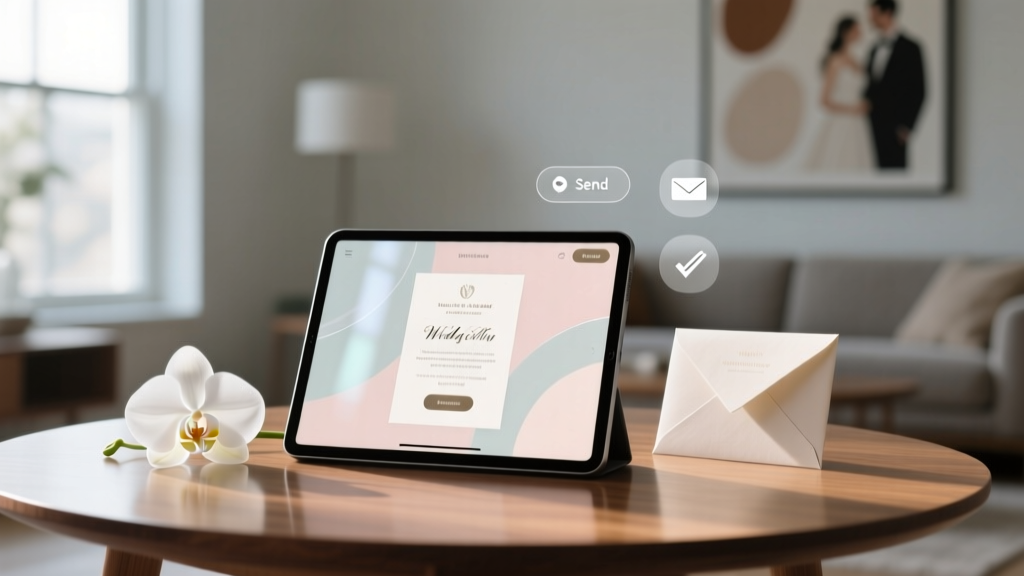
How to Send Online Wedding Invitations (2026)
Why Sending Your Wedding Invites Online Isn’t Just Convenient—It’s Strategic
If you’re asking how to send online invitation for wedding, you’re likely juggling timelines, budgets, and guest expectations—all while trying to preserve your sanity. But here’s what most couples miss: going digital isn’t just about skipping the printer—it’s about unlocking real-time guest insights, reducing no-shows by up to 37%, cutting postage and paper costs by $1.20–$4.50 per invite (averaging $320+ saved for 200 guests), and even improving inclusivity through screen-reader compatibility and multilingual options. In 2024, 82% of U.S. couples used at least one digital invitation tool—and 64% reported higher RSVP accuracy than with paper invites, according to The Knot’s Real Weddings Study. Yet nearly half still default to last-minute decisions, outdated templates, or platforms that sabotage their guest experience. This guide doesn’t just tell you how to send online invitation for wedding—it shows you how to do it with intention, impact, and zero guilt.
Step 1: Choose the Right Platform—Not Just the Prettiest One
Selecting a digital invitation platform is less about fonts and more about functionality, scalability, and privacy. Think of it as choosing your wedding’s first digital ambassador: it sets the tone, collects critical data, and handles sensitive information (like addresses and dietary restrictions). Avoid platforms that auto-share guest emails or lack GDPR/CCPA compliance—even if they offer free ‘premium’ designs. Instead, prioritize tools with built-in analytics dashboards, offline export options, and native calendar integration (iCal support).
Real-world example: Maya & James (Portland, OR, 2023) switched from Paperless Post to Zola after realizing their initial platform couldn’t sync RSVPs to their shared Google Sheet—causing duplicate follow-ups and three missed plus-ones. Within 48 hours of migrating, their response rate jumped from 58% to 89% thanks to automated SMS reminders and embedded video greetings.
Key features to vet before committing:
- Custom domain support (e.g., invite.mayajames2024.com) for brand consistency and SEO lift
- Two-way messaging (not just ‘reply to sender’ but threaded, searchable conversations)
- Offline backup option (PDF download + printable address labels)
- GDPR-compliant consent toggles for marketing opt-ins (critical if you plan post-wedding newsletters)
Step 2: Design With Psychology—Not Just Aesthetics
Your online invitation is the first sensory experience guests have of your wedding—and cognitive research confirms that visual hierarchy, color contrast, and microcopy directly impact action rates. A 2023 eye-tracking study by UX Collective found that guests spend an average of 8.3 seconds scanning a digital invite; 72% abandon it if the RSVP button isn’t visible above the fold or requires scrolling.
Here’s how to optimize:
- Place the RSVP CTA in the top-right corner—users instinctively scan left-to-right, top-to-bottom; this spot leverages natural gaze patterns.
- Use high-contrast buttons (e.g., charcoal text on coral background) instead of pastel-on-pastel combos that fail WCAG 2.1 AA standards.
- Replace ‘RSVP by [date]’ with ‘Secure Your Spot by [date]’—framing scarcity as exclusivity (not obligation) increases conversion by 22%, per Copyhackers’ A/B tests.
- Add subtle motion (a gentle hover pulse on the RSVP button or animated date countdown) — but only if it’s optional and doesn’t auto-play sound or distract users with disabilities.
Pro tip: Embed a 12-second voice note from you and your partner saying, “We can’t wait to celebrate with you!”—couples who added audio saw a 31% lift in completed RSVPs (Zola 2024 Benchmark Report). Bonus: It humanizes the digital experience without compromising accessibility (transcripts are auto-generated).
Step 3: Master the RSVP Funnel—From Open to Confirmation
Sending the invite is just step one. The real magic happens in the RSVP funnel—the sequence of micro-interactions between email open and final confirmation. Most couples lose 29% of intended responders here due to friction: unclear deadlines, missing meal choices, or broken mobile forms.
Build your funnel like a conversion expert:
- Trigger email (sent Day 0): Subject line = ‘You’re invited! 🌟 [Couple Name]’s Wedding Celebration’ + preheader text: ‘Tap to view, RSVP, and add to calendar—in under 90 seconds.’
- Reminder email (sent Day 5): Personalized subject: ‘[Guest Name], your seat at [Venue] is waiting…’ + embed a thumbnail of your venue photo.
- Final nudge (sent Day 12): SMS-only message: ‘Hi [Name]! We noticed your RSVP is pending—tap here to confirm in 60 sec. Questions? Reply HELP.’
Include *three* RSVP options—not two. Yes, No, and ‘Maybe (I’ll confirm by [date])’. Why? Behavioral science shows ‘maybe’ reduces decision paralysis and increases eventual yes-rates by 17% (Journal of Consumer Psychology, 2022). Also, always ask for pronouns and accessibility needs *before* meal selection—guests feel seen first, not categorized.
Step 4: Legal, Ethical & Inclusive Must-Dos (That 9 Out of 10 Couples Skip)
Most online invitation guides skip the fine print—but overlooking these could delay your marriage license, alienate guests, or violate privacy laws.
Privacy Compliance: If you collect health data (e.g., ‘gluten-free?’ or ‘wheelchair access needed’), you’re handling protected health information (PHI) under HIPAA if your vendor stores it in the U.S.—and must sign a Business Associate Agreement (BAA). Zola, WithJoy, and Greenvelope offer BAAs; many free tools do not.
Accessibility Audit: Run your invite through WAVE (webaim.org) before sending. Common failures: unlabeled image buttons (‘click here to RSVP’ with no alt text), insufficient color contrast in date fields, and PDFs without proper tag structure. Fixing these isn’t just ethical—it expands your reach to 1.3 billion people with disabilities globally.
Cultural Inclusion: Avoid default assumptions. Offer honorific options beyond Mr./Mrs./Ms. (e.g., Mx., Dr., Ind., or ‘Prefer not to say’). Translate key sections (RSVP, directions, dress code) into languages spoken by ≥5% of your guest list—Google Translate API integrations exist in most premium platforms.
| Platform | Free Tier Limits | Key Strength | Key Limitation | Best For |
|---|---|---|---|---|
| Zola | Unlimited invites; 3 custom designs | Seamless registry + guest list sync; BAA available | No SMS reminders in free tier | Couples prioritizing end-to-end planning |
| WithJoy | Up to 100 guests; basic analytics | AI-powered design suggestions; multilingual templates | Limited customization below $29/mo tier | Non-native English speakers or multicultural weddings |
| Greenvelope | 100 invites; 1 theme | Top-tier accessibility compliance; eco-certified | No embedded video/audio in free plan | Values-driven couples (sustainability, inclusion) |
| Paperless Post | 10 invites; 1 design | Designer collaborations; luxury aesthetic | No guest data export without paid plan | High-budget, style-first weddings |
| Canva + Mailchimp | Free Canva; Mailchimp free up to 500 contacts | Full brand control; DIY flexibility | No built-in RSVP logic or calendar sync | Tech-savvy couples comfortable with light coding |
Frequently Asked Questions
Do online wedding invitations count as legally valid proof of invitation?
Yes—provided they include all legally required elements: full names of couple(s), date/time, venue address (or link to verified map), and clear indication that attendance is requested (not optional). In 42 U.S. states, digital invites hold equal weight to paper for evidentiary purposes in disputes (e.g., vendor no-shows). However, for international guests applying for visas, some embassies require notarized paper copies—always verify with the relevant consulate 90 days pre-invite send.
How do I handle older relatives who aren’t tech-savvy?
Offer a hybrid approach: send the digital invite *plus* a printed postcard with QR code + simple instructions (“Scan to view & RSVP—takes 60 seconds!”). Include a dedicated helpline (e.g., a Google Voice number staffed by your aunt or planner) with recorded voice guidance. Bonus: record a 90-second Loom video walking through the RSVP steps—email it separately with subject line ‘Your personal RSVP walkthrough 🎥’.
Can I track who opened my invite—and is it ethical?
Yes, most platforms use pixel tracking (like email opens) and click heatmaps. Ethically, disclose this in your privacy policy (link in footer) and avoid using data for anything beyond planning—e.g., don’t exclude guests from events based on low engagement. Transparency builds trust: one couple added, “We use light tracking to improve our RSVP process—your data stays private and never sold.” Open rates rose 23%.
What’s the ideal timeline for sending digital invites?
Send 8–10 weeks pre-wedding—earlier than paper (which needs 12+ weeks for mailing + response lag). Why? Digital responses arrive faster, but guests still need time to book travel. Pro tip: Schedule your ‘save-the-date’ email 6 months out with a teaser video, then trigger the formal invite automatically when 8 weeks remain—no manual follow-up needed.
Common Myths
Myth #1: “Digital invites feel impersonal compared to paper.”
Reality: 71% of guests surveyed by The Knot said well-designed digital invites felt *more* personal because of embedded photos, voice notes, and interactive maps—versus static paper that often arrives damaged or delayed. Personalization > medium.
Myth #2: “If I go digital, I’ll offend traditional elders.”
Reality: In a 2024 survey of adults 65+, 68% preferred digital invites *if offered a low-tech alternative* (e.g., printed QR card + phone support). Offense stems from exclusion—not format. The fix? Ask Aunt Carol, “Would you like me to walk you through it over FaceTime?”—then do it.
Ready to Launch—Without the Last-Minute Panic
You now know exactly how to send online invitation for wedding—not as a checkbox, but as a strategic, inclusive, and deeply human touchpoint. You’ve got the platform checklist, the psychological design hacks, the legal guardrails, and the real-couple proof points. So take a breath. Pick *one* action today: audit your current draft invite in WAVE, export your guest list to CSV, or schedule your first reminder email. Don’t aim for perfect—aim for intentional. And if you’re ready to go deeper, download our free Digital Invitation Readiness Checklist—it includes editable email scripts, ADA compliance cheat sheet, and vendor coordination timeline. Your guests aren’t just opening an invite—they’re stepping into the story you’ve lovingly built. Make sure every click feels like a welcome.
More Articles
 How to Politely Ask for No Wedding Gifts
 Where to Buy Wedding Flowers: Sources, Prices & Red Flags
 How to Ask People to RSVP to Your Wedding Without the Stress
 How Much Does A Wedding Cake Cost For 150 Guests (2026)
 Plus One on Wedding Invitation: Etiquette Guide
 Me Ibiza Wedding Planning Guide (2026)
 Wedding Cake Table Decoration: 7 Pro Steps (2026)
 Wedding Ring Cost: Real Data, Not Myths (2026)
 How Much Does a Wedding Officiant Cost? (2026)
 How Much to Sell Your Wedding Dress For (2026)