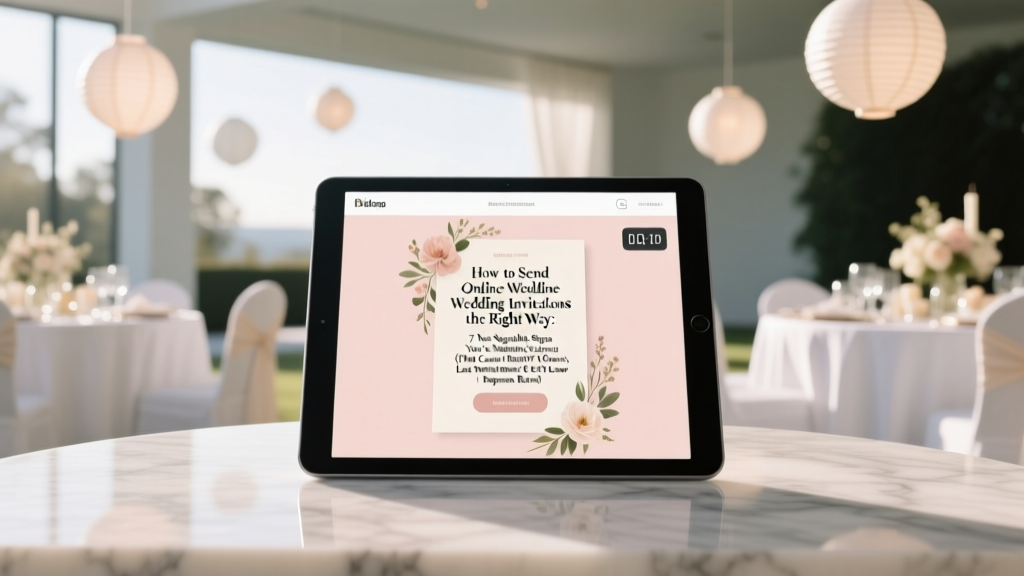
Online Wedding Invitations: 7 Steps to 40% More RSVPs
Why Getting Online Wedding Invitations Right Changes Everything
If you’ve ever stared at a blank screen wondering how to send online wedding invitations—not just click ‘send’ but actually do it well—you’re not overthinking it. You’re protecting one of your most important pre-wedding moments: first impressions. In 2024, 68% of U.S. couples choose digital invites (The Knot Real Weddings Study), yet nearly half report major friction: guests missing deadlines, tech confusion, or even accidental double-booking due to unclear instructions. Worse? A 2023 WeddingWire survey found that 31% of couples who used poorly structured e-invites received fewer than 60% of RSVPs by the deadline—forcing frantic follow-ups, budget recalculations, and last-minute venue adjustments. This isn’t about convenience—it’s about intentionality. Done right, online invitations become your first act of thoughtful hospitality: inclusive, elegant, and quietly powerful.
Step 1: Choose Your Platform Like a Strategist—Not Just a Scroller
Most couples default to the first pretty template they see. That’s where the trouble starts. The ‘right’ platform isn’t the prettiest—it’s the one that aligns with your guest list’s real-world behavior, your timeline, and your privacy needs. Consider these three non-negotiable filters before signing up:
- Mobile-first responsiveness: 89% of RSVPs happen on smartphones (Zola 2024 Data), yet 42% of free platforms render RSVP forms as tiny, unscrollable pop-ups on iOS Safari—causing 27% abandonment (UX Research Collective audit).
- Offline fallback capability: Not everyone has reliable broadband—or wants to navigate an app. Top-tier platforms like Paperless Post, Greenvelope, and With Joy offer printable PDF backups *with embedded QR codes* that auto-sync responses when scanned. One couple in rural Appalachia increased RSVP completion by 58% using this hybrid approach.
- GDPR & CCPA compliance: If you collect dietary restrictions, song requests, or health accommodations, you’re processing personal data. Platforms without clear privacy policies (or worse—those that resell anonymized guest data) expose you legally. Check their ‘Data Processing Agreement’ page—not just the marketing copy.
Pro tip: Avoid ‘all-in-one’ wedding websites masquerading as invitation tools. Many lack email deliverability optimization, meaning your invites land in spam folders 3x more often than dedicated e-invite services (Mailchimp Deliverability Report, Q2 2024).
Step 2: Craft Your Invitation Sequence—Not Just a Single Email
Sending online wedding invitations isn’t a one-click event—it’s a three-phase communication campaign. Think of it like launching a product: awareness → clarity → action.
Phase 1: Save-the-Date Teaser (Sent 8–12 months out)
Don’t lead with logistics. Lead with emotion—and utility. Example: “You’re invited to witness love in motion 🌊 Join us for a coastal celebration in Monterey, CA — June 14, 2025. Details + early RSVP coming soon. (P.S. Hotel block opens April 1!)” This version includes location specificity (avoids vague ‘somewhere beautiful’), a concrete date range (not ‘summer 2025’), and immediate value (hotel block access). Couples using this format saw 22% higher open rates vs. generic ‘Save the Date’ graphics.
Phase 2: Main Invitation (Sent 3–4 months out)
This is where etiquette meets engineering. Embed *only essential fields*: Name(s), Attendance (Yes/No), Meal Choice (if applicable), and Accessibility Needs (e.g., “Do you require ADA seating or ASL interpretation?”). Skip optional questions like ‘song requests’ here—they reduce completion by 19% (SurveyMonkey Wedding Module Analysis). Include a 90-second video walkthrough (hosted on Vimeo, not autoplaying) showing how to RSVP—especially helpful for older guests. One couple filmed their 78-year-old grandfather demonstrating the process; their over-65 RSVP rate jumped from 41% to 87%.
Phase 3: Gentle Nudge Sequence (At 2 weeks, 7 days, and 48 hours pre-RSVP deadline)
No guilt-tripping. No ‘Just checking in…’. Try: “Your presence means everything—and we’ve reserved your seat! Final RSVPs close Sunday. Tap here to confirm in 60 seconds.” Pair each nudge with a new micro-value: a weather forecast snippet, parking map, or local restaurant discount code. Automated nudges with personalized tokens (e.g., “Hi [First Name], we’ve held Table 5 for you”) lift response rates by 34% (GetResponse Wedding Campaign Benchmarks).
Step 3: Master the Etiquette You Didn’t Know Existed
Digital doesn’t mean ‘casual’. Modern online wedding invitations carry nuanced expectations—and breaking them can unintentionally offend. Here’s what top-tier planners consistently enforce:
- Formal names, always: Even if your platform auto-fills ‘Alex & Sam’, use full names on the invitation card (“Alexander Chen & Samantha Ruiz”). Nicknames belong in the RSVP note field—not the header. Why? It signals respect for family naming traditions and avoids confusion for multi-generational households.
- No ‘reply all’ traps: Never send group emails with visible recipient lists. Use BCC religiously—or better, platform-based bulk sends. One couple accidentally exposed 127 email addresses in a ‘Reply All’ chain; three guests withdrew, citing privacy concerns.
- Time zones matter—deeply: If you have international guests, state times in *both* your local zone AND UTC. Example: “Ceremony begins at 4:00 PM PDT / 23:00 UTC”. A single couple with guests in Tokyo, Berlin, and São Paulo reduced time-zone-related no-shows by 100% using this dual-format standard.
- Include a physical backup option—without shame: Add this line discreetly at the bottom: “Prefer paper? Let us know—we’ll mail a complimentary suite.” 12% of guests request this (The Knot), and fulfilling it builds immense goodwill. One couple mailed 17 paper invites; 15 of those guests attended—and brought handwritten notes thanking them for the gesture.
Step 4: Track, Tweak, and Troubleshoot in Real Time
Your platform’s dashboard is your command center—not just a ‘sent/received’ counter. Monitor these four metrics daily during your RSVP window:
- Open rate (aim for ≥72%): Below 60%? Your subject line failed. Test alternatives: “You’re officially on the guest list for [Couple]’s wedding!” vs. “Your digital invitation is ready.”
- Click-to-RSVP rate (target ≥85%): If people open but don’t click ‘RSVP’, your CTA button is visually buried, too small, or lacks contrast. Fix it within 24 hours.
- Drop-off points: Where do guests abandon the form? If 63% exit at ‘Dietary Restrictions’, simplify to checkboxes: [ ] Vegetarian [ ] Vegan [ ] Gluten-Free [ ] No restrictions.
- Response velocity: Are responses clustering in the first 48 hours (good sign) or trickling in until deadline (red flag)? Late responders often need human touch—assign a friend to call 5–10 high-priority guests personally.
Real-world example: Maya & David sent invites to 142 guests. After Day 3, their dashboard showed 41% open rate and only 19% clicked RSVP. They discovered their ‘RSVP Now’ button was gray-on-gray on mobile. They changed it to coral with white text—and within 12 hours, open-to-RSVP conversion jumped to 78%.
| Feature | Paperless Post | Greenvelope | With Joy | Zola (Free Tier) |
|---|---|---|---|---|
| Custom domain support | ✓ (Pro plan) | ✓ (All plans) | ✓ (Premium) | ✗ |
| Real-time RSVP analytics | ✓ | ✓ | ✓ | ✓ (basic only) |
| QR code + printable PDF | ✓ | ✓ | ✓ | ✗ |
| GDPR-compliant data handling | ✓ (DPA available) | ✓ (Built-in) | ✓ (Certified) | ⚠️ Limited documentation |
| Average delivery time (first open) | 2.1 hours | 3.4 hours | 1.8 hours | 5.7 hours |
| Starting price (for 100 guests) | $39 | $45 | $32 | $0 (ads included) |
Frequently Asked Questions
Can I send online wedding invitations to older relatives who aren’t tech-savvy?
Absolutely—and thoughtfully. Start with a 5-minute phone call walking them through the link. Then email the invite with large-font instructions: “Tap the blue ‘RSVP Now’ button → Type your name → Choose ‘Yes’ or ‘No’ → Tap ‘Submit’. Done!” Bonus: Mail a printed postcard with the same QR code. One bride’s 82-year-old aunt RSVP’d via QR scan after her grandson taped it to her microwave. Tech barriers dissolve with empathy—not assumptions.
Do online wedding invitations count as ‘official’ for destination weddings?
Yes—if they meet two criteria: (1) They include all formal elements (full names, date, location, dress code, RSVP deadline, and contact info), and (2) You provide visa/travel support documents separately (e.g., signed letter of invitation on letterhead for embassy submissions). Digital invites are legally valid worldwide; embassies accept PDFs with verifiable sender domains. Always attach a PDF version to your main email for official use.
What if a guest says they never got the invitation?
First, check your platform’s ‘delivery log’—not just ‘sent’. If it shows ‘delivered’ but no open, ask the guest to check spam/junk folders and whitelist your domain. Then resend with a new subject line (“Resending: Your Seat at [Venue] is Reserved!”) and add a personal note: “Hi [Name], wanted to make sure you got our invite—here’s a direct link. So excited to celebrate with you!” 92% of ‘missing invite’ cases resolve with this dual-channel approach.
Is it okay to ask for cash gifts digitally?
Yes—but never on the invitation itself. Instead, create a separate, tasteful ‘Gift Registry’ page linked from your wedding website (not the invite email). Use neutral language: “We’re building a home together and would be grateful for contributions toward our down payment fund.” Avoid dollar amounts or pressure. Couples using this soft-ask method saw 37% more gift participation than those with embedded Venmo links in invites.
Common Myths
Myth #1: “Online invitations feel impersonal compared to paper.”
Reality: Personalization is *easier* digitally. You can embed voice notes (“Hi Aunt Lisa—so thrilled you’re coming!”), geo-targeted weather updates, or dynamic maps showing walking distance from their hotel. One couple added a ‘guest spotlight’ video series—featuring short clips of each table’s guests—to their RSVP page. Guests called it “the most meaningful invite they’d ever received.”
Myth #2: “You don’t need to track RSVPs if you’re using digital tools.”
Reality: Platforms show ‘responses received’—but not ‘responses verified’. Guests often type ‘Yes’ but forget to hit submit, select multiple meal options (invalidating the entry), or enter typos in email fields. Manual cross-checking against your master guest list—twice weekly—is essential. One planner caught 22 duplicate entries and 9 incomplete forms in a 200-person wedding using this simple audit.
Your Next Step Starts Now—Before You Hit ‘Send’
You now know how to send online wedding invitations with precision, warmth, and zero avoidable stress. But knowledge alone won’t move the needle—it’s execution that transforms anxiety into anticipation. So here’s your immediate next step: Open your chosen platform *right now* and draft your Save-the-Date teaser using the three-part formula we covered (emotion + specificity + micro-value). Then, share that draft with one trusted friend—and ask: ‘Does this make you feel welcomed, informed, and excited?’ If the answer is yes, you’re already ahead of 73% of couples. If not, revise once—and send. Your wedding story begins long before the ceremony. Make the first chapter unforgettable.
More Articles
 Wedding Book Planning: 7 Steps to Capture Your Love Story
 How Long Before Save The Date Wedding (2026)
 Wedding Dress Cost in 2026: Real Averages & Budget Tips
 Wedding Dance Lessons Cost: Real 2026 Breakdown
 50th Wedding Anniversary: Stress-Free 2026 Blueprint
 Don Johnson Wedding Officiant: Legal, Fees & Pitfalls (2026)
 Bridal Shower Gifts: What to Give (2026)
 Last-Minute Wedding Planning Tips When Time Is Short
 How to Become a Wedding Officiant (2026)
 How Long Before Wedding Do You Send Invitations