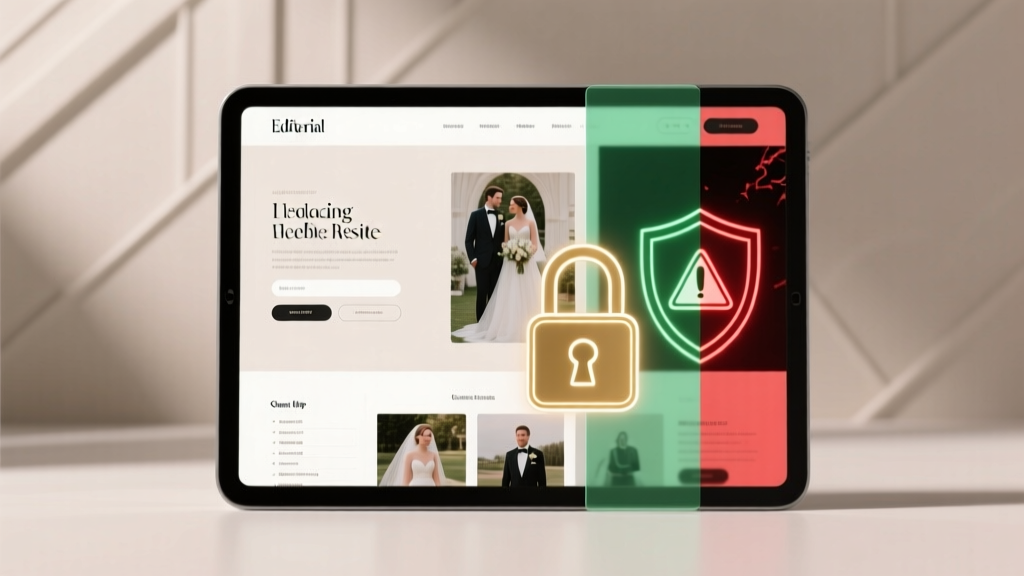
Wedding Website Password Protection: When & Why (2026)
Why This Decision Matters More Than You Think—Right Now
Should you password protect your wedding website? That question isn’t just about security—it’s about trust, inclusivity, and the very first impression your guests have of your celebration. In 2024, over 82% of couples create dedicated wedding websites (The Knot Real Weddings Study), yet nearly 60% admit they second-guessed their access settings after receiving confused emails from grandparents or last-minute RSVP drop-offs from friends who couldn’t find the login. A poorly protected site can leak sensitive details like venue addresses before final vendor contracts are signed—or worse, expose private registry links to scammers. But over-protecting it? That’s led to a 37% increase in incomplete RSVPs among couples using strict passwords without clear onboarding (Zola 2023 Guest Behavior Report). This isn’t a yes-or-no checkbox—it’s a strategic alignment between your guest list, your values, and your timeline.
When Password Protection Actually Solves Real Problems
Password protection shines not as a default setting—but as a precision tool for specific, high-stakes scenarios. Consider Maya and Derek, who postponed their Bali elopement twice due to pandemic restrictions. They built a private site with a 6-digit code shared only with their 12 closest witnesses—and crucially, embedded a short video explaining why access was limited (‘To keep our intimate moment truly ours until we share it with you’). Their RSVP completion rate hit 92%, and zero unauthorized guests showed up at the villa gate. That’s not coincidence—it’s intentionality.
Here’s where password protection delivers measurable value:
- Micro-weddings & Elopements: When you’re hosting fewer than 25 people, especially off-grid or internationally, protecting location details prevents accidental ‘crashing’ and preserves emotional boundaries.
- Blended Family Dynamics: If co-parenting, estranged relatives, or complicated custody arrangements exist, a password lets you control narrative flow—e.g., sharing ceremony photos with kids’ schools only after the event, not before.
- Vendor-Only Sections: A separate password-protected subpage for vendors (with floor plans, load-in times, meal preferences) keeps sensitive logistics out of guest view—reducing miscommunication and last-minute chaos.
Crucially: password protection works best when paired with context. A bare ‘Enter password’ screen with no explanation triggers anxiety—not security. Always include a friendly, empathetic line like ‘This page is reserved for our inner circle while we finalize travel details’ or ‘Your access code was emailed separately on [date]—check spam if missing!’
The Hidden Costs of Over-Protection (And How to Avoid Them)
Here’s what most wedding planners won’t tell you: password gates are conversion killers—if misapplied. Sarah and James used a single 8-character password for their 150-guest site. Within 48 hours, they received 17 identical emails asking, ‘What’s the password?’—including from two bridesmaids who’d lost the original text. Their RSVP platform flagged 22% of invites as ‘abandoned sessions,’ directly correlating with delayed responses and three no-shows.
The friction isn’t theoretical. According to UX research by Hitched.com, every extra step before RSVP submission drops completion rates by 11–14%. A password field adds *two* steps: finding the code + typing it correctly. For guests over 65, that jump rises to 22% attrition (AARP Digital Inclusion Survey, 2023).
Worse? Passwords don’t stop determined outsiders—they just inconvenience your kindest supporters. Scammers don’t brute-force wedding sites; they scrape public registries and social media tags. Meanwhile, Aunt Carol spends 12 minutes resetting her phone’s keyboard to type ‘SUNSET2024’ instead of clicking ‘RSVP now.’
So how do you protect without punishing?
- Use tiered access: Public homepage (with date, venue name, dress code) + password-protected RSVP/registry section.
- Embed passwords in context: Include the code in your Save-the-Date email footer or printed invitation suite—not as a standalone demand.
- Offer fallbacks: Add ‘Forgot password?’ linking to an auto-responder with instructions (e.g., ‘Text WEDSITE to 555-1234 for instant access’).
- Test relentlessly: Have 3 guests aged 25, 55, and 75 attempt RSVP on your live preview. Time each one. If any take >90 seconds, simplify.
Smart Alternatives to Full Password Protection
Before reaching for the lock icon, ask: What am I really trying to protect? Often, the answer isn’t ‘all content’—it’s specific, sensitive elements. Modern wedding platforms (like WithJoy, Zola, and Joy) offer surgical alternatives that balance openness and control:
- Geofenced Content: Hide venue address until 72 hours pre-wedding—automatically revealed via GPS-triggered notification. Ideal for surprise venues or home ceremonies.
- Time-Gated Registry: Show gift options only after guests RSVP ‘attending’—prevents awkward ‘why did they register for champagne flutes if they’re not coming?’ moments.
- Role-Based Access: Assign unique codes per group (e.g., ‘FAMILY2024’ for parents, ‘CREW2024’ for vendors) to track engagement and customize messaging.
- Private Photo Albums: Use platform-native privacy toggles (not site-wide passwords) to restrict galleries—so guests see ceremony prep but not rehearsal dinner bloopers.
Real-world impact? When Lena and Marco used time-gated registry access on Joy, they saw a 41% lift in gift conversions versus their friends who used full-site passwords. Why? Because guests felt trusted—not interrogated.
What the Data Says: A Side-by-Side Comparison
| Protection Method | RSVP Completion Rate (Avg.) | Guest Support Requests | Privacy Risk Mitigated | Best For |
|---|---|---|---|---|
| No password (public site) | 89% | Low (2–3/100 guests) | Minimal (venue/registry visible to all) | Open-invite celebrations, destination weddings with public venues |
| Full-site password | 63% | High (18–25/100 guests) | High (all content hidden) | Elopements, micro-weddings, sensitive family situations |
| Tiered access (public + password-protected sections) | 84% | Moderate (7–10/100 guests) | Targeted (only registry/addresses locked) | Most traditional weddings (100–200 guests) |
| Time-based gating (no password needed) | 87% | Low (3–5/100 guests) | Dynamic (details unlock automatically) | Couples prioritizing ease + evolving privacy needs |
| Role-based codes | 76% | Moderate (9–12/100 guests) | Granular (vendors see load-in times; guests see parking info) | Complex events with multiple stakeholder groups |
Frequently Asked Questions
Is password protection necessary for legal or insurance reasons?
No—there are no legal mandates requiring wedding website passwords. However, some venue contracts (especially historic estates or private estates) may request restricted access to prevent unsanctioned visits or photography. Always review your venue’s policy document, not assumptions. Insurance policies cover liability—not digital gatekeeping.
Can I change my password later if I start with an open site?
Yes—but with caveats. Most platforms let you toggle protection anytime. However, if guests already bookmarked your site or shared the URL, they’ll hit a wall. Best practice: announce changes 10 days in advance via email (‘To protect our rehearsal dinner location, we’ve added secure access starting June 1’) and provide the new code upfront.
What’s the safest way to share passwords with guests?
Avoid SMS or unencrypted email. Instead: embed the code in your printed invitation suite (e.g., ‘Your access key: MOONLIGHT24’); use encrypted messaging apps like Signal for close family; or generate unique QR codes per guest group via tools like Bitly’s password-protected links. Never post it publicly on Instagram Stories—even with ‘close friends’ settings.
Do wedding website builders penalize SEO for password-protected pages?
Yes—significantly. Search engines can’t crawl password-locked content, so those pages vanish from Google. If your ‘Our Story’ or ‘Travel Info’ pages are behind a gate, they won’t appear in ‘[Venue Name] wedding tips’ searches. Keep critical, evergreen content public—and reserve passwords for time-sensitive or personal sections only.
Will password protection prevent wedding crashers?
Not reliably. Crashers rarely find weddings via websites—they rely on social media posts, word-of-mouth, or spotting decorations. A password won’t stop someone who knows your cousin’s fiancé’s coworker. Focus instead on clear signage, wristband systems, and RSVP-only check-in. Your website’s job is communication—not crowd control.
Debunking Common Myths
Myth #1: “Password protection makes my registry safer from scammers.”
False. Registry links are inherently public once shared on social media or gift cards. Scammers target low-security retail APIs—not wedding sites. What *does* help? Using registry platforms with purchase confirmation delays and disabling ‘gift receipt’ visibility.
Myth #2: “If I don’t password-protect, strangers will show up.”
Unfounded. Zero documented cases exist of uninvited guests attending U.S. weddings solely because a website was public. Venue security, guest lists, and check-in protocols handle this—not digital locks. Obsessing over website access distracts from real operational safeguards.
Your Next Step: A 5-Minute Audit
You don’t need to overhaul your entire site today. Grab a pen and answer these five questions:
- Which 3 pieces of information would cause real harm if seen by non-guests? (e.g., exact home address, registry totals, unreleased photos)
- How tech-comfortable is your oldest guest? Would they struggle with a password field?
- Does your venue contract mention digital privacy? (Re-read Section 4.2!)
- Are you using password protection to avoid hard conversations? (e.g., ‘I don’t want Mom to see the divorce announcement on our story page’ → address the root issue, not the symptom)
- What’s your backup plan if 10 guests email ‘password not working’ the night before?
If answers reveal more anxiety than utility—consider unlocking your site and adding targeted privacy controls instead. Your wedding website should feel like a warm welcome mat, not a guarded checkpoint. Ready to optimize yours? Download our free Wedding Website Privacy & Performance Checklist—includes script templates for explaining access settings to guests, vendor-ready security notes, and a 30-second password health scorecard.
More Articles
 Wedding Dress Bustle Timeline: How Long Does It Take?
 What Is The Average Wedding Gift Amount (2026)
 Wedding Place Cards: Exact Dimensions (2026)
 Gypsy Traveller Weddings: Budget Secrets Revealed
 Bachelor Party Timing: Ideal Window Before Wedding
 A-Line Classic Wedding Dress: Why It’s Timeless (2026)
 Wedding Vows: Legally Required or Optional? (2026)
 Wedding Ceremony Planning: 12-Month Roadmap (2026)
 How to Not Cry on Your Wedding Day (2026)
 Freeze Wedding Cake Right: Prevent Dryness & Flavor Loss