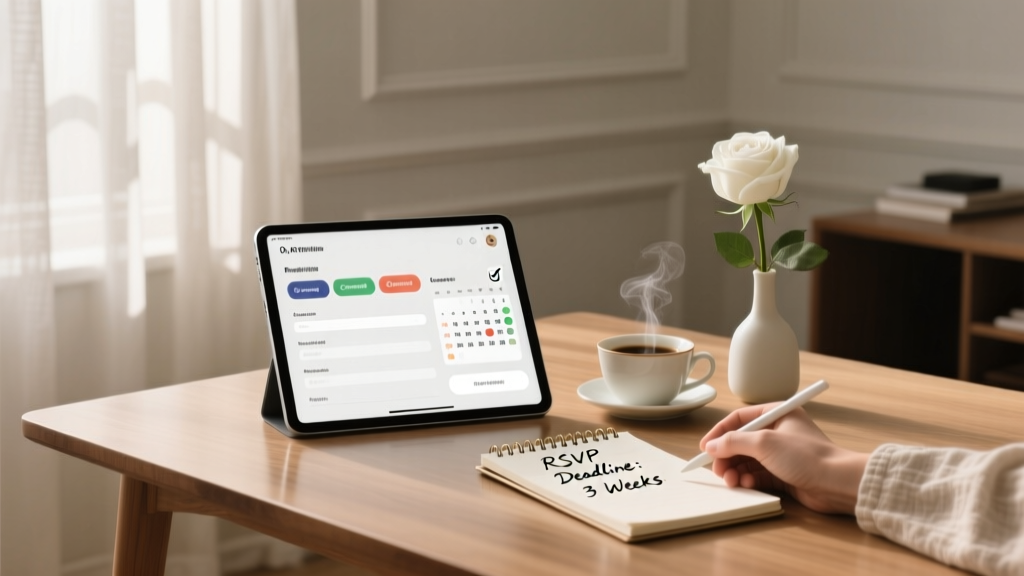
How to Manage Wedding RSVPs Without Losing Your Mind
You chose the date. You found the venue. You probably even picked a playlist song you’ll pretend you “just happened” to think of. And then… RSVPs show up and suddenly you’re chasing grown adults for a yes/no like you’re running a very polite call center.
If you’re feeling overwhelmed, you’re not alone. Wedding RSVPs can bring out the weirdest stress: people who swear they replied (but didn’t), relatives who want to “see how they feel that weekend,” and plus-one questions that multiply faster than your seating chart can keep up with.
The good news: managing wedding RSVPs doesn’t have to take over your life. With the right timeline, a clear system, and a few scripts that keep things kind but firm, you can get accurate numbers without the emotional whiplash.
Why Wedding RSVPs Feel So Stressful (and Why It’s Not Your Fault)
RSVPs sit at the intersection of etiquette, budget, family dynamics, and logistics. You’re not just collecting answers—you’re protecting your catering minimum, finalizing rentals, building a seating chart, and trying not to offend anyone.
A few common pressure points:
- Money is attached to every “yes.” Most weddings pay per person for food, bar, rentals, and stationery.
- People treat RSVP deadlines like suggestions. Many guests don’t realize you have vendor cutoffs.
- Plus-ones and kids create confusion. If your invitation wording isn’t crystal clear, guests may assume.
- Family expectations get loud. “You have to invite your second cousin’s boyfriend” is not in your budget.
Set Yourself Up for RSVP Success Before You Even Send Invitations
1) Decide Your RSVP Method: Online, Mail, or Both
Choose the approach that fits your crowd and your sanity.
- Online RSVPs (recommended for most couples): Faster tracking, fewer lost cards, easy meal selections, and instant updates.
- Mail-in RSVP cards: Traditional and lovely, but you’ll need time to wait for the mail and manually track responses.
- Hybrid: Include an RSVP card, but also offer an online option on your wedding website for convenience.
Budget tip: Online RSVPs can reduce printing and postage costs—especially helpful if you’re inviting 100+ guests. If you love paper, consider skipping return envelopes and using a QR code or wedding website link instead.
2) Build a Guest List System You’ll Actually Use
Before invitations go out, create one “source of truth.” This can be a spreadsheet or a guest list tool tied to your wedding website.
Include columns for:
- Guest name(s) exactly as invited
- Household grouping (who gets one invite)
- Address and email/phone
- RSVP status (Yes/No/No response)
- Number of seats reserved (important for couples/families)
- Meal selection and dietary notes
- Plus-one allowed? (Y/N)
- Kids invited? (Y/N)
- Notes (accessibility needs, family dynamics, etc.)
3) Be Clear on Plus-Ones (This Solves So Many Problems)
Guests aren’t trying to be difficult—they’re reading between the lines. Make it easy for them to understand what’s offered.
- If a guest has a named partner invited: Address the invitation to both people (e.g., “Alex Kim and Jordan Lee”).
- If a guest gets a plus-one: Indicate it clearly on the RSVP (“We have reserved 2 seats in your honor”).
- If no plus-one: Address only the invited person and set your RSVP to only allow the invited number of seats.
Real-world scenario: Your college friend is single and texts, “Can I bring someone?” If you’re at capacity or keeping it small, it’s okay to say: “We’re keeping our guest list tight due to venue limits, but we can’t wait to celebrate with you.”
Create an RSVP Timeline That Protects Your Vendor Deadlines
Your RSVP deadline should serve your planning—not the other way around.
Recommended RSVP Timeline
- 8–12 weeks before wedding: Send invitations (earlier for destination weddings).
- 3–4 weeks before wedding: RSVP deadline (yes, earlier than most couples think).
- 2–3 weeks before wedding: Final numbers due to caterer/venue (confirm your specific contract date).
- 1–2 weeks before wedding: Seating chart finalized, place cards printed, final rental adjustments.
Pro tip from planners: Set your RSVP deadline 7–10 days earlier than your vendor count deadline. That buffer gives you time to track down stragglers without panic.
Write RSVP Wording That Gets Responses (and Fewer Questions)
What to Include on Your RSVP
- Clear deadline date (“Please reply by May 1, 2026”)
- Names of invited guests (pre-fill online; on paper, format so it’s obvious)
- Accept/decline options
- Meal choices (if applicable)
- Dietary restrictions prompt
- Song request (optional, but fun and boosts completion rates)
Keep the “Fun” Question Simple
“Song request” or “Share a date-night tip” is great. Avoid long fill-in prompts that slow guests down. The easier it is, the faster they’ll submit it.
RSVP Tracking: A Step-by-Step System That Keeps You Sane
Your RSVP Management Checklist
- Pick one tracking tool (spreadsheet or wedding website guest list).
- Log invitations sent (date mailed + any that were returned).
- Set reminders on your calendar:
- 1 week after invites go out: check for delivery issues
- 1 week before RSVP deadline: gentle reminder message
- 2–3 days after RSVP deadline: start contacting non-responders
- Record responses immediately (don’t let texts sit in your inbox).
- Confirm totals weekly so you catch errors early.
- Track meal counts automatically (or tally in your spreadsheet) for the caterer.
Real-world scenario: Aunt Linda tells your mom she’s coming. Your mom tells you. But Aunt Linda never RSVPs. Treat all “word-of-mouth RSVPs” as unconfirmed until it’s in your system. Kindly ask Aunt Linda directly or have your mom prompt her to respond via the official method.
How to Handle RSVP “Problem Guests” (With Scripts You Can Copy)
Non-Responders (The Classic)
Start with a warm nudge, then get more direct as needed.
- Text script (friendly): “Hi! We’re finalizing our wedding guest count. Can you let us know if you’ll be able to attend by Friday?”
- Text script (firm but kind): “Hi! We didn’t receive your RSVP and we have to submit final numbers. If we don’t hear back by tomorrow, we’ll mark you as unable to attend. We’ll miss you!”
Planner pro tip: Give a micro-deadline (“by tomorrow”) when following up after the real deadline. It prompts action.
Guests Who Add Extra People
This usually happens when someone writes in a name on a paper RSVP or tries to RSVP for more seats online.
- Response script: “We’re so excited to celebrate with you! Because of venue capacity, we’re only able to accommodate the guests listed on the invitation.”
The “Maybe” RSVP
“We’ll see” doesn’t work when you’re paying per plate.
- Response script: “I totally understand! We have to give our final guest count to the caterer by [date], so we’ll need a yes or no by then. If you can’t confirm, we’ll mark you as unable to attend—and we’ll celebrate together another time.”
Meal Choice Missing or “Anything”
Many caterers require exact entrée counts.
- Response script: “Quick question so we can finalize catering: would you like the chicken, fish, or vegetarian option?”
Guests Who RSVP “Yes” Then Change Their Mind
It happens—illness, work travel, childcare issues. The key is knowing your cutoff.
- Guideline: If it’s before your final numbers are due, update your list and thank them for letting you know.
- If it’s after your final deadline: You may still be paying for their meal. You don’t need to guilt them, but you can note it for your budget expectations.
Budget Considerations: How RSVPs Affect Your Bottom Line
Every “yes” impacts more than dinner.
- Catering: Often the biggest per-person cost.
- Bar package: May be per person or based on guaranteed attendance.
- Rentals: Chairs, linens, glassware, flatware can all scale with headcount.
- Stationery: Place cards, menus, escort cards, favors.
- Transportation: Shuttles may need larger vehicles if headcount jumps.
Practical tip: Add a small buffer in your budget for RSVP variability—especially if you expect last-minute declines or a high “yes” rate from family. Even a cushion of 3–5% can help.
Common RSVP Mistakes to Avoid
- Setting the RSVP deadline too late and leaving no time to chase responses before vendor deadlines.
- Not limiting seat counts on online RSVPs (guests accidentally RSVP for the whole household—or more).
- Tracking RSVPs in multiple places (texts, emails, notes app, spreadsheets) and losing accuracy.
- Assuming verbal RSVPs count without a confirmed entry.
- Ignoring dietary restrictions until the last minute, which can create stress for you and your caterer.
- Not planning for children/plus-one expectations and then dealing with hurt feelings later.
Wedding Planner Pro Tips for a Smooth RSVP Process
- Delegate follow-ups. Give each partner (or a trusted family member) a list of 10 non-responders to contact.
- Use a “household approach.” One invitation per household reduces confusion and prevents duplicate responses.
- Be consistent with boundaries. If you allow one guest to add someone, others will expect the same.
- Call older relatives. Some guests respond faster to a friendly phone call than an online form.
- Keep your RSVP link simple. Short URLs or QR codes reduce user error.
- Plan your seating chart with flexibility. Expect a few late changes; build tables that can handle small swaps.
FAQ: Wedding RSVPs
When should I set my wedding RSVP deadline?
Aim for 3–4 weeks before the wedding, then confirm your venue/caterer final count deadline and set your RSVP date 7–10 days earlier than that.
Is it rude to follow up on RSVPs?
No—following up is normal wedding planning. Guests often forget, lose the card, or assume they already responded. A warm message with a clear deadline is perfectly polite.
How do we handle guests who don’t RSVP at all?
After one friendly reminder and one firm follow-up, you can mark them as not attending. If they show up unexpectedly, that becomes a venue/catering issue you shouldn’t have to solve on the spot—your planner or coordinator can handle it.
Should we do online RSVPs or paper RSVPs?
Online RSVPs are usually easier and more accurate, especially for meal selections and instant tracking. If you love tradition, do a hybrid: mail invitations but direct guests to RSVP on your wedding website.
How do we prevent guests from adding plus-ones?
Address invitations only to invited guests, limit RSVP seat counts to the number reserved, and use clear wording like “We have reserved 2 seats in your honor.” If someone asks, respond kindly but consistently based on your capacity and budget.
What if someone RSVPs “yes” but doesn’t show up?
It happens. Once your final headcount is submitted, you may still pay for their meal. Focus on what you can control: accurate tracking, clear deadlines, and quick follow-up on changes before vendor cutoffs.
Your Next Steps (So RSVPs Stop Haunting Your Dreams)
- Today: Choose your RSVP method and set up one tracking system.
- This week: Confirm vendor deadlines and set your RSVP deadline with a buffer.
- Before invites go out: Finalize plus-one and kids policies, and make invitation wording crystal clear.
- After the RSVP deadline: Follow up with non-responders using short, kind scripts and a firm micro-deadline.
You’re not being “extra” for wanting a clear answer. You’re planning a real event with real costs and real logistics—and you deserve a process that supports you.
Want more calm, practical wedding planning help? Explore more planning guides and tips on weddingsift.com.
More Articles
 Wedding Planner Realities Clients Test You On
 Wine for 100-Guest Wedding: Exact Bottle Count (2026)
 Chick-fil-A Wedding Catering: 2026 Pricing & Hidden Fees
 Where Can I Have a Wedding Ceremony? (2026)
 How Do Wedding Planners Get Paid? (2026)
 Wedding Dress Rain Protection: 7 Safe Tactics (2026)
 How to Play the Wedding Shoe Game (2026)
 Wedding Invites Timeline: When to Mail (Backward-Planned)
 Can You Wear Black to a Church Wedding? (2026)
 Wedding Photographer Cost: $1,500 vs $5,000 (2026)