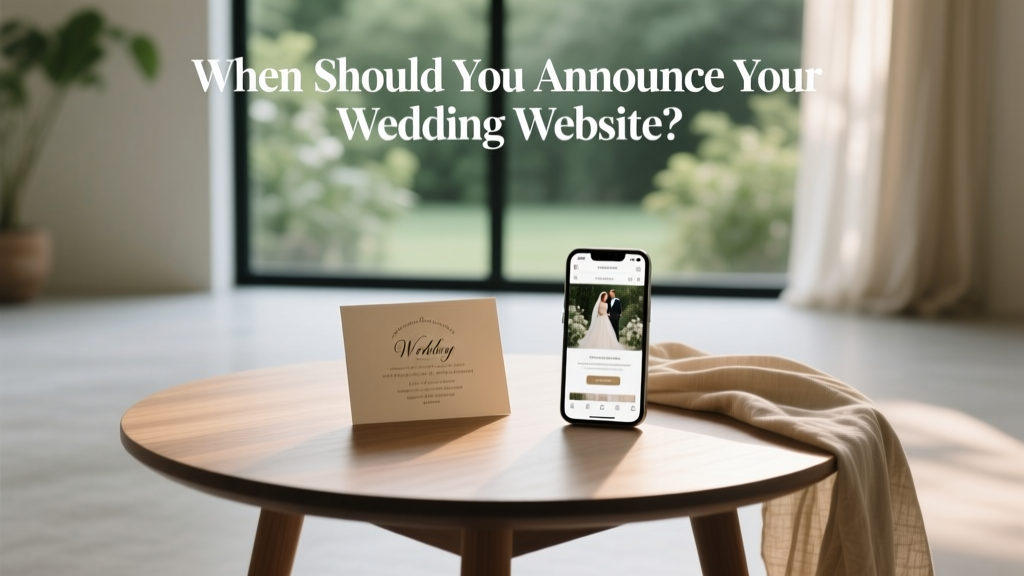
When Should You Announce Your Wedding Website
When Should You Announce Your Wedding Website?
Creating a wedding website is one of those planning tasks that feels small—until you realize it’s where guests will look for nearly everything: the schedule, travel info, registry links, dress code, and those tiny details you don’t want to repeat 50 times via text. So the timing matters. Announce it too early and you may spend months updating half-finished pages. Announce it too late and guests will miss key info (and your inbox will fill up fast).
If you’re wondering when to share your wedding website, you’re not alone. Couples today are balancing modern convenience with etiquette, plus a few new realities: online RSVPs, QR codes, privacy concerns, and guests who expect instant updates.
Quick Answer: Share Your Wedding Website When You Send Save-the-Dates (or 6–9 Months Before the Wedding)
For most weddings, the best time to announce your wedding website is when you send your save-the-dates. That’s typically 6–9 months before the wedding (or 9–12 months for destination weddings). If you’re not sending save-the-dates, share the site when invitations go out, usually 8–12 weeks before the date.
This timing gives guests enough runway to plan travel and request time off, while giving you enough time to build a useful (not placeholder) website.
Q: Why is that the “right” timing?
Because your wedding website works best as a planning hub, not a surprise announcement. Guests primarily use it for logistics: where to stay, how to get there, what to wear, and how to RSVP. Those needs start well before invitations hit the mailbox.
“I tell couples: the website should reduce questions, not create them,” says Mariana Lopez, a fictional wedding planner in Chicago. “If your travel page is blank or your schedule says ‘TBD’ everywhere, guests still have to ask you. A website shared with save-the-dates should have the basics locked in.”
Real-world example: Jules and Dev (fictional couple) sent save-the-dates eight months out with their wedding website listed. Their site included the city, venue name, hotel block info, and a simple weekend outline. “People started booking rooms that week,” Jules says. “It took so much pressure off later, especially for our out-of-town friends.”
Q: What should be ready on your site before you announce it?
You don’t need every detail finalized, but you do want the website to feel intentional. Before you share your wedding website URL, aim to have:
- Date + city (and venue name, if you’re comfortable sharing it)
- Travel basics: nearest airports, hotel block info (or “coming soon” with a timeline)
- Registry info (optional this early, but common and convenient)
- FAQ section: dress code guidance, kids policy, plus-ones, transportation
- RSVP plan: even if RSVPs aren’t open yet, say when they will be
- Contact method: a wedding email address works well
Trend-wise, couples are leaning on wedding websites even more for QR code RSVPs, digital invitations, and live updates (like shuttle changes or weather plans). If you’re using your site for those, earlier is better—just keep it tidy and updated.
Traditional vs. Modern Etiquette: Two Approaches That Both Work
Traditional approach (more conservative etiquette)
If your circles are more traditional, you may prefer to keep your wedding website low-key until invitations. Traditionally, details beyond the date and location were shared later, and some guests still view a website as an “extra” rather than the main event.
Best for: very formal weddings, older guest lists, families who prefer paper communication.
How it looks: Save-the-date includes only date/city. Invitation includes a small line like “Details at: ourweddingwebsite.com” on an insert card.
Modern approach (today’s most common)
Most couples now share the website with save-the-dates. Guests expect it, especially if travel is involved. Many people will immediately look for hotel blocks, weekend plans, and registry links.
Best for: destination weddings, lots of out-of-town guests, any wedding with multiple events.
How it looks: Save-the-date includes the website URL and a note like “For travel + weekend details.” RSVPs still happen later.
Q: What if I don’t have all the details yet?
That’s normal. Venues finalize timelines, transportation, and even menu info later than you’d think. The key is to publish what’s useful now and clearly label what’s coming next.
Use language like:
- “Hotel block details will be posted by October 1.”
- “Shuttle schedule will be shared closer to the date.”
- “Full weekend itinerary coming soon.”
“Guests don’t need every detail early,” says Erin Patel, a fictional stationery designer. “They need confidence that you’re organized and that they’ll find updates in one place.”
Q: How do you announce it (without being awkward)?
Keep it simple. Here are a few polished, guest-friendly options:
- On the save-the-date: “Details and travel info: ourweddingwebsite.com”
- On the invitation insert: “RSVP and details at: ourweddingwebsite.com”
- By text/email to VIPs: “We made a website with travel info and FAQs—sharing here so you have it handy.”
Tip: If your URL is long, consider a custom short domain. It looks cleaner on stationery and reduces typos.
Scenario Guide: When to Share Your Wedding Website Based on Your Wedding Type
- Local wedding, mostly nearby guests: 4–6 months out (save-the-date optional). Share with save-the-dates or invitations.
- Out-of-town-heavy guest list: 6–9 months out. Share with save-the-dates so guests can book travel.
- Destination wedding: 9–12 months out. Share early with travel guidance and passport reminders if needed.
- Micro-wedding or elopement with reception later: Share when you’re ready to communicate the plan clearly; a website can prevent confusion.
- Short engagement (under 6 months): Share as soon as the essentials are solid—often immediately after booking the venue.
Actionable Tips to Get the Timing Right
- Create the site early, announce it later. Build a draft 10–12 months out if you can, then publish when it’s useful.
- Set a monthly “website refresh” reminder. Update travel info, FAQs, and timeline as decisions are made.
- Use privacy settings. If you’re worried about strangers finding your venue or registry, password-protect the site or hide certain pages.
- Be intentional with registry timing. If you’re uncomfortable sharing registry info early, keep that tab hidden until invitations go out.
- Write FAQs like you’re answering texts. “Can I bring a plus-one?” “Are kids invited?” “What’s the dress code?”—this is where your website shines.
Related Questions Couples Ask (and Clear Answers)
Should I put my wedding website on the invitation?
Yes. It’s now standard, especially if you’re doing online RSVPs. If your event is very formal, place the URL on a details card rather than the main invitation.
Is it rude to include the registry on the wedding website?
No—this is one of the most accepted modern etiquette shifts. A registry link on your wedding website is considered helpful. What’s still usually avoided: printing registry info directly on the invitation.
What if I’m worried guests will RSVP too early (or pester me about it)?
Add a line on the RSVP page: “RSVPs will open on March 1.” You can also disable RSVPs until you’re ready.
What if my plans might change (venue, date, or timeline)?
If anything is truly uncertain, don’t publish it yet. For must-know items like date and city, share only when confirmed. If changes happen later, update the website first, then message affected guests directly.
Should I announce the website on social media?
Usually, no—at least not publicly. A wedding website often includes personal details and registry links. If you want to share digitally, send it via email, text, or a private group.
Conclusion: Share It When It Helps Your Guests Most
The sweet spot for announcing your wedding website is the moment guests start planning around your date—usually with save-the-dates. Share it early enough to be useful, but not so early that it’s a half-built project you dread updating. With a few key details, a solid FAQ, and thoughtful privacy settings, your wedding website becomes the calm, reliable source your guests will appreciate—and you’ll love how many questions it prevents.
More Articles
 Destination Wedding Gift Etiquette 2026
 Was The Stranger Things Cast At Millies Wedding (2026)
 Korean Wedding Ring Finger: Tradition, Shifts & 2026 Trends
 David's Bridal Wedding Dress Exchange Policy (2026)
 American Wedding Filming Locations (2026)
 What Does Elope Mean in 2026? Truth & Savings
 What to Do If Your Wedding Venue Closes Early
 Where Does My Big Fat Greek Wedding Take Place?
 1st Wedding Anniversary Ideas: 12 Meaningful Ways
 Watch American Wedding Free (2026) | Safe Sources