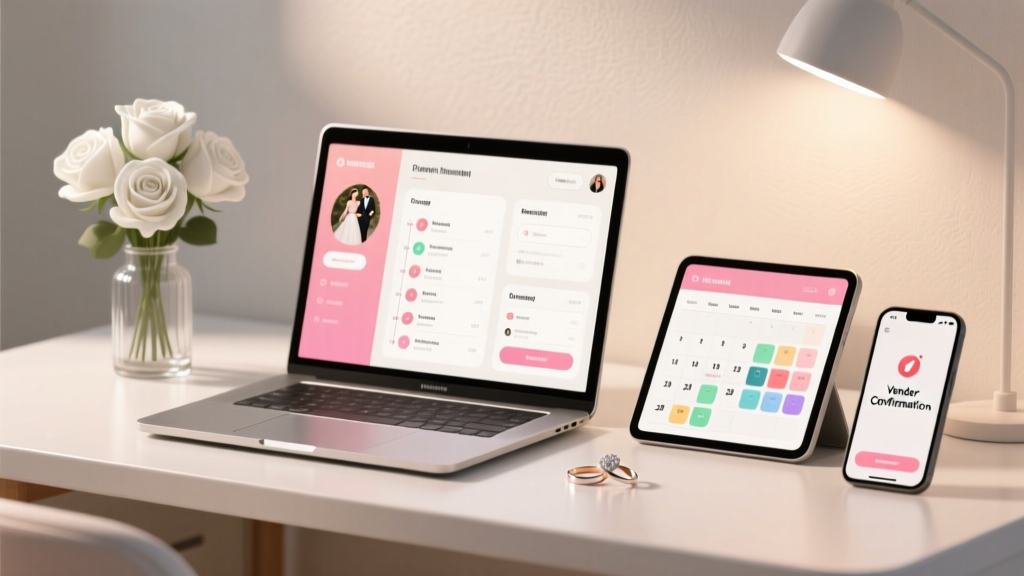
Best Wedding Planning Apps to Keep You Organized
You’re engaged—cue the happy tears, the group texts, the “Have you picked a date yet?” questions, and the sudden realization that planning a wedding is basically a part-time job (sometimes a full-time one). Between vendor emails, guest list updates, budget decisions, and a million tiny details you didn’t know existed, it’s easy to feel scattered.
The good news: you don’t need to carry the entire planning process in your head. The right wedding planning apps can act like an extra set of hands—keeping your budget in check, your timeline on track, and your ideas organized. Think of them as your calm, organized friend who remembers everything (and never judges your 15 different centerpiece mood boards).
This guide breaks down the best wedding planning apps to keep you organized, plus how to choose the right ones, how to set them up, and what pitfalls to avoid. You’ll also get planner-style pro tips, budget considerations, and a practical timeline so your app tools actually make life easier.
How to Choose the Right Wedding Planning Apps (So You Don’t Download 12 and Use None)
Before you start downloading, take a breath and decide what you actually need. Most couples do best with a small “app stack” rather than one mega-app (unless you love an all-in-one dashboard).
Start with Your Planning Style
- You love structure: Look for all-in-one wedding planning apps with built-in checklists, budget tools, and timelines.
- You’re visual: Choose apps for inspiration boards, color palettes, and layout planning.
- You’re spreadsheet-minded: Go for budget and guest list tools that export easily and sync across devices.
- You’re juggling busy schedules: Prioritize shared calendars, task assignments, and reminders.
Quick Compatibility Checklist
- Works on both partners’ phones (iOS/Android)
- Easy sharing with parents or planners (without giving them total control)
- Cloud sync so nothing gets lost when someone switches devices
- Exports (PDF/CSV) for vendors or backup
- Free vs. paid: know what’s locked behind a subscription
Best All-in-One Wedding Planning Apps
If you want one main hub for your wedding checklist, budget, and planning timeline, start here. These tools are designed specifically for wedding planning and can reduce the “where did I put that?” stress.
The Knot Wedding Planner
Best for: Couples who want a guided checklist and vendor discovery in one place.
- Customized wedding planning checklist and timeline suggestions
- Budget tracker and payment reminders
- Guest list manager with RSVP tracking (especially helpful if you’re using their website tools)
- Vendor search and communication organization
Real-world scenario: You’ve booked your venue and suddenly your brain is stuck on “What’s next?” The Knot’s checklist helps you see the next 3–5 tasks without spiraling into the entire year’s to-do list.
Budget tip: Use the budget categories as a starting point, but adjust line items based on your priorities (for example, increase photography, reduce décor). You don’t need to follow a generic percentage split if it doesn’t fit your wedding.
Zola Wedding Planner
Best for: Couples who want planning tools tied closely to a wedding website and registry.
- Wedding checklist, budget tool, and guest list organization
- Website + registry integration (useful for tracking gifts and guest info together)
- Easy RSVP collection and guest messaging
Real-world scenario: Your guest list is changing weekly (hello, family politics). Zola keeps contact info, RSVP status, meal choices, and addresses in one organized place.
Pro tip: Create a tag system in your guest list (e.g., “College friends,” “Family,” “Out-of-town,” “VIP”) so you can quickly estimate headcount for blocks, welcome events, and seating plans.
WeddingWire
Best for: Couples who want vendor reviews and planning tools combined.
- Planning checklist and timeline
- Budget tracking
- Vendor search with reviews and messaging
Pro tip: Keep all vendor communication inside one app thread when possible, then recap agreements in an email. That way you have a clear paper trail if anything changes.
Best Apps for Wedding Budgeting (Where Most Stress Lives)
A wedding budget is less about restrictions and more about clarity. These apps make it easier to track deposits, payment schedules, and those sneaky “small” purchases that add up fast.
Mint (or Similar Budget Apps)
Best for: Couples combining wedding spending with everyday finances.
- Category-based budgeting and spend tracking
- Transaction visibility (great for catching subscription creep)
- Helps you spot overspending early
Specific scenario: You’re buying little things—cake topper, signage frames, favors supplies—and suddenly you’ve spent $600. A budgeting app catches those totals before they quietly blow up your décor line item.
Planner pro tip: Create a “Wedding buffer” category (5–10% of your total budget). It’s your safety net for last-minute rentals, overtime fees, or weather backup plans.
You Need a Budget (YNAB)
Best for: Couples who want a very intentional plan and shared accountability.
- Helps you assign every dollar a job (excellent for saving targets)
- Strong for couples who share financial planning responsibilities
- Great for payment timelines and sinking funds
Budget consideration: Paid subscription, but many couples find it worth it if it prevents even one major overspend or credit card carryover.
Best Apps for Guest Lists, RSVPs, and Seating (The Detail-Heavy Stuff)
Guest management is where couples lose hours—tracking addresses, meal choices, plus-ones, and whether Aunt Linda is “definitely coming” or “probably coming.” The right tools reduce back-and-forth.
All-in-One App Guest Tools (Zola/The Knot/WeddingWire)
Best for: Couples who want RSVP tracking tied to a wedding website.
- Digital RSVPs and meal selections
- Address collection and exporting
- Guest messaging updates (weather, shuttle info, schedule changes)
Seating Chart Tools (Often Web-Based, but App-Friendly)
Best for: Couples who want drag-and-drop seating without tears.
- Visual table layouts with guest placement
- Easy changes when RSVPs shift
- Helps you think through family dynamics
Specific scenario: Two weeks out, three guests add plus-ones and one family declines. A drag-and-drop seating tool saves you from erasing and rewriting an entire chart at midnight.
Planner pro tip: Seat in “zones.” Create a few comfortable clusters (family A, family B, friends, coworkers) and then fine-tune. It’s faster and reduces awkward combinations.
Best Apps for Checklists, Collaboration, and Staying on Schedule
Even the most organized couples can lose momentum without a system for tasks, deadlines, and who’s responsible for what. If you’re balancing work, travel, and family input, collaboration apps are your best friend.
Trello
Best for: Visual planners who like boards, cards, and checklists.
- Create boards like “Vendors,” “Décor,” “Attire,” “Paper Goods,” “Week-Of”
- Assign tasks to each partner (and parents, if appropriate)
- Add due dates and attachments (contracts, inspiration photos)
Real-world scenario: One partner handles catering and bar, the other handles photography and music. Trello keeps tasks separate but visible—no more “I thought you booked that.”
Asana
Best for: Couples who love a structured project plan and timelines.
- Task lists with dependencies and due dates
- Great for complex weddings (multi-day events, cultural ceremonies, destination weddings)
- Easy collaboration with a wedding planner
Google Calendar (Shared) + Reminders
Best for: Couples who need simple, consistent scheduling.
- Shared vendor payment deadlines and appointment reminders
- Separate calendar for wedding tasks to reduce clutter
- Works across devices and with most email platforms
Timeline tip: Add reminders for key deadlines:
- 60 days out: finalizing guest count process
- 45 days out: begin seating chart draft
- 30 days out: final vendor confirmations
- 14 days out: final timeline share with VIPs
Best Apps for Inspiration, Design, and Communication
Inspiration is fun—until it becomes overwhelming. Use design apps to organize ideas, stay aligned as a couple, and communicate clearly with vendors.
Best for: Collecting inspiration for décor, attire, florals, and stationery.
- Create boards by category (Florals, Tablescapes, Ceremony, Hair/Makeup)
- Share boards with your planner or florist
- Helps clarify your style (modern, romantic, garden, classic)
Common mistake: Saving everything you like without filtering for what fits your venue, season, and budget.
Pro tip: Create a “Final Picks” board with only 20–30 images. Vendors work best with a curated direction, not 300 pins.
Canva
Best for: Couples DIY-ing signage, save-the-dates, programs, menus, or seating charts.
- Templates for wedding signage and printables
- Easy brand consistency (fonts, colors, monogram)
- Export for professional printing
Budget tip: DIY can save money, but factor in printing, paper quality, frames, and your time. If you’re already stretched thin, paying a little more for professional signage can be worth the peace.
WhatsApp (or Group Chat Apps)
Best for: Family coordination, wedding party updates, and weekend-of communication.
- Create separate chats (Wedding Party, Family VIPs, Vendors if needed)
- Share schedules, locations, and quick updates
- Reduces scattered texts across multiple threads
Planner pro tip: Keep vendor communication off group chats unless the vendor initiates it. For family/wedding party, pin the weekend timeline message so no one asks “What time is rehearsal?” 20 minutes before it starts.
Your “Wedding App Stack”: A Simple Setup That Works
If you want an easy, low-stress system, here’s a practical approach most couples can maintain.
Step-by-Step Setup (30–60 Minutes Total)
- Choose your main wedding planning app (The Knot, Zola, or WeddingWire). Use it for your checklist, high-level timeline, and vendor contacts.
- Pick one task manager (Trello or Asana). Use it for assignments and weekly to-dos.
- Pick one budget tool (the built-in budget tool + Mint/YNAB if needed). Decide who updates it and how often.
- Create a shared calendar just for wedding tasks and appointments.
- Set up a cloud folder (Google Drive/Dropbox) labeled “Wedding” with subfolders:
- Contracts
- Invoices/Receipts
- Guest List
- Design Inspo
- Timeline
- Vendor Contact Sheet
- Define your weekly planning rhythm: 30 minutes once a week to update apps and decide next steps.
A Weekly 30-Minute Wedding Planning Check-In (Template)
- 5 minutes: Check budget updates (new deposits, upcoming payments)
- 10 minutes: Review checklist and move 3 tasks forward
- 10 minutes: Vendor follow-ups (emails, scheduling calls)
- 5 minutes: Confirm next week’s priority and who owns it
Common Mistakes Couples Make with Wedding Planning Apps
- Using too many apps: You lose time switching tools and double-entering data. Keep it simple.
- Not assigning ownership: If both partners assume “someone is tracking it,” nobody tracks it. Decide who updates budget, guest list, and tasks.
- Forgetting to back up contracts: Screenshot confirmations and save PDFs. Create one “source of truth” folder.
- Not updating as you go: Apps only work if they reflect reality. A 5-minute update after vendor calls prevents chaos later.
- Pinning inspiration without budget context: Save dream ideas, but label what’s “must-have,” “nice-to-have,” and “not for our budget.”
Wedding Planner Pro Tips for Staying Organized (Even When Life Gets Busy)
- Create a one-page wedding snapshot: date, venue address, vendor list, payment schedule, guest count estimate. Save it in your phone.
- Track payments like a planner: note deposit amount, due dates, and remaining balances. Include gratuities so you’re not scrambling week-of.
- Build your timeline backward: start with ceremony time, then add hair/makeup, first look, travel, photos, and buffer time.
- Plan for decision fatigue: batch decisions (all linen choices at once, all stationery at once) instead of reopening the same topic weekly.
- Keep a “parking lot” list: when you think of something random (sparklers? after-party?), add it to a single list so it doesn’t interrupt your current task.
Timeline Advice: When to Use Which App Tools
12–9 Months Out
- Set up your main wedding planning app
- Start budget tracker and savings plan
- Collect inspiration (but keep it broad)
- Book priority vendors (venue, planner, photographer)
8–5 Months Out
- Refine guest list and start address collection
- Use task manager for design, attire, and vendor details
- Confirm major rentals and catering style
4–2 Months Out
- Send invitations; track RSVPs in one place
- Create a first draft seating plan
- Finalize day-of timeline and vendor confirmations
Last 30 Days
- Lock final guest count and meal selections
- Export and share vendor contact sheet
- Create week-of checklist and packing lists
- Schedule final payments and tips
FAQ: Wedding Planning Apps
What is the best wedding planning app overall?
The best wedding planning app is the one you’ll actually use consistently. For many couples, The Knot and Zola are top choices for an all-in-one wedding checklist, guest list tools, and budget tracking. If vendor reviews are a big factor, WeddingWire can be a strong option.
Do I need a separate app for budgeting?
Not always. If your wedding budget is straightforward, the built-in budget tool in your wedding planning app may be enough. If you want deeper tracking (especially alongside everyday spending), a dedicated budgeting app like Mint or YNAB can be worth it.
How can we plan together without duplicating work?
Use one shared task manager (Trello/Asana) and assign owners for key areas: budget, guest list, vendor communication, and timeline. A weekly 30-minute planning check-in keeps you aligned and reduces “I thought you handled that” moments.
Are wedding planning apps free?
Many wedding planning apps are free to download and use, especially all-in-one wedding planning platforms that offer checklists and guest list tools. Some features (advanced design tools, budgeting methods, or premium templates) may require a subscription, and some budget apps are paid.
What’s the easiest way to keep vendor info organized?
Keep vendor contacts and contracts in two places: your main wedding planning app (for quick access) and a cloud folder (for backups). Save a simple vendor contact sheet with names, phone numbers, emails, and arrival times for the wedding day.
How early should we start using wedding planning apps?
As soon as you’ve set a date (or even while deciding). Starting early helps you map your wedding planning timeline, estimate a realistic budget, and avoid last-minute rush fees.
Your Next Steps (So You Feel Organized by Tonight)
- Pick one all-in-one wedding planning app to be your home base.
- Set up a shared calendar and add your top 5 upcoming deadlines.
- Choose a budget method and create a 5–10% buffer line.
- Create a cloud folder and upload any contracts or receipts you already have.
- Schedule a 30-minute weekly check-in—same day, same time—so planning doesn’t take over your life.
You don’t have to plan perfectly—you just need a system that keeps you moving forward, one decision at a time. For more practical timelines, checklists, and real-life planning help, explore the planning guides on weddingsift.com.
More Articles
 How To Organize Smart: A Practical, Evidence-Based Framework for Sustainable Order
 Calla Lilies for Weddings: Real Cost & Smart Swaps (2026)
 How Much Should a Wedding Cost for 150 Guests (2026)
 How to Choose Your Wedding Dress (2026)
 Wedding Gift Cash Amounts by Relationship (2026)
 Alcohol Per Person Wedding: Real Calculation (2026)
 Wedding Bows: 7 Foolproof Steps to Save $320+ (2026)
 Wedding Invitation Mailing Guide (2026)
 10th Wedding Anniversary Gift Guide (2026)
 DIY Wedding Invitations: Save $320+ (2026)