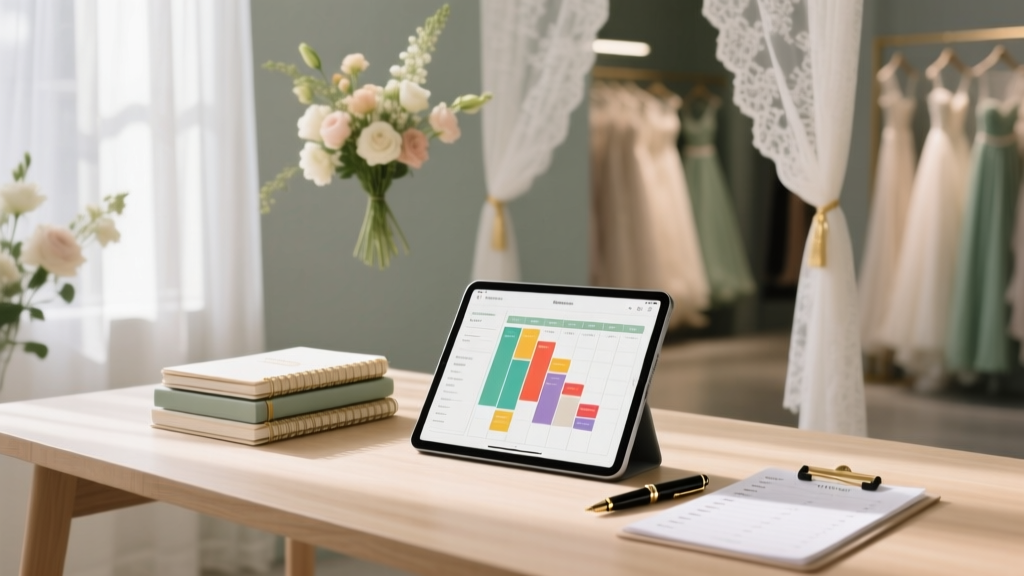
Wedding Planning Tools and Templates That Save Time
You’re engaged—cue the happy tears, the phone calls, and the screenshots of wedding inspiration that multiply overnight. Then reality taps you on the shoulder: there are decisions everywhere. Guest lists. Budgets. Vendors. Timelines. And somehow, all of it needs to come together on one day that still feels like you.
If you’re feeling a little overwhelmed, you’re not behind—you’re normal. Most couples aren’t short on excitement; they’re short on time and mental bandwidth. The good news is that the right wedding planning tools and templates can take a huge load off your plate. Think of them like your planning “home base”: fewer forgotten tasks, fewer back-and-forth texts, and fewer late-night panic searches.
This guide walks you through the planning tools that actually save time (not just look pretty), plus templates you can reuse, tweak, and hand off to helpers. You’ll also find common mistakes to avoid, planner-level pro tips, and a simple next-step checklist so you can feel organized fast.
Why Wedding Planning Tools Matter (and What to Look For)
The best wedding planning tools do three things well:
- Centralize information so you’re not hunting through emails and texts.
- Standardize decisions using templates (budget lines, vendor questions, timelines) so you don’t reinvent the wheel.
- Reduce back-and-forth with shared documents, automated reminders, and clear responsibilities.
Quick checklist: Your “must-have” features
- Cloud-based access (so you can plan from your phone)
- Easy sharing with your partner and key helpers
- Version control (so you don’t end up with “final_final2.xlsx”)
- Export/print options for day-of coordination
- Simple enough that you’ll actually use it weekly
The Core Wedding Planning Templates You’ll Use Again and Again
If you only set up a few templates, make them these. They’ll cover 80% of the planning load and keep your wedding timeline and budget on track.
1) Wedding Budget Spreadsheet Template
A wedding budget template is your reality check and your decision tool. It helps you answer: “Can we afford this?” and “If we upgrade here, what do we downgrade?”
What your budget template should include
- Category (venue, catering, photography, attire, flowers, rentals, stationery, music, etc.)
- Estimated cost
- Quoted cost (from vendor proposals)
- Final cost
- Paid to date and balance due
- Due dates (deposits and final payments)
- Notes (tips, taxes, service fees, overtime rates)
Step-by-step: Set it up in 20 minutes
- Start with your total number (your true top limit, not the “maybe” number).
- Assign percentages based on priorities. Example: if photos matter most, allocate more there and scale back décor.
- Add a “cushion” line (5–10%) for surprises like extra rentals, weather backups, or last-minute alterations.
- Track real quotes early—your first three vendor quotes will calibrate your whole budget.
- Update weekly (even if it’s just five minutes).
Real-world scenario
You fall in love with a venue that’s $2,000 over what you planned. With a working budget sheet, you can make a calm trade: reduce floral spend by reusing ceremony arrangements at the reception and swapping elaborate centerpieces for bud vases and candle clusters.
2) Guest List + RSVP Tracker Template
Your guest list affects nearly every cost: catering, bar, rentals, invitations, and even the size of your venue. A guest list template keeps your headcount accurate and your family dynamics manageable.
Columns to include
- Household name
- Guest names
- Relationship/side (your family, partner’s family, friends)
- Address + email + phone
- Invite sent date
- RSVP status (yes/no/no response)
- Meal choice
- Dietary restrictions
- Plus-one eligibility
- Notes (family sensitivities, mobility needs, seating considerations)
Pro tip: Use “households,” not individuals
Track invitations by household to avoid over-inviting. For example, “The Martinez Family” is one invitation with multiple guests. This saves time when mailing, following up, and assigning seating.
3) Wedding Planning Timeline Template (Month-by-Month)
A planning timeline template stops the “Are we forgetting something?” spiral. It breaks big tasks into small steps, matched to when they actually need to happen.
Sample timeline milestones
- 12–9 months out: set budget, build guest list draft, book venue, hire planner (if using), book photographer and caterer
- 8–6 months out: book DJ/band, florist, hair/makeup; choose attire; send save-the-dates
- 5–3 months out: finalize menu, design invitations, plan ceremony details, book rentals
- 2 months out: send invitations, plan seating approach, confirm timeline with vendors
- 1 month out: final headcount prep, final walkthrough, finalize shot list and day-of schedule
- 2 weeks out: vendor confirmations, create tip envelopes, print schedules, pack emergency kit
Budget + timeline combo tip
Add a “paid” checkbox next to every major vendor line in your budget and align it with your timeline dates. It’s the fastest way to avoid missed payments and last-minute stress.
4) Vendor Comparison Sheet Template
When you’re emailing five photographers and three venues, the details blur together. A vendor comparison sheet makes decisions faster and more confident.
What to compare
- Base package price + what’s included
- Hours of coverage/service
- Overtime rates
- Travel fees
- Payment schedule
- Cancellation/reschedule policy
- Communication style and response time
- Notes from your call (vibe matters)
Real-world scenario
You receive two similar catering quotes. One looks cheaper—until your comparison sheet reveals it doesn’t include staffing, linens, or service charges. You choose the clearer proposal and avoid a budget surprise later.
5) Wedding Day Schedule Template (Minute-by-Minute)
This is the template that saves your sanity the week of the wedding. It keeps everyone aligned—hair and makeup, photography, wedding party, venue, and family.
Include these sections
- Getting ready start times (by person)
- Photo times (details, first look, family portraits)
- Transportation pickup times
- Ceremony start/end
- Cocktail hour plan
- Grand entrance, first dance, toasts, cake cutting
- Buffer time (yes, add buffer time)
- Vendor arrival and setup windows
- Last call, exit, cleanup responsibilities
Planner pro tip: Build in “invisible” time
- 10–15 minutes for pinning boutonnieres
- 15 minutes for bustling the dress
- 10 minutes for a private snack/water break
- 5–10 minutes transition time between locations
6) Seating Chart + Table Plan Template
Seating charts get complicated fast. A template makes it easier to test versions without rewriting everything.
Time-saving approach
- Group guests by “circles” (immediate family, extended family, college friends, work friends).
- Place VIPs first (parents, wedding party, grandparents).
- Build tables around connectors (the friend who knows both groups).
- Leave 1–2 flexible seats per table until late RSVPs settle.
Tools That Make Templates Even More Powerful
Templates work best when paired with tools that reduce admin. Here are practical, couple-friendly options (use what fits your style—simple is better than perfect).
Shared planning hub: Google Drive or Notion
- Create one folder or workspace for: budget, guest list, contracts, inspiration, and your timeline.
- Set up subfolders: “Venue,” “Catering,” “Photo/Video,” “Design,” “Payments.”
- Store PDFs of contracts and receipts so you’re not searching your inbox.
Project management tool: Trello, Asana, or a simple checklist
If you like visual organization, a board-style tool can replace dozens of scattered notes.
- Make columns: “To Do,” “Waiting On,” “Booked,” “Done.”
- Add due dates tied to your wedding planning timeline.
- Assign tasks to each partner (and anyone helping).
Scheduling tool: a shared calendar
- Add vendor payment dates and final-meeting deadlines.
- Block time for planning “power hours” so it doesn’t take over every evening.
- Set reminders for RSVP deadlines and final headcount dates.
Wedding website + digital RSVP tool
A wedding website can dramatically cut down on guest questions. Digital RSVPs can also reduce manual tracking—especially helpful for larger guest counts.
- Post FAQs: dress code, directions, parking, schedule, registry, unplugged ceremony note.
- Collect meal choices and dietary restrictions.
- Track RSVPs automatically (then export into your guest list tracker).
A Simple Setup Plan: Your “One-Weekend” Planning System
If you want fast relief, set up your system in one weekend. You’ll feel calmer by Monday.
Day 1 (60–90 minutes): Build your foundation
- Create your planning folder/workspace.
- Start a budget spreadsheet with your total number and top categories.
- Draft your guest list by household (don’t obsess over perfection yet).
Day 2 (60–90 minutes): Make it usable
- Add a timeline template with your wedding date and key milestones.
- Create your vendor comparison sheet.
- Set a weekly planning meeting (30 minutes) for you and your partner.
Day 3 (30 minutes): Prep for booking vendors
- Write 8–10 standard vendor questions and paste them into inquiry emails.
- Set up a “Waiting On” list for replies and quotes.
- Add decision deadlines to your calendar.
Common Mistakes That Waste Time (and How to Avoid Them)
Mistake 1: Planning in too many places
If your budget is in one app, your guest list is in texts, and contracts are in three inboxes, you’ll lose hours.
- Fix: Choose one “source of truth” (Drive/Notion) and link everything back to it.
Mistake 2: Forgetting taxes, gratuities, and service fees
This is one of the biggest budget surprises for couples.
- Fix: Add a line item for “tax/service” under each vendor category and confirm totals in writing.
Mistake 3: Not building buffer time into the day-of schedule
Even a small delay can ripple into missed sunset photos or a shortened cocktail hour.
- Fix: Add 10–15 minute buffers between major transitions.
Mistake 4: Waiting too long to finalize the guest list
Your guest count impacts venue options, catering minimums, rental orders, and your overall wedding budget.
- Fix: Set a “guest list decision date” early—ideally before you sign your venue contract.
Wedding Planner Pro Tips for Saving Even More Time
- Use email templates for vendors. Save one version for photographers, one for venues, one for caterers. Copy/paste and customize.
- Create a “decision log.” A simple list: what you decided, when, and why. It prevents re-litigating choices.
- Batch tasks. Do all vendor outreach in one sitting, all invitation tasks in one sitting, all playlist planning in one sitting.
- Keep your priorities visible. Add a note at the top of your budget: “Top 3 priorities.” When choices get hard, this saves time and arguments.
- Assign one point person per vendor. Usually one partner handles photography, the other handles music—less duplication, fewer missed messages.
FAQ: Wedding Planning Tools and Templates
What are the most essential wedding planning templates for couples?
If you start with four, choose: a wedding budget spreadsheet, a guest list + RSVP tracker, a month-by-month wedding planning timeline, and a vendor comparison sheet. Add a wedding day schedule template once key vendors are booked.
Should we use digital RSVPs or paper RSVPs?
Digital RSVPs save time and reduce manual data entry, especially for larger weddings. Paper RSVPs can feel more traditional and work well for smaller guest lists. Many couples do a hybrid: invitations mailed, RSVPs online.
How far in advance should we build a wedding day timeline?
Create a rough draft as soon as you have your ceremony time and venue access hours. Finalize it 4–6 weeks before the wedding with your photographer, planner/coordinator, and venue to confirm logistics and travel time.
What’s the biggest time-waster during wedding planning?
Searching for information—old quotes, contracts, addresses, RSVP details. A central planning hub with organized folders and consistent templates eliminates most of that.
How do we keep wedding planning from taking over our relationship?
Set one weekly planning meeting (30–60 minutes), keep a shared checklist, and avoid wedding talk outside that window unless it’s urgent. You’ll make steady progress without feeling like planning is a second job.
Do we need a planner if we have good templates?
Templates help every couple, with or without a planner. If your budget allows, a month-of coordinator can be a great middle option—especially to run the wedding day schedule and manage vendors so you can actually enjoy your wedding.
Your Next Steps: Get Organized This Week
If you want the quickest win, focus on organization before aesthetics. Set up your budget, guest list, timeline, and vendor comparison sheet—then commit to a weekly planning check-in. You’ll make decisions faster, avoid budget surprises, and feel genuinely excited again (instead of buried in details).
- Create one shared planning folder/workspace
- Start your budget spreadsheet with a 5–10% cushion
- Draft your guest list by household and set an RSVP deadline
- Build a month-by-month timeline with booking targets
- Use a vendor comparison sheet before signing contracts
- Draft a day-of schedule template once key vendors are booked
You don’t need to do everything at once—you just need a system you can trust. For more supportive, practical planning help, explore the rest of our wedding planning guides on weddingsift.com.
More Articles
 Can You Wear an Open Back Dress to a Wedding?
 Engagement vs Wedding Rings: What Modern Couples Do (2026)
 Wedding Invitation Stamps: Exact 2026 USPS Guide
 Chinese Wedding Planning: 12-Month Checklist (2026)
 Wedding Gift Rules: 7 Non-Negotiable Steps (2026)
 Wedding Invitation Money Requests: Polite Phrases (2026)
 Sell Your Wedding Dress: 7 Steps to Get Paid (2026)
 Wedding Thank You Card Envelope Etiquette (2026)
 Wedding Registry Platforms Compared (2026)
 Wedding Venue Business Plan Guide (2026)