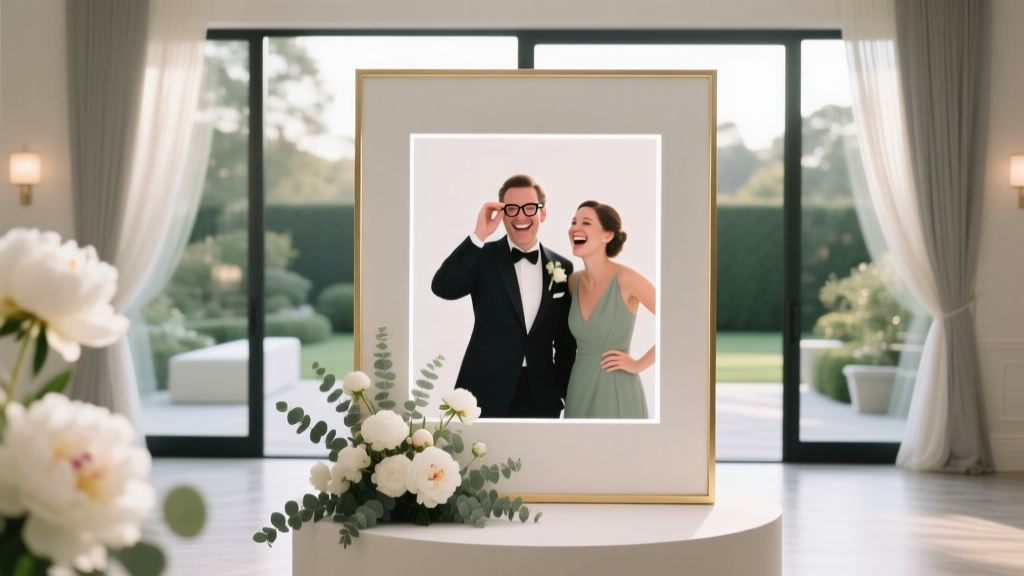
How to Plan a Wedding With a Photo Booth
You’ve probably pictured it already: your favorite people dressed up, a little giddy from happy tears and champagne, piling into a photo booth with props and big laughs. Photo booths have a way of turning “nice reception” into “we’re still talking about it a year later.” They’re equal parts entertainment, guest book, and instant keepsake—especially when the dance floor is warming up and not everyone wants to dance (yet).
At the same time, adding a wedding photo booth can bring up real planning questions: Where does it go? When should it run? Do you want prints, digital, or both? How do you keep lines from forming? And how do you fit it into your wedding budget without sacrificing the things that matter most?
This guide walks you through planning a wedding with a photo booth from start to finish—choosing the right booth style, budgeting, building it into your timeline, and creating an experience your guests will love. Think of it as advice from a planner friend who’s seen what works in real weddings.
Why a Photo Booth Works So Well at Weddings
A great wedding photo booth does more than capture photos. It creates a moment—often for guests who don’t otherwise get many pictures together.
- It doubles as entertainment during cocktail hour, between courses, or when the dance floor is taking off.
- It boosts guest interaction (your college friends meet your coworkers, your cousins meet your in-laws).
- It creates instant favors—prints guests actually keep.
- It captures candid joy you might miss with traditional wedding photography.
- It can serve as a creative guest book with printed strips and handwritten notes.
Step 1: Choose the Right Type of Wedding Photo Booth
Not all photo booths are the same. The best choice depends on your venue, guest count, wedding style, and what you want guests to take home.
Popular photo booth styles (and who they’re best for)
- Open-air booth: A camera on a stand with a backdrop. Best for bigger groups, modern venues, and flexible layouts.
- Enclosed booth: The classic “step inside” experience. Best for intimate weddings and guests who love a little privacy.
- Mirror booth: A full-length interactive mirror with animations. Best for glam or black-tie weddings and a “wow” factor moment.
- 360 video booth: Guests stand on a platform while a camera spins around. Best for high-energy receptions; plan extra space and a line strategy.
- Roaming photo booth: An attendant moves through cocktail hour with a handheld booth or iPad setup. Best for tight venues or when you want candid-style fun.
Quick decision checklist
- Guest count: Under 80 guests often works well with a standard booth; 120+ may need faster output, longer hours, or a second station.
- Space: Open-air setups are usually easiest to fit (but still need a clear footprint and a line area).
- Vibe: Minimalist backdrop for modern weddings; velvet drape or floral wall for romantic weddings; neon sign for trendy parties.
- Takeaway: Prints for a classic favor; digital galleries for easy sharing; both if budget allows.
Step 2: Set Your Photo Booth Budget (Realistic Ranges + Where to Spend)
Wedding photo booth pricing varies based on hours, print packages, booth type, and add-ons. Here are common ranges couples see:
- DIY photo booth setup: $150–$600 (tripod, ring light, backdrop, props, printing optional)
- Standard open-air booth (2–4 hours): $600–$1,200
- Premium booths (mirror, 360, luxury backdrops): $1,200–$2,500+
- Add-ons: custom backdrops, extra hours, attendant, guest book, upgraded props, neon signage, printing upgrades
Where to spend for the best guest experience
- An attendant: Keeps the line moving, helps shy guests, resets props, and troubleshoots.
- Lighting: Great lighting makes every photo look better—especially in dim venues.
- Unlimited sessions: Guests won’t hesitate to use it more than once.
- Quality prints: If you’re doing printed wedding favors, don’t skimp on print size or paper quality.
Money-saving ideas that still feel elevated
- Book fewer hours (run it during peak reception time rather than all night).
- Choose digital-only sharing and skip prints if you’re tight on budget.
- Use a simple but polished backdrop (solid drape + good lighting beats a cluttered DIY wall).
- Pair the booth with your wedding guest book instead of separate favors.
Step 3: Decide When to Run the Photo Booth (Timeline Advice)
The biggest “make or break” factor is timing. If the booth is open when guests are seated for dinner, it may sit empty. If it opens too late, some guests will have already left.
Most popular photo booth windows
- After dinner through dancing (best all-around): Guests are relaxed and ready to have fun.
- Cocktail hour (great if you have two locations): Perfect if the booth is near the bar or escort cards; just confirm access and power.
- During open dancing with a short break: Avoids competing with your first dance and speeches.
Sample timeline (4-hour booth rental)
- 5:00 PM Vendor setup and test lighting
- 7:30 PM Booth opens (right after dinner)
- 8:15 PM Quick pause for speeches/first dance
- 8:45 PM Booth reopens during dancing
- 11:30 PM Booth closes and vendor breakdown
Real-world scenario: At a 140-guest wedding, the couple opened the booth right after dinner and kept it running until the final hour. They also asked the DJ to do one friendly announcement: “Photo booth is open—grab your group photo!” Usage doubled compared to letting it run quietly in the background.
Step 4: Plan the Layout, Power, and Guest Flow
The photo booth should be easy to find, easy to use, and not blocking high-traffic areas.
Placement tips planners rely on
- Place it near the bar or dance floor (high energy zones), but not directly in the path.
- Leave room for a line that won’t spill into dinner seating.
- Avoid placing it outdoors unless the vendor confirms weatherproof equipment and lighting.
- Make sure it’s not facing bright windows (backlighting can ruin photos).
Practical checklist for your venue walk-through
- Is there a nearby power outlet? Do you need an extension cord (and can it be taped down)?
- What’s the footprint required (including backdrop and line space)?
- Can guests access it with mobility aids?
- Will it interfere with the band/DJ speakers or buffet traffic?
- Is there enough lighting, or will the vendor bring professional lighting?
Step 5: Design the Photo Booth Experience (Backdrop, Props, Branding)
This is where the booth starts to feel like “you,” not just a rented setup.
Backdrops that photograph beautifully
- Classic: white, black, champagne, or blush drape (timeless and flattering)
- Romantic: greenery wall with subtle blooms (works well with garden-style weddings)
- Modern: clean neutral backdrop with a neon sign featuring your last name or wedding date
- Theme-forward: retro tinsel curtain for a disco vibe; velvet for a moody, elegant look
Props: fun without turning chaotic
Choose props that match your tone. A black-tie wedding might lean toward elegant signs and frames; a backyard wedding might embrace playful hats and sunglasses.
- Stick to 15–25 high-quality props instead of a huge pile of flimsy ones.
- Include a few couple-specific props (inside jokes, pet references, hometown nods).
- Skip anything too vulgar unless your crowd truly loves that humor.
Don’t forget the print design (if using prints)
- Include your names and wedding date in a clean font.
- Match your invitation color palette or monogram.
- Choose a layout guests will keep: 2x6 strips or 4x6 cards are most popular.
Real-world scenario: One couple used a 4x6 print with space at the bottom that said, “Write us a note!” Guests pasted the photo into a guest book and added advice. The couple ended up with a keepsake that felt personal—not generic.
Step 6: Make It Meaningful: Guest Book, Sharing, and Keepsakes
A photo booth can be more than entertainment if you set up a simple system.
Photo booth guest book setup
- Place the guest book table next to the booth exit.
- Provide tape or photo corners, plus 2–3 bold markers that won’t smear.
- Add a sign with a clear prompt: “Snap a pic, paste it, and leave us a note!”
- Assign someone (attendant or coordinator) to gently encourage participation.
Digital sharing options
- QR code gallery guests can scan
- Text/email delivery after each session
- Online album delivered to you after the wedding
Step 7: Book the Right Vendor (Questions to Ask)
When you’re comparing wedding photo booth packages, focus on reliability and photo quality—not just the lowest price.
Vendor questions that prevent headaches
- How many hours are included, and what’s the cost for extra time?
- Is an attendant included the entire time?
- Do you offer unlimited sessions and unlimited prints?
- What kind of camera and printer do you use?
- How do you handle low light venues?
- What’s your backup plan if equipment fails?
- When will we receive the full gallery after the wedding?
- Are setup and teardown included in the rental window?
Common Mistakes to Avoid (and Planner Pro Tips)
Mistake: Putting the booth in a hidden corner
Pro tip: If guests can’t see it, they won’t use it. Place it where people naturally gather, and use signage or one DJ announcement to kick things off.
Mistake: Not planning for lines
Pro tip: For 120+ guests, consider:
- Running the booth longer
- Choosing faster print output
- Going digital-only to speed up sessions
- Setting a gentle “3–4 people per photo” suggestion sign
Mistake: Choosing style over photo quality
Pro tip: Fancy booths still need great lighting. Ask to see real full-gallery examples from venues similar to yours.
Mistake: Forgetting the booth competes with key moments
Pro tip: Pause the booth during speeches and formal dances so guests aren’t split between two experiences.
Mistake: DIY without a test run
Pro tip: If you’re doing a DIY wedding photo booth, test it in low light, test printing (if applicable), and assign a tech-friendly friend to manage it.
Quick Planning Checklist: Wedding Photo Booth Edition
- Decide your goal: entertainment, favors, guest book, or all three
- Choose booth style based on venue space and guest count
- Set your budget and prioritize attendant + lighting
- Pick operating hours that align with peak reception energy
- Confirm layout, power access, and line flow with your venue
- Design backdrop + props + print template to match your wedding style
- Plan a guest book station or digital sharing method
- Book your vendor and confirm backup plans
- Add signage and coordinate a DJ/MC announcement
- Assign someone to take home the guest book and any leftover prints
FAQ: Planning a Wedding With a Photo Booth
How many hours should we rent a photo booth for?
Most couples book 3–4 hours. For 100–150 guests, 4 hours tends to feel comfortable. If your crowd loves photos or you have a large family, consider adding an extra hour or opening it earlier right after dinner.
Is a photo booth worth it if we already have a wedding photographer?
Yes—because the photos are different. Your wedding photographer focuses on storytelling and key moments. A photo booth captures playful group shots and guest combinations that rarely happen otherwise, and guests love having instant keepsakes.
Where should a photo booth go at the reception?
Place it near high-traffic areas like the bar or dance floor, with enough space for a small line. Avoid blocking entrances, buffet lines, and service paths. During your venue walk-through, identify a spot with easy power access and good lighting conditions.
Should we do prints, digital, or both?
Prints are great if you want wedding favors or a guest book. Digital is ideal for easy sharing and often helps reduce lines. If your budget allows, a package with both gives you the best of both worlds.
How do we keep the photo booth from feeling “off-theme”?
Match the booth’s backdrop and print template to your wedding colors and stationery style. Choose props that fit your vibe (elegant, whimsical, modern, or retro), and add one design anchor like a neon sign, monogram, or floral accent that ties it into your decor.
What’s the best alternative if a photo booth doesn’t fit our budget?
A polished DIY setup can work well: a tripod, a ring light, a simple drape backdrop, and a phone or camera with a remote shutter. Add a QR code sign that links to a shared album so guests can upload their photos. Just do a full test run and assign someone to manage it.
Your Next Steps
If you want a wedding photo booth that feels seamless (not like a random add-on), start with three decisions: your booth style, your operating window, and your layout. Then build the details—backdrop, props, guest book, and sharing—around those choices.
Write down your top priority (favors, guest book, entertainment, or all three), and bring this checklist to your venue walk-through or vendor calls. A little planning upfront makes the booth one of the easiest “yes” decisions you’ll make.
Want more wedding planning tips that make decisions feel simpler? Browse more guides and ideas on weddingsift.com.
More Articles
 Should Wedding Bands Match? (2026)
 Do You Need a DJ for Your Wedding? (2026)
 Wedding Gift Money for Close Friends: 2026 Guide
 Wedding Insurance: When It Pays Off & Best 2026 Policies
 Wedding Registry Sharing: 7 Mistakes to Avoid (2026)
 May vs December Wedding: Cost, Weather & Guest Trade-Offs
 Wedding Band Cost in Ireland 2026: Real Prices
 Destination Wedding Legal Requirements (2026)
 Floral Dress for Wedding: When It Works (2026)
 How to Buy a Wedding Ring Online (2026)