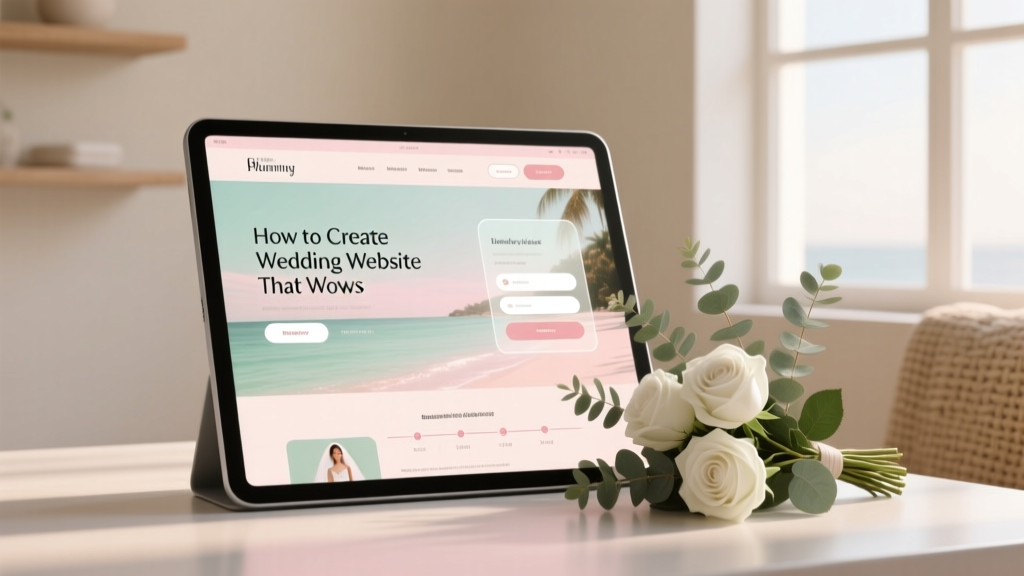
How to Create a Wedding Website That Wows
You’re planning a wedding—meaning you’re juggling big emotions, family opinions, and a hundred tiny decisions that somehow all feel urgent. A wedding website can be the calm, organized “home base” that keeps everyone on the same page (and keeps your phone from buzzing with the same questions every day).
Done well, a wedding website doesn’t just share details. It sets the tone. It helps guests feel welcomed, informed, and excited. It also gives you room to tell your story, showcase your style, and make your celebration feel intentional—whether you’re hosting a black-tie ballroom wedding, a backyard brunch, or a destination weekend with your closest people.
This guide walks you through exactly how to create a wedding website that wows: what to include, when to publish it, how to keep it guest-friendly, and what wedding planners wish every couple knew.
Why a Wedding Website Is Worth It (Even If You’re Keeping Things Simple)
A wedding website is one of the best “high impact, low stress” wedding planning tools. Here’s what it does for you:
- Reduces repetitive questions about dress code, parking, start times, plus-ones, and kids.
- Keeps your wedding details in one place so guests don’t hunt through texts and emails.
- Supports RSVP tracking and helps you stay organized with meal choices and attendance.
- Sets expectations kindly (think: unplugged ceremony, adults-only reception, or shuttle schedules).
- Feels personal—your photos, your story, your vibe.
Wedding Website Timeline: When to Build and Launch
Timing matters. Publish too early and details change; publish too late and guests get anxious. A planning-friendly timeline looks like this:
- 8–10 months before: Build the basics (names, date, city, save-the-date info).
- 6–8 months before: Add hotel blocks, travel tips, and RSVP functionality if you’re collecting early.
- 10–12 weeks before: Publish the full schedule, attire guidance, registry, and FAQs.
- 4–6 weeks before: Update final transportation and parking details; confirm start times.
- Week of: Add last-minute updates (weather notes, shuttle reminders, emergency contact).
Real-world scenario: If you’re planning a destination wedding in Charleston and many guests are traveling, build the site earlier—hotel block deadlines often hit 2–4 months before the wedding date.
Step-by-Step: How to Create a Wedding Website That Wows
Step 1: Choose the Right Platform for Your Budget and Style
Most couples choose between all-in-one wedding website builders (often with RSVP tools) and custom websites (more flexible, sometimes pricier). Consider:
- Ease of use: Can you update details quickly from your phone?
- RSVP features: Meal choices, plus-ones, song requests, multiple events.
- Design templates: Do they match your wedding aesthetic?
- Privacy controls: Password protection, hidden pages, guest list access.
- Cost: Free vs. paid upgrades like custom domains.
Budget tip: A custom domain (like “JordanAndAvery.com”) typically costs around $15–$25/year. It’s a small upgrade that makes your site feel polished and easy to share.
Step 2: Pick a Website Name Guests Can Actually Remember
Keep it simple and intuitive. Examples:
- FirstNameAndFirstName.com (or .net)
- TheLastNameWedding.com
- FirstNameLastNameWedding.com
If your names are long or hard to spell, choose something shorter and include the URL as a clickable link on digital communications.
Step 3: Match the Design to Your Wedding (Without Overcomplicating It)
Your wedding website should feel like an extension of your invitation suite. Aim for:
- Color palette: Pull 1–2 colors from your wedding colors.
- Typography: Choose readable fonts; avoid overly decorative body text.
- Photo choices: Use one great engagement photo for the homepage, then a few more sparingly.
Planner pro tip: Your website doesn’t need to match every detail. A clean, timeless design will still feel “you” if the content is thoughtful and the photos are warm.
Step 4: Build the Essential Pages (The “Guest-First” Checklist)
If you do nothing else, nail these pages. They answer 90% of guest questions.
Homepage
- Your names
- Wedding date
- Location (city/state is enough at first)
- A clear navigation menu
Schedule / Events
List every event guests may attend with date, time, and address. Use clear labels like:
- Welcome Party (optional)
- Ceremony
- Cocktail Hour
- Reception
- Farewell Brunch (optional)
Specific scenario: Hosting a Catholic ceremony at 2:00 PM and reception at 5:30 PM across town? Put the gap in bold, explain it kindly, and suggest nearby coffee shops or sightseeing so guests aren’t confused.
Travel
- Nearest airport(s)
- Hotel block info and booking links
- Transportation details (shuttles, parking, rideshare notes)
- Weekend recommendations (restaurants, activities)
RSVP
- RSVP deadline (be specific: “Please RSVP by September 1”)
- Meal choices (if needed)
- Plus-one clarity
- Allergy/dietary notes
Planner pro tip: Set your RSVP deadline 2–3 weeks earlier than your caterer’s due date. You’ll be grateful for the buffer when you’re tracking down stragglers.
Registry
Keep it simple and tasteful:
- Link to your registry (or registries)
- If you’re doing a honeymoon fund or cash fund, explain it in one warm sentence
Example wording: “Your presence is the best gift. If you’d like to celebrate with something extra, we’ve created a small registry and a honeymoon fund.”
FAQ
This is where your website becomes a true guest-support tool. Add the questions your crowd will ask (we share ideas below).
Step 5: Write Copy That Sounds Like You (Clear, Warm, and Specific)
Guests don’t need paragraphs. They need clarity. Use short sentences, friendly headings, and direct answers.
- Be clear about attire: “Black tie optional” means something different to different people—add examples.
- Be kind but firm on boundaries: Adults-only, unplugged, no plus-ones unless named—state it gently and consistently.
- Skip jargon: Not everyone knows what “semi-formal” means; add guidance.
Dress code examples guests love:
- Cocktail: “Knee-length dresses, jumpsuits, suits, or a blazer and dress pants.”
- Formal: “Long dresses or elevated cocktail dresses; suits and ties.”
- Beach formal: “Dressy but breathable—think flowy fabrics and block heels or dressy flats.”
Step 6: Add Details That Make Guests Feel Cared For
The “wow” factor is often practical, not flashy. Consider including:
- Accessibility info: ramps, elevators, terrain notes, reserved seating
- Weather guidance: “Ceremony is outdoors on grass; bring a light layer”
- Local tips: your favorite breakfast spot, coffee, or scenic walk
- Kids info: if children are invited, share childcare suggestions or kid-friendly activities
Real-world scenario: If your reception is in a historic building with limited parking, add a quick note: “Street parking is limited—rideshare is highly recommended. If you drive, arrive 20 minutes early to park.” Guests will thank you.
Step 7: Make It Easy to Use on Mobile
Most guests will check your wedding website on their phones while traveling or getting ready. Before you publish, do a mobile walkthrough:
- Open the site on your phone and a friend’s phone (different devices if possible).
- Click every menu item—make sure nothing is hidden or broken.
- Check that addresses link to maps correctly.
- Confirm RSVP forms are easy to complete without zooming.
Step 8: Decide on Privacy (and Protect Your Peace)
You can share details while still keeping things secure. Consider these options:
- Password protect the full site, especially if you’re posting specific venue addresses.
- Hide RSVP behind a link so only invited guests access it.
- Avoid posting sensitive info like room numbers or personal phone numbers publicly.
Planner pro tip: Create a dedicated wedding email address for RSVPs and questions. It keeps communication organized and prevents details from getting lost in your everyday inbox.
Common Mistakes Couples Make (and How to Avoid Them)
- Mistake: Too much text.
Fix: Use headings, bullets, and short paragraphs. Guests skim. - Mistake: Missing RSVP deadline or unclear plus-ones.
Fix: Put the deadline on the RSVP page and FAQ; be consistent everywhere. - Mistake: Not listing exact start times.
Fix: Add “Ceremony begins at 4:30 PM sharp” and suggest arrival time. - Mistake: Forgetting transportation and parking info.
Fix: Add maps, shuttle times, and a plan for rideshare pickup/drop-off. - Mistake: Linking a registry too early (or too prominently).
Fix: Keep it in the menu, but don’t make it the hero of the homepage. - Mistake: Outdated info.
Fix: Set a monthly reminder to review and update your site as vendors are confirmed.
Wedding Planner Pro Tips to Make Your Site Feel Elevated
- Use a “Quick Details” section near the top: date, city, ceremony time, reception location.
- Add a “Weekend at a Glance” card if you have multiple events—guests love one simple snapshot.
- Include a gentle unplugged note on the schedule and FAQ, not just on signage day-of.
- Offer specific travel guidance for destination weddings: best airport, average drive times, car rental tips.
- Create a page for your wedding party only if you want to—keep it short and sweet (names, roles, one fun line).
Simple Budget Guide: What You Might Spend
A beautiful wedding website can be very affordable. Here’s a realistic range:
- $0–$50: Free template + optional custom domain
- $50–$200: Domain + upgraded template features (custom URL, extra design options)
- $200–$1,500+: Custom design, copywriting help, or a fully custom site
Where to splurge (if you want): a custom domain and a clean layout. Guests remember ease more than fancy animations.
FAQ: Wedding Website Questions Couples Ask All the Time
Should we password-protect our wedding website?
If your site includes detailed venue addresses, hotel info, or RSVP access, password protection is a smart choice. You can include the password on your save the dates and wedding invitations.
What should we put on our wedding website if we don’t have all the details yet?
Start with what you know: your names, date, city, and a note like “Formal invitation to follow.” Add travel basics if guests will need to book early, and update the rest as vendors are confirmed.
When should we add our registry to the website?
Most couples add it once save the dates are out or invitations are on the way. Keep it on its own tab in the menu, and avoid leading with it on the homepage.
How do we politely communicate “adults-only” or limited plus-ones?
Be warm and direct. Use consistent wording on the FAQ and RSVP page. For example: “We love your little ones, but this will be an adults-only celebration.” For plus-ones: “Due to limited capacity, we can only accommodate guests listed on your invitation.”
Can we collect RSVPs online and still send paper invitations?
Absolutely. Many couples send traditional invitations and direct guests to RSVP online. It can simplify tracking, meal selections, and follow-ups.
How often should we update our wedding website?
Plan on a quick review once a month, then weekly in the final month. Any time you confirm a timeline, shuttle plan, or hotel deadline, update the site right away.
Your Next Steps: A Quick Wedding Website Checklist
If you want a clear path forward, here’s your action plan for the next 60–90 minutes:
- Choose your platform and secure a simple, memorable URL.
- Select a clean design template that fits your wedding style.
- Create these pages: Home, Schedule, Travel, RSVP, Registry, FAQ.
- Add the essentials: date, city, start times, addresses, RSVP deadline.
- Do a mobile test and click every link (especially maps and RSVP).
- Set a reminder to update as details change.
Your wedding website doesn’t need to be perfect to be helpful. Start with the basics, keep it guest-friendly, and add personality where it feels natural. The best wedding websites feel like a warm welcome—and a little extra peace of mind for everyone involved.
Want more planning support? Explore more practical, stress-reducing wedding planning guides on weddingsift.com.
More Articles
 How to Announce Wedding Registry (2026)
 How Much to Tip a Wedding Photographer (2026)
 Silk Flowers on Wedding Arch: 7 Foolproof Methods (2026)
 Wedding Gift Amounts: What Guests Actually Spend (2026)
 Wedding Coordinator Cost: Real 2026 Breakdown
 Funny Wedding Speech: 7 Steps to Genuine Laughter (2026)
 Wedding Dress Underwear: What to Wear (2026)
 Can You Wear Black to a Wedding? (2026 Guide)
 Wedding Tent Rental Costs (2026): Real Quotes & Hidden Fees
 Wedding Cost in Singapore: Real 2026 Budget Breakdown